don’t add thermal paste, the stickers are thermal pads from the manufacturer and you should get more
A_PCMR_member
The memory IT IS TAUNTING US!
NeoNeonMemer
Hmmmm maybe you should put an intel sticker on there
BigDaddyDingDong899
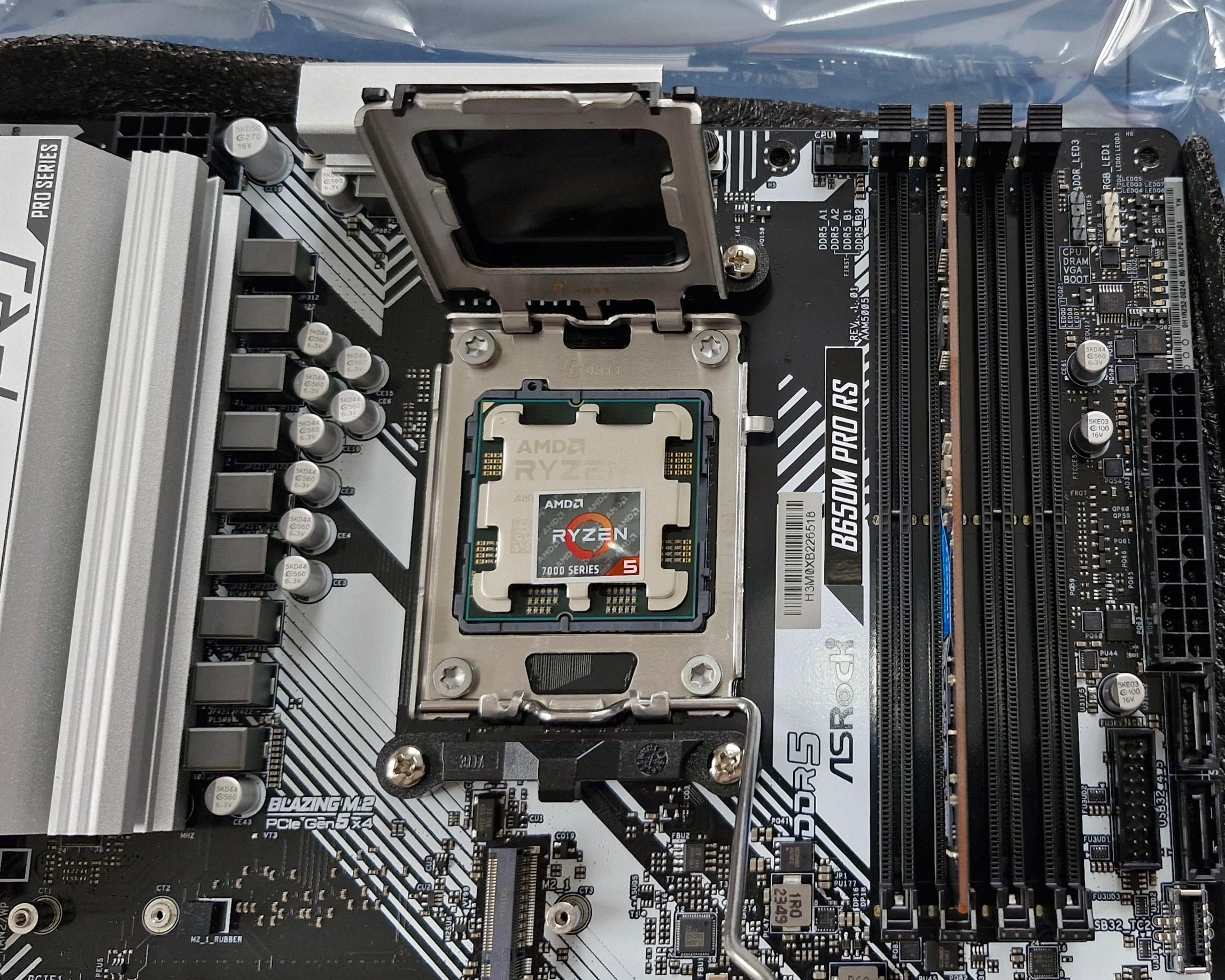
Based on the white “frame” of the sticker you forgot to adhere it to the CPU. It won’t be able to dissipate dem heats.
T11nkr
Ermahgerd
LOBSI_Pornchai
Yes, and the black plastic heat blocker must not be removed from the top piece.
reallyryan-1899
I usually shove it up my bum but each to their own.
furry_husker
we should have cpu stickers that melt into thermal paste when heated, like some phase change material, and they come applied in the box
IllvesterTalone
You chaotic s.o.b.
nice troll.
budoucnost
wait, you’re NOT supposed to eat it?
CoreDreamStudiosLLC
I’d put 4 more stickers on top to cover it, then 4 more upside down with scotch tape, just to be sure the metal is protected. /s
WP_LoneWolf
This is one good quality of desktop PC, on our laptops, the manufacturers put the stickers on the keyboard deck for some reason. Could’ve cooled the CPU better if they had just put those stickers on top of the damn CPU.
rndocnt83
I stuck mine to the bottom of the cooler and out the fancy plastic protection peel back over it so I doesn’t get ruined.
gokartninja
You’re supposed to put it on the other side. It can mess with your thermals if you put it on that side
Successful_Durian_84
The sticker is actually supposed to go up your ass.
MooCalf
Isnt it supposed to be inside the metal part?
Hydraulis
How much do you wanna bet that there will be people who only see the title and do this?
Tito914
No no no no!!! In the middle for even heat dissepation!
FrezoreR
Now you just need a hammer to make sure it’s adhering properly.
Spydoggy50
You’re not serious?
deadpool5g
What’s your address 😆😄😃😀🙂🤧
Aznosreal
No?? You’re obviously meant to put the thermal paste on before you put on the sticker, that way the thermal conductivity is better
ghx1910

hopelooped
dont forget the extra sauce
Creepy-Yam3268
It’s not straight 😭 it’s hanging off the side 😱
xppoint_jamesp
This isn’t going to spread enough… needs at least another sticker.

45 Comments
Doesn’t it go on the opposite side ? Thats where i put it
Your CPU will malfunction like this
Buy some more stickers to cover it all
Top quality bait.
Sorry but this is very wrong. You are meant to put the thermal paste on first then use the sticker to squash it down.
It’s a little crooked. Take it off and realign.
I think the sticker goes in the socket itself, then you put the CPU in.
while suboptimal it’s probably fine, what isn’t is that you don’t have one for the ram slots
Not on the CPU fgs, it is supposed to go between the pins and the socket. Press hard if it didnt get through, it’s designed that way.
If this was real, the simultaneous forehead smack would be heard globally.
Good placement, it’s upside down. It needs to oppose the labeling on the CPU itself.
I put my sticker on my Yeti bottle, that means it’s water-cooled now, right?
Just a little more to the left and you should be golden but don’t forget to eat the thermal paste for extra gaming performance
https://preview.redd.it/rzv7g6tnjbbd1.jpeg?width=700&format=pjpg&auto=webp&s=a4470c13eabfad3d8f2c85137011e9237dc9ddd1
And here I put mine on the front of my case. BRB, gotta fix that.
It needs to be centered but at a 37* angle in reference to the position of the moon for that extra ghz
I like to put a intel cpu sticker on my ryzen builds so I can get hybrid performance
Should work quite nicely since the hotspot for these cpus tend to be in the lover ⅔ of the IHS. Quick thinking OP.
Huh, what if they actually did come with a sticker that regulates thermals like t paste? Just an idea.
https://preview.redd.it/5gm02cv3obbd1.jpeg?width=1170&format=pjpg&auto=webp&s=c68495dab22ca264fba45bcf25675bae588d34f0
don’t add thermal paste, the stickers are thermal pads from the manufacturer and you should get more
The memory IT IS TAUNTING US!
Hmmmm maybe you should put an intel sticker on there
Based on the white “frame” of the sticker you forgot to adhere it to the CPU. It won’t be able to dissipate dem heats.
Ermahgerd
Yes, and the black plastic heat blocker must not be removed from the top piece.
I usually shove it up my bum but each to their own.
we should have cpu stickers that melt into thermal paste when heated, like some phase change material, and they come applied in the box
You chaotic s.o.b.
nice troll.
wait, you’re NOT supposed to eat it?
I’d put 4 more stickers on top to cover it, then 4 more upside down with scotch tape, just to be sure the metal is protected. /s
This is one good quality of desktop PC, on our laptops, the manufacturers put the stickers on the keyboard deck for some reason. Could’ve cooled the CPU better if they had just put those stickers on top of the damn CPU.
I stuck mine to the bottom of the cooler and out the fancy plastic protection peel back over it so I doesn’t get ruined.
You’re supposed to put it on the other side. It can mess with your thermals if you put it on that side
The sticker is actually supposed to go up your ass.
Isnt it supposed to be inside the metal part?
How much do you wanna bet that there will be people who only see the title and do this?
No no no no!!! In the middle for even heat dissepation!
Now you just need a hammer to make sure it’s adhering properly.
You’re not serious?
What’s your address 😆😄😃😀🙂🤧
No?? You’re obviously meant to put the thermal paste on before you put on the sticker, that way the thermal conductivity is better

dont forget the extra sauce
It’s not straight 😭 it’s hanging off the side 😱
This isn’t going to spread enough… needs at least another sticker.