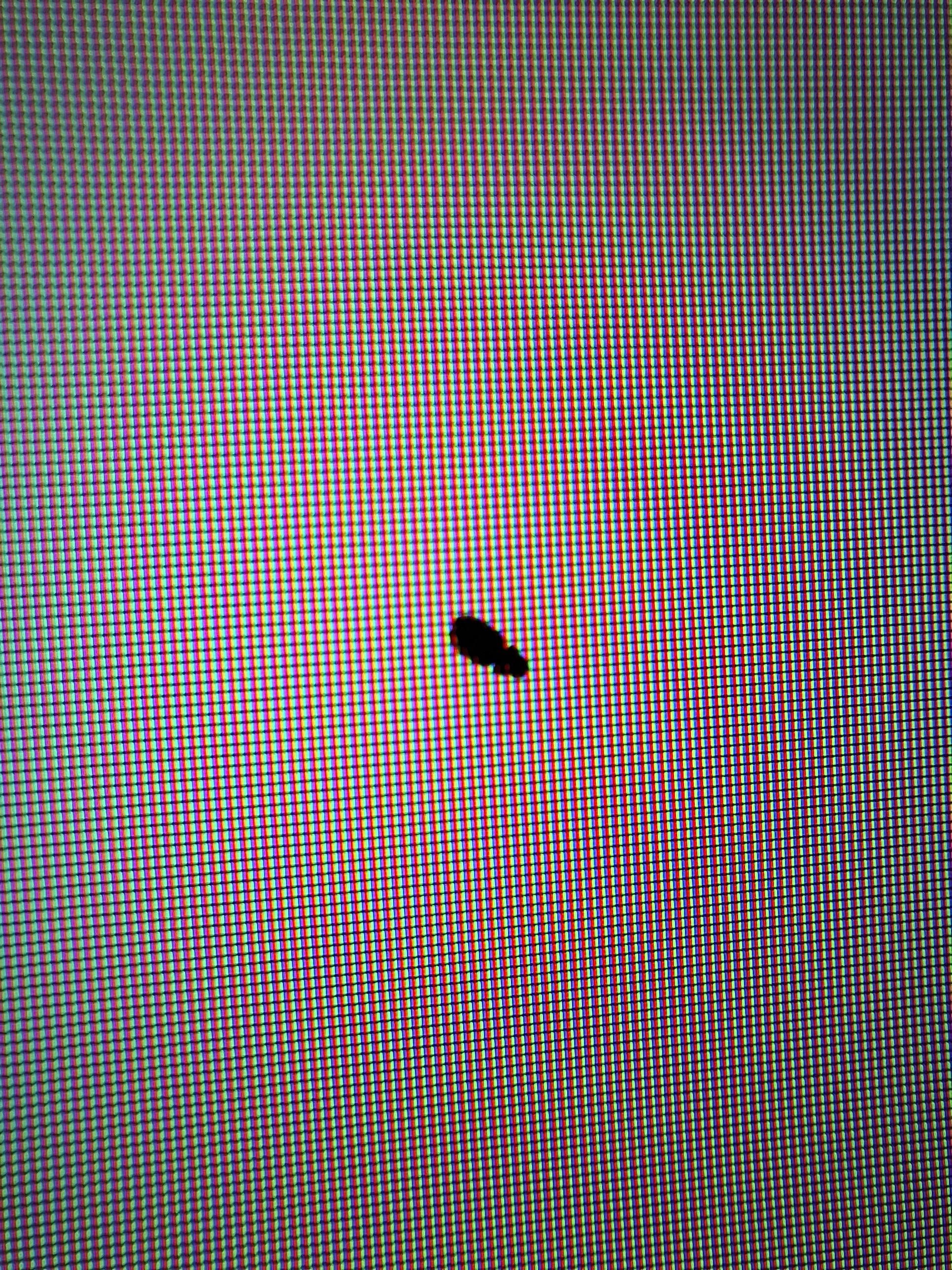
I didn't know where to ask this so I posted here.
My dad bought a skyworth 65" Smart TV 3 months ago. And these appeared out of nowhere a few days ago. What causes this and should I be worried? Also, are these covered in the warranty?

I didn't know where to ask this so I posted here.
My dad bought a skyworth 65" Smart TV 3 months ago. And these appeared out of nowhere a few days ago. What causes this and should I be worried? Also, are these covered in the warranty?
27 Comments
Looks like a dead bug between your monitor’s layers
Looks like it might be a bug.
No that’s a bug in your screen. RIP bug, and your future monitor enjoyment.
On the plus side, whilst it’s not a manufacturing fault, I’d honestly expect most companies to repair this under warranty.
More like dead critter.
looks like a tiny swollen pipi ^^
it is a bug.
Thats no longer a bug thats now a feature
Looks like you’ve got a bug inside your monitor lmao.. Try using a vibrating toothbrush or phone to wiggle it a bit until it gets loose
It’s what The Pink Panther said when he stepped on an ant.
You could maybe move the bug under the screen away from the main area with vibrations from something like a tooth brush.
Looks like a bug
i think you should debug it
Looks like your screen might have a bug

Clean these monitor bro
You have bugs at home. They might come through the windows or you got some roommates.
Whatever you do, don’t squish them. Dunno what kind of bugs they are, but they are probably attracted to light. Try turning the TV off and illumiate the room as bright as possible. If they are still alive, they might come out after some time.
If they don’t come out and your situation isn’t covered by warranty: hope that they dry out quickly and fall out of sight. Gentle tapping or light vibrations could help.
It’s a bug. Use an electric toothbrush to get it out.
https://youtu.be/N0dH4c4t5Tw?si=kUQgfbMeATUQ98sn
Pixels are rectangular, so if this were a section of dead pixels it would look “blocky”. If you look closely you can see partial pixels which means something is blocking the pixels. As everyone else had said, it looks like an insect has crawled in the screen.
https://preview.redd.it/94pbuemqb59d1.png?width=360&format=png&auto=webp&s=14a9ba75c1bc09a7b0c0166ab111519b27a2c020
Yes yes .. those are dead ..well … dead bug, not pixels
Dead? Yes. Pixels ? No.. not really
Oh man I had a bug in my TV once, but the craziest thing is it would stay in the same spot for days at a time and then suddenly love somewhere else. I even watched it move once. I don’t know how it stayed alive in there but at one point it moved itself out of the screen lol.
🪳
Try updating your firmware to get rid of the visual bug.
Ewwww u got roaches
Time to call an exterminator
It’s a feature not a bug
i think thats a fly buddy
It’s a bug (insect)