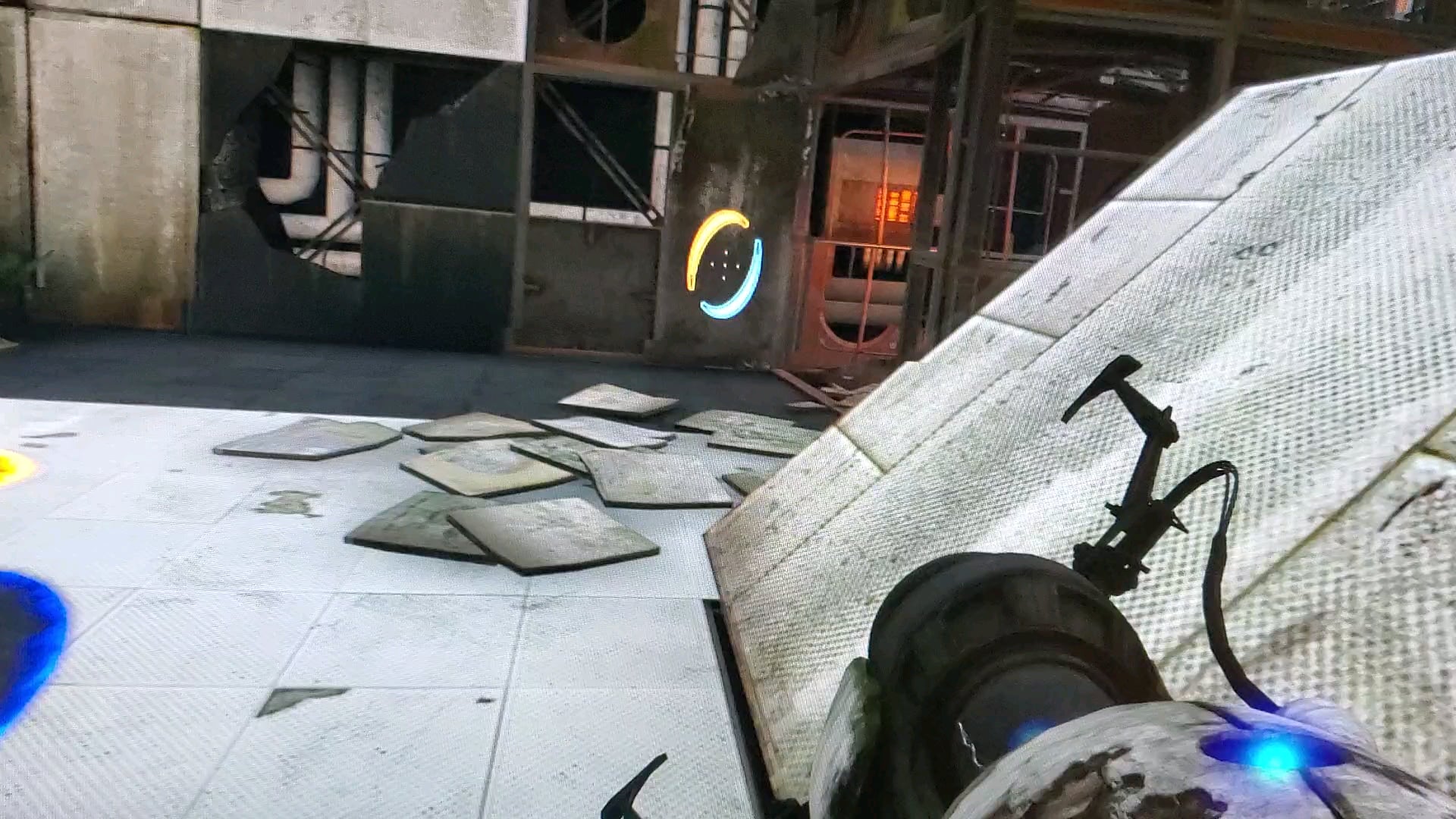
Wasn’t sure how to flair this, but does anyone know what’s causing this pixelation effect whenever I move the in-game camera?

Wasn’t sure how to flair this, but does anyone know what’s causing this pixelation effect whenever I move the in-game camera?
15 Comments
Screen tearing
Screen tearing, enable V-sync to stop it.
That or turn up the hz on the pc
Its screen tearing. it happens when the monitor’s refresh rate (hz) is mismatched with the fps that your PC can render.
To fix it you can
Turn on V-Sync – it is an available as an in-game settings but It puts an artificial limit on fps which can cause a lot of problems that you probably won’t notice.
Change Refresh Rate of your monitor. – you can change refresh rate of your monitor thought windows settings however your monitor must support it (otherwise look into overclocking). if your monitor supports a higher refresh rate then look for your monitor’s manual and use buttons on the monitor to navigate the On Screen Display and change the settings.
Change Monitor specific settings like gaming mode, FreeSync, G-Sync etc. (only works if you have a good “gaming” monitor).
Buy a better monitor.
Live with it – if you have a good monitor say 144hz then the effect of screen tearing is practically unnoticeable even with things like V-Sync/FreeSync off.
Thank you all for the answers, turning on vsync worked!
PORTAL: REVOLUTION MENTIONED🗣🗣🗣🗣
It’s the rippin and the tearin!
If you don’t want to use Vsync, just cap your fps to the refresh rate (or below) the refresh rate of your screen
Off topic, what program did you use to record your video screen? Thanks in advance
No
Too much fps could lead to this problem because your monitor can’t handel the frame rate you can limit fps on the game or turn on vsync
u/savevideo
Why are you taking a video with your phone, just screen record (/s)
Your videocard is too fast.
Enable v-sinch or alternatively
Run a gpu heavy program in the background.
This game looks better than it has any right to.