
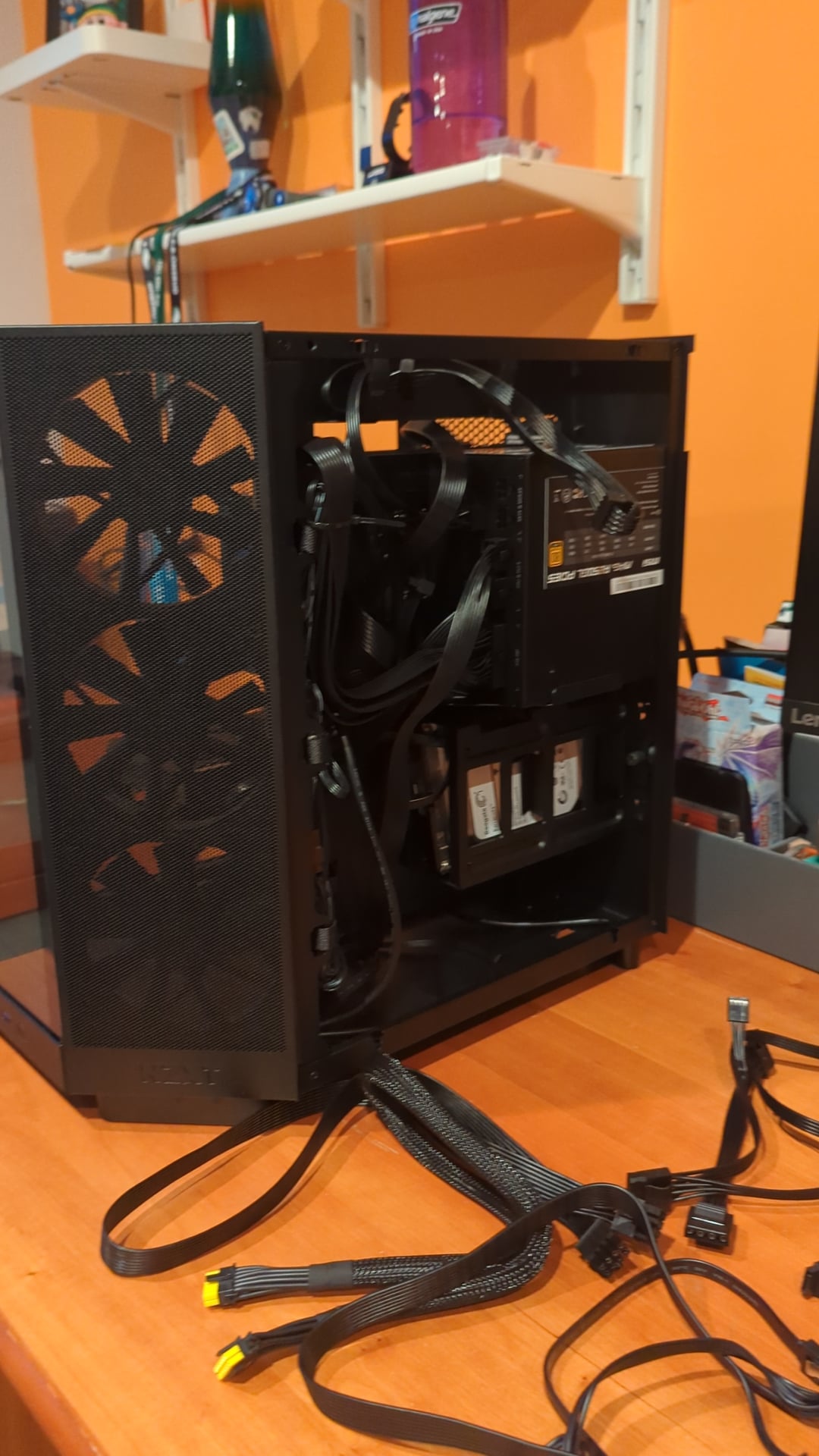
I just finished building my PC today and next thing I know is that it doesn't even function. At the beginning, it showed signs of it turning on but still wouldn't function properly. Then, after a couple of attempts of resetting it, it doesn't even turn on anymore. Any recommendations or suggestions on what should I do? I attached some pictures showing the interior so hopefully that can provide some visuals.
32 Comments
pls share your config like your bill or parts list.
Then return it? Or call who built it.
what state are you in atm? when it turned on, what was going well and what not?
and now: any beeps, power connected, lights flashing?
[deleted]
https://preview.redd.it/skgtcjfqnt8d1.jpeg?width=664&format=pjpg&auto=webp&s=7aa2a1b15bab5158b14dc073c411e7eafcad0afd
It’s possible (depending on the specs) that the second 4-pin connector doesn’t need to be plugged in, but maybe worth seeing what will happen if you do?
or is this a dumb riddle? =D
what is the actual problem? what does happen if you push the power button? video would be nice.
if you dont answer i’ll go on.
Reseat CPU?
CPU fan power connection looks like it’s upside down. Could be wrong. BIOS may not support the CPU without an update. RAM could be loose. Make sure it clicks when you push them in.
Are these all new parts?
The cable in the 6th photo is not in the right spot on the mother board it looks like.
OP your info is kinda all over the place on this post so I would strongly suggest you either edit your post or add a comment with *EXACTLY* what has happened each time you have tried to start your PC as well as *EXACTLY* what troubleshooting steps you’ve taken and how each step has effected the behavior of your PC
That connector on the bottom right of your motherboard is the SYSTEM PANEL (SYS_PAN or SYS_PANEL) Like the other comment said. The top right pin and the pin immediately to the left of it are the pins for your power button, try disconnecting that cable and shorting those two pins with a screw driver and seeing if the PC powers on. Before you do that, make sure you have your PC connected to a keyboard as well as a monitor and use HDMI for your initial (because there have been some very very rare instances of motherboards not booting correctly with DP) also obviously make sure that both your monitor and PC are connected to power, it seems obvious but you’d be surprised how many people, including experienced builders, panic or even spend hours scratching their heads when the only problem was the PC wasn’t plugged into the wall
Standoff short?
This might sound dumb and too easy, but do you have a functioning display plugged into the computer? A lot of gigabyte motherboards from the 600 and 700 generation seem to go into total panic mode when there is no actual display connected and on.
One thing I would want to ask is if the power supply main switch is on the Line or the O. It doesn’t seem like there is a clear definition of the back end power switch being flipped on so I would ask if it is something this simple. The build config minus the other mentions is not looking like you missed anything.
EDIT: Just did a double take and you only show the connections in the power supply but not the back switch, I hate to be that guy but is your PSU on?
Check that cable right next to the CMOS battery. Looks like a front panel cable, and it looks like it might be in the wrong spot. Check the manual for your MoBo to figure out how to plug it in
https://preview.redd.it/x4mextcq3u8d1.jpeg?width=4080&format=pjpg&auto=webp&s=bab4267253f9d33346d166ebfe7a3904f2db7331
Maybe try hooking up your CPU power cable into this slot and make sure you’re using the right cable
Pic 5.
Missing CPU rail. You must’ve plugged it into a PCIe. Double check the cable and reseat CPU power into the correct port on your PSU. Hope you didn’t nuke your motherboard.
Try clearing out cmos.
This might not help at all but your cable management is kinda messy a little, maybe double check the cables are plugged in correctly and in the right spot? Power supply? CPU installed correctly? Other than that I don’t know
RAM training can take several minutes the first time. Before making any other assumption, I suggest you wait for 10 minutes after powering your PC.
It happened to me on my latest build. I was not patient and started looking into everything else, when I just had to wait 5-10 minutes on the first boot.
I’ll take a look if you send it to me
Do you get any power at all?
If it hasn’t been said, make sure you are using risers between the motherboard and the case. Seen a few people in my day mount the motherboard straight to the case which grounds out the power supply.
Could you possibly have over tightened a motherboard screw? I have done that before which caused a short, preventing it from powering on.
The cpu power is missing a connection
Is the switch on your power supply in the right position
Front panel cables are not connected to front panel pins. That’s why when you press power, it does not turn on.
I love it. Where are the “Build your own PC, it’s like Legos” people now? Nothing wrong with prebuilts.
Several people have commented on the motherboard standoffs with no response, that I’ve seen. Have you checked that? They are mentioning it because it’s rare but possible. It’s happened to me.
My money is on faulty psu that ran for a few minutes and died. Id return it as doa and try again.
It’s your motherboard. I have the same one and there’s some issue with the DRAM configuration, the only thing that allowed me to boot was putting one stick in the A1 slot (closest to CPU).
Google search AORUS b650 DRAM for a list of possible fixes. The only thing that worked for me was one stick in A1, currently I still can’t use any RAM in b1 or b2. I have 2 sticks in a1 and a2 which I know is not optimal but for some reason this board really does not like dual channel.
Pay attention to the light near the ram when u turn your pc on. Amd board perform a memory check when you load for the first time. Sometime with some stick the memory check can fail or take a very long time to complete.
I wouldn’t know shit since im too broke for a pc but try cleaning all the pieces individually and check for any damage