Share Facebook Twitter Pinterest LinkedIn Uhh is my fan on my gpu supposed to wobble? game pcPCPC Master 35 Comments racerxff 2 years ago Ideally, no. That’s pretty mild though. fsbagent420 2 years ago It’s shaking with excitement, hoping you’ll eat it MGsubbie 2 years ago You can try pushing down on the center (or rather, up in this orientation.) socokid 2 years ago It is not. However, they are very easily replaced if needed. Dahliaxvx 2 years ago Speed wobble. TravelingGonad 2 years ago Fans are easy to replace tho Thewaltham 2 years ago *wiggle wiggle wiggle~* msanangelo 2 years ago Wobble baby. Wobble baby. Wobble baby. 🎶 Setekh79 2 years ago Whatever you do, don’t contact Asus, they’ll probably charge you $1200 to ‘fix’ it. ssddsquare 2 years ago You should warranty it or replace it with casing fans. Robot1me 2 years ago Out of curiosity, does this happen on all fan speeds or does it vary? ManNamedSalmon 2 years ago It’s so that it catches the heatsink from more angles. Advanced engineering. Craticuspotts 2 years ago Just call customer service, asus are greaaat! vxsqi 2 years ago God people are so fucking unfunny. It’s because the fan itself is starting to lose its adhesive or connection to the shaft above the fan. nickretro 2 years ago no it shouldnt be doing that. daHaus 2 years ago It should balance out when spinning, if it’s unbalanced like that it’s going to wear out significantly quicker. pantsless_squirrel 2 years ago sleeve bearing is trashed themumbio 2 years ago Super easy to replace. Bearings are probably gone inside or something. Dan_Glebitz 2 years ago Nope. In fact it is putting undue stress on the bearings and rapidly shortening it’s lifespan. xTeamRwbyx 2 years ago No that’s not ideal and you should keep an eye on it because it may just fall off someday probably should get it fixed caiteha 2 years ago i had this on my GPU. i eventually replaced it myself. I went to ebay to get a replacement fan. Blok88 2 years ago What do you think? Head_Exchange_5329 2 years ago No, that’s why I RMA’d my 1660 Super Asus Dual. It lasted a year before it shit itself. Asus quality apparently. secretqwerty10 2 years ago RMA time Illustrious_Bug_4276 2 years ago You would need to check the manual to be sure, but in general, wobble is bad for fans GothamKnight311 2 years ago Do you really need people to confirm that this is not normal? bluntman84 2 years ago 5$ fans from aliexpress will fix it. gregariouspangolin 2 years ago Noooooo…. nnnooootttt reaalllllllly immrholiday 2 years ago Should it? No, but it’s not really harmful… it is wear on the bearing and can/should be replaced when you have the time. LukeSkyDropper 2 years ago Yes luisott_o 2 years ago Yes Biscuits4u2 2 years ago Nah not really but if it’s not causing any issues I wouldn’t even worry about it. ZinGaming1 2 years ago Its balancing. But no, its not supposed to do that wiggly stuff. elbubu1 2 years ago Need a fan alignment, take it to Les schwab rawzombie26 2 years ago My 1080ti fans did this and then died, plan accordingly Edit The fans died but the card is still kicking like a beast Write A CommentYou must be logged in to post a comment.
Setekh79 2 years ago Whatever you do, don’t contact Asus, they’ll probably charge you $1200 to ‘fix’ it.
ManNamedSalmon 2 years ago It’s so that it catches the heatsink from more angles. Advanced engineering.
vxsqi 2 years ago God people are so fucking unfunny. It’s because the fan itself is starting to lose its adhesive or connection to the shaft above the fan.
daHaus 2 years ago It should balance out when spinning, if it’s unbalanced like that it’s going to wear out significantly quicker.
Dan_Glebitz 2 years ago Nope. In fact it is putting undue stress on the bearings and rapidly shortening it’s lifespan.
xTeamRwbyx 2 years ago No that’s not ideal and you should keep an eye on it because it may just fall off someday probably should get it fixed
caiteha 2 years ago i had this on my GPU. i eventually replaced it myself. I went to ebay to get a replacement fan.
Head_Exchange_5329 2 years ago No, that’s why I RMA’d my 1660 Super Asus Dual. It lasted a year before it shit itself. Asus quality apparently.
Illustrious_Bug_4276 2 years ago You would need to check the manual to be sure, but in general, wobble is bad for fans
immrholiday 2 years ago Should it? No, but it’s not really harmful… it is wear on the bearing and can/should be replaced when you have the time.
Biscuits4u2 2 years ago Nah not really but if it’s not causing any issues I wouldn’t even worry about it.
rawzombie26 2 years ago My 1080ti fans did this and then died, plan accordingly Edit The fans died but the card is still kicking like a beast
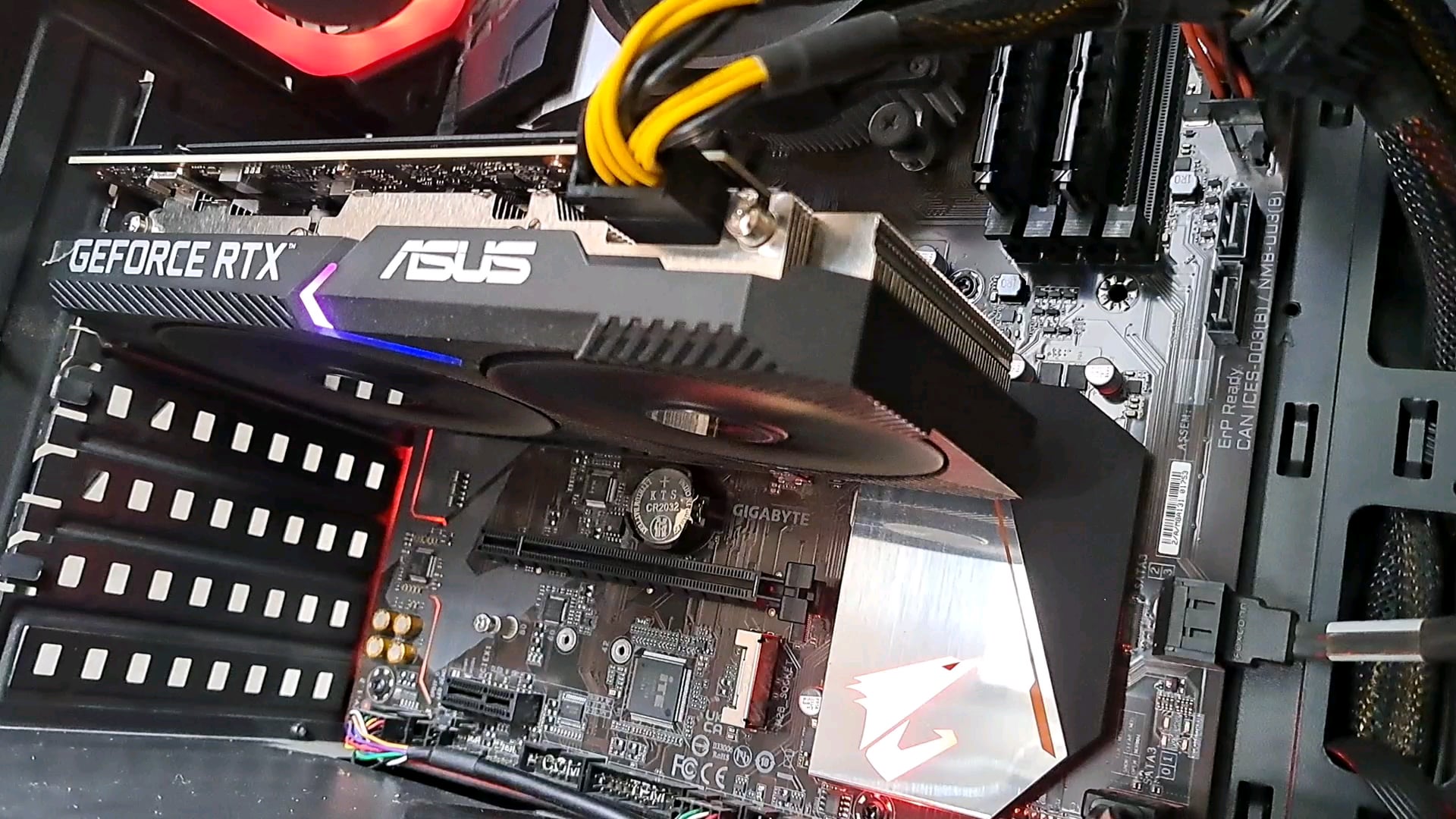

35 Comments
Ideally, no. That’s pretty mild though.
It’s shaking with excitement, hoping you’ll eat it
You can try pushing down on the center (or rather, up in this orientation.)
It is not. However, they are very easily replaced if needed.
Speed wobble.
Fans are easy to replace tho
*wiggle wiggle wiggle~*
Wobble baby. Wobble baby. Wobble baby. 🎶
Whatever you do, don’t contact Asus, they’ll probably charge you $1200 to ‘fix’ it.
You should warranty it or replace it with casing fans.
Out of curiosity, does this happen on all fan speeds or does it vary?
It’s so that it catches the heatsink from more angles. Advanced engineering.
Just call customer service, asus are greaaat!
God people are so fucking unfunny. It’s because the fan itself is starting to lose its adhesive or connection to the shaft above the fan.
no it shouldnt be doing that.
It should balance out when spinning, if it’s unbalanced like that it’s going to wear out significantly quicker.
sleeve bearing is trashed
Super easy to replace. Bearings are probably gone inside or something.
Nope. In fact it is putting undue stress on the bearings and rapidly shortening it’s lifespan.
No that’s not ideal and you should keep an eye on it because it may just fall off someday probably should get it fixed
i had this on my GPU. i eventually replaced it myself. I went to ebay to get a replacement fan.
What do you think?
No, that’s why I RMA’d my 1660 Super Asus Dual. It lasted a year before it shit itself. Asus quality apparently.
RMA time
You would need to check the manual to be sure, but in general, wobble is bad for fans
Do you really need people to confirm that this is not normal?
5$ fans from aliexpress will fix it.
Noooooo…. nnnooootttt reaalllllllly
Should it? No, but it’s not really harmful… it is wear on the bearing and can/should be replaced when you have the time.
Yes
Yes
Nah not really but if it’s not causing any issues I wouldn’t even worry about it.
Its balancing. But no, its not supposed to do that wiggly stuff.
Need a fan alignment, take it to Les schwab
My 1080ti fans did this and then died, plan accordingly
Edit
The fans died but the card is still kicking like a beast