
Hello people.
I mixed my RAM sticks at stock speeds and they work just fine without problems (ofc lower fps in some games but not a big deal).
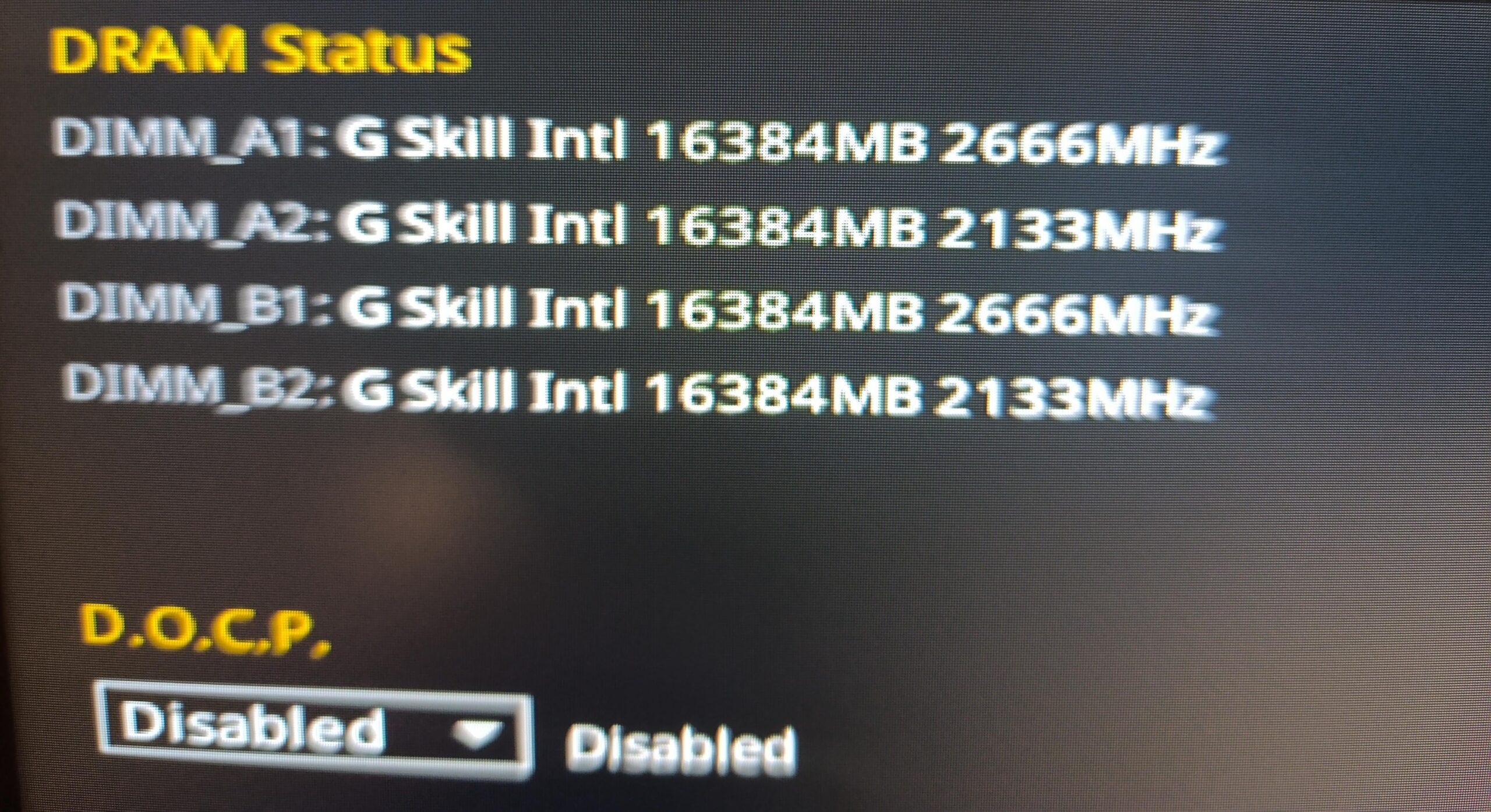
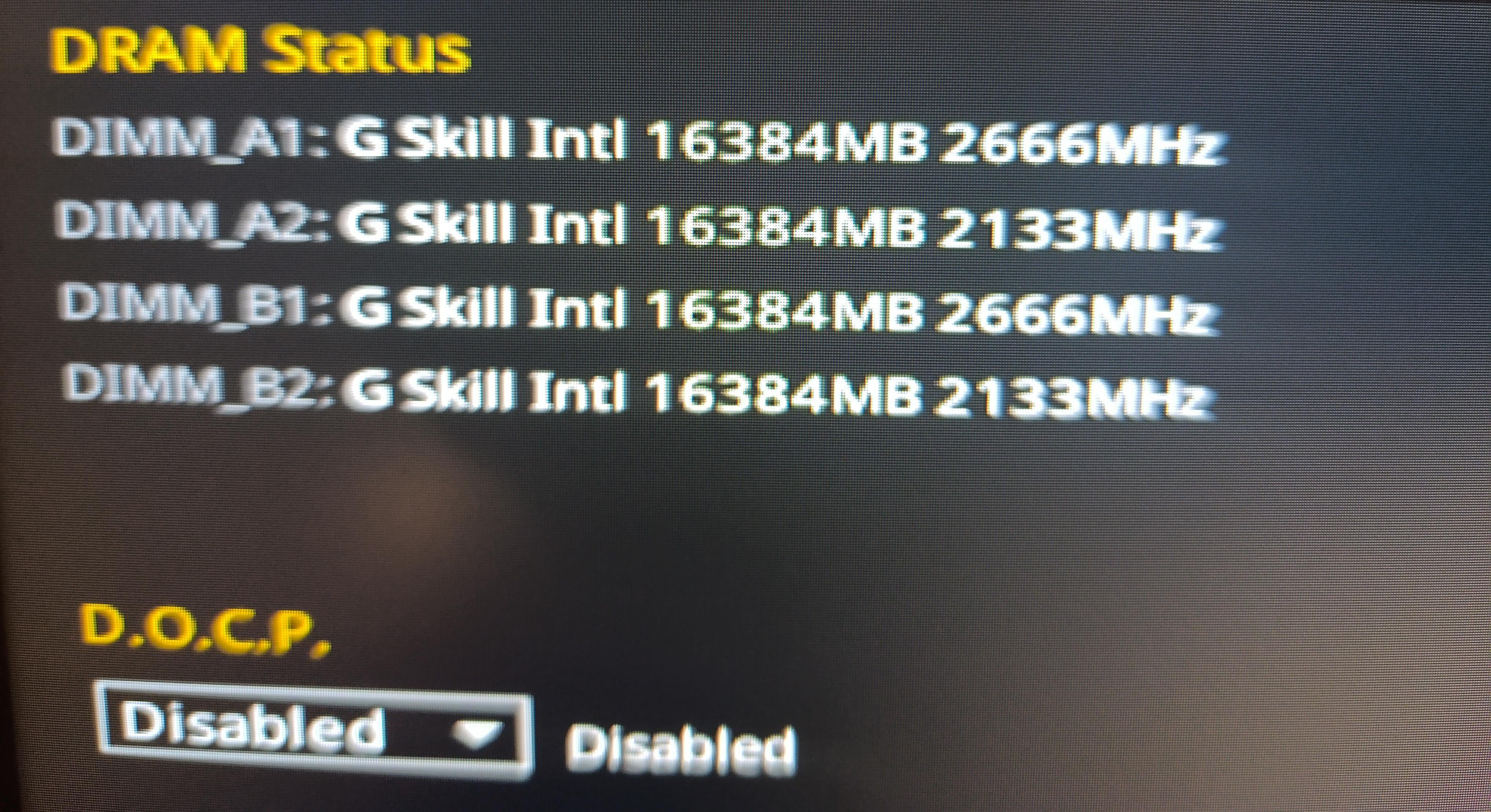
I wanted your thoughts and let me know on what speed they run? 2666 or 2133?
The first 2 are F4-3600C17D-32GTZ
And the other 2 F4-3200C16D-32GIS
Thank you.
25 Comments
If I’m not mistaken, they’ll all run at the speed of the slowest stick.
u only need more ram if you run out. otherwise u are just hurting performance
so if you dont need more than 32gb ram u are just shooting yourself in the foot.
all the ram will run at the slowest speed.
BIOS shows SPD speeds in that listing. [This will not change when DOCP is selected, it is the hard-coded ~~DRAM frequency~~ effective speed, not the configured frequency]
With DOCP disabled they will run at DDR4-2133, with DOCP enabled they probably will run at DDR4-3200.
edit: Effective speed not DRAM frequency.
Check the speed on you OS, since D.O.C.P. can’t be enabled, probably the real speed is even lower than 2133.
I am not a fan of mixing memory on AM4 or AM5. I’ve always recommended getting a new kit to increase your ram amount or have faster speeds. But your mileage may vary.
You can mix it but you will need to set things manually. Basically overvolt the slower ram.
It’s possible that the slower ram is binned as well. So it’s identical but rated lower for sales.
I have 4 sticks from the same company and manually input the speeds of the faster ram. Works perfectly. It’s a lottery and sometimes you win. Sometimes you lose.
I’m dumb, I don’t need the extra memory, but I like having all 4 sticks light up with robot scanner light patterns.
Mixing RAM has never been a good idea, but, with current frequencies of DDR5, and the limitation to dual-channel for all consumer platform, it is even worse.
We could guess which frequency these should been but it might neither stay that way (unless you force it to be), and that’s not talking about stability.
Just don’t. 4 DIMM slots is a gimmick not a proper solution on current platforms. This is why many motherboards just give 2 DIMM slots.
1 RAM stick per channel is the actual way to go. Above that you’re taking a gamble between stability, frequency, timings, and memory controller compliance.
BTW, check after post, which actual real frequency your sticks are operating at, it’s likely they might not be even running at their stock frequency and timings.
There’s no discussion to be had.
The answer is “Don’t!”
So now all the sticks will run at 2133MHz and the most permissive (worst performance wise) settings from both kits. Thats how that works, but it will work. What discussion did you expect to have?
All my sticks are different and it works so its enough for me however its always more beneficial to have the same sticks due to how ram works and it being designed this way too.
u/Cryptographer_Tech There’s a very good chance these kits will work just fine on the 3200 C16 XMP setting. Go for it.
Remove the slower RAM kit. Even if you’re using this system productivity, I highly doubt you’ll need all four sticks worth of memory.
This doesn’t actually show the speed. It’s just a name of the stick. And they put the default speed in the name. So you know which kit is which, in the exact case you want to mix similar kits.
They’re all running at 2133.
You *can* do it, there’s just no reason to, because you sacrifice all of the benefits.
They’ll all run at 2133mhz fwiw
can it run 2 chrome tabs tho
My personal experience running different RAM has not been successful. Lots of random freezes and issues that I’ve never had running just my 2×16 kit
Depends on your use case.
For gaming, once your system is not swapping you want to make sure everything is matched up speed AND timings-wise.
Productivity / workstation: capacity tends to trump speeds as the minor slowdown from mixing RAM is miniscule in comparison to your system engaging your hard drive.
I would lean towards productivity if it’s a mixed use case, very rarely is loading data from RAM a bottleneck in most cases. One thing I would note though is you probably at least want to keep a channel to the same speed. Not sure what motherboard you have but you want to check the manual to see how the memory channels are laid out.
They all run at 2133mhz
Now do CAMM2 vs whatever the current form factor of DDR5 is called.
Want to point out that RAM speeds usually have negligible effects on performance. More is better, but less doesn’t really hurt either. The clock speeds work differently than those you see on a cpu or gpu. Depending on the timings and other factors, 3200Mhz can outperform 3800Mhz; and even then the difference can be too small to measure properly.
Why do this? 32 is more than enough. Better than running all of them at 2133
You can only ever run as fast as those 3200 modules can overclock. They will all run at the same speed.
I see some ppl asking about why the down voting for the Op asking a question. This what I searched for and results I got.
what speed will mixed ram work at?
AI Overview
Learn more
…
When you mix RAM sticks with different speeds, your system will run at the speed of the slowest stick, which can waste the speed of faster RAM. For optimal performance and stability, it’s best to use RAM sticks with the same speed, capacity, and brand. However, if you do mix speeds, you should also consider your motherboard’s capabilities. For example, if your motherboard can only handle a 1333MHz module, then a 1600MHz module will run at 1333MHz.
This whole thread is pointless and a waste of time on information that is well established and freely available.
With respect to OP, how does this have so many upvotes? PCMR isn’t r/techsupport .