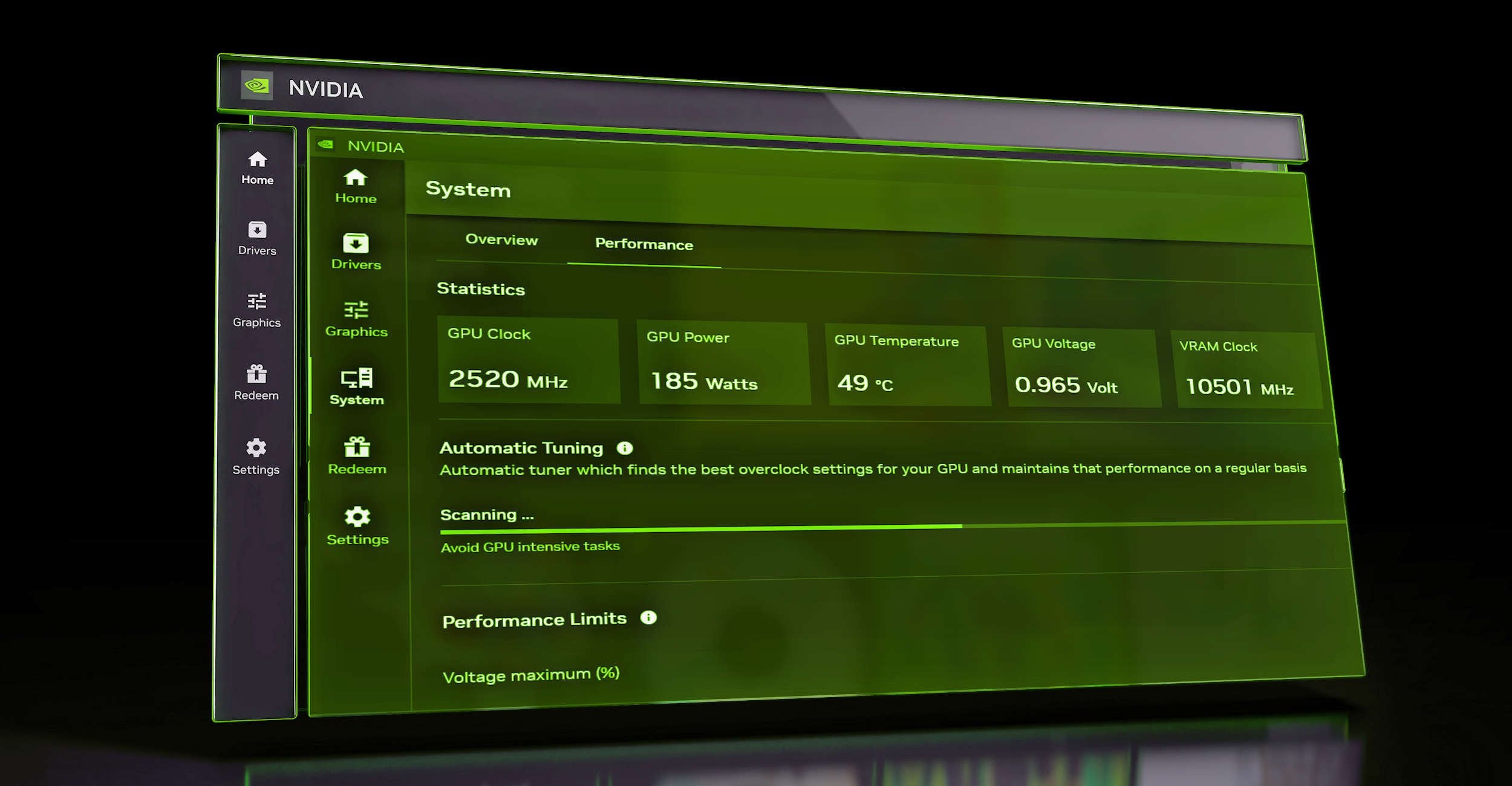
nvidia is finally catching up with AMD’s feature set.
Daemoni73
Considering how buggy and in middle of development the software overall is, i would stay away from this feature for a year or two atleast.
That said, this is still a step to the right direction.
cincgr
Anyone else getting horrific ghosting/artifacting when recording with Shadowplay using the Nvidia App? I tried recording in various resolutions/fps/bitrates yesterday and I was getting performance issues in game. I then downloaded OBS and it was smooth all the way.
DraftIndividual778
Add automatic undervolting as well.
dragonfliesvenus
I guess I’m lucky to have never had a problem with armory crate….
ascufgewogf
Nice to see that Nvidia is finally going to match AMD Adrenalin
VuckoPartizan
Oh ffs, I just un-installed the beta app cuz it was bugging and downloaded geforce which is running just fine 🙂
yeso126
Has anyone being able to download this version yet? I’m getting the old one from their website, according to the article it should already be available.
Xcissors280
Hot take: nvidia control panel is fine and does what it needs to do
The real problem is GeForce experience which should be an update drivers button in control panel
SameRandomUsername
I’m fine, thank you.
I’ll just keep the control panel version and update whenever I feel like by downloading the drivers from the official website.
JT898
Did the 4000 series stop overclocking?
ziplock9000
I thought GPUs have had this for years… heck decades?
Pandanutiy
But overclocking is pointless nowadays, manufactures are so good at binning and providing a million skus that there is like 1% OC potential without a chiller or LN2. Is it litteraly just to shut up AMD users that brag about having bloated feature set in their driver that does nothing but is marketed as a feature?
-F0v3r-
last time i used something like this (the intel one) i fried my cpu lmao. fortunately the store took the bait that it just didn’t work
Gytole
Noooo thanks? I disable and temove all overclocks from my stuff anyways. I don’t need that.
VividNightmare_
Wasn’t it always a feature? Automatic tune-up?
Now it’s more aggressive?
Zivvet
It autodetects anything less than 40 series cards, burns them out as they have no warranty.
Chicken Dinner 🍗
aleques-itj
Isn’t this literally a supported feature for some time?
Like I think MSI Afterburner can use it to try and tease out a maximum clock. It’s an actual driver feature or tool that Nvidia supports.
Seems like this app is mostly just playing catch-up at this point.
Kougeru-Sama
Welcome to yesterday when Nvidia uploaded the video. This probably isn’t gonna work very well. And the built-in guide shit is basically just cheating
Pimpwerx
I’m interested to see how it compares to my manual Afterburner tune. If it’s close enough, I might uninstall Afterburner. I don’t need RivaTuner anymore, so I really just keep Afterburner because my GPU is OC’d. But I’d prefer to just run the Nvidia app, since I keep it on all the time anyway, for driver updates.
bigred1978
This doesn’t do anything different from GeForce Experience.
All it did was automatically downgrade my graphics choices for all my games.
They were all running fine before and now they look like shit on lower settings.


21 Comments
nvidia is finally catching up with AMD’s feature set.
Considering how buggy and in middle of development the software overall is, i would stay away from this feature for a year or two atleast.
That said, this is still a step to the right direction.
Anyone else getting horrific ghosting/artifacting when recording with Shadowplay using the Nvidia App? I tried recording in various resolutions/fps/bitrates yesterday and I was getting performance issues in game. I then downloaded OBS and it was smooth all the way.
Add automatic undervolting as well.
I guess I’m lucky to have never had a problem with armory crate….
Nice to see that Nvidia is finally going to match AMD Adrenalin
Oh ffs, I just un-installed the beta app cuz it was bugging and downloaded geforce which is running just fine 🙂
Has anyone being able to download this version yet? I’m getting the old one from their website, according to the article it should already be available.
Hot take: nvidia control panel is fine and does what it needs to do
The real problem is GeForce experience which should be an update drivers button in control panel
I’m fine, thank you.
I’ll just keep the control panel version and update whenever I feel like by downloading the drivers from the official website.
Did the 4000 series stop overclocking?
I thought GPUs have had this for years… heck decades?
But overclocking is pointless nowadays, manufactures are so good at binning and providing a million skus that there is like 1% OC potential without a chiller or LN2. Is it litteraly just to shut up AMD users that brag about having bloated feature set in their driver that does nothing but is marketed as a feature?
last time i used something like this (the intel one) i fried my cpu lmao. fortunately the store took the bait that it just didn’t work
Noooo thanks? I disable and temove all overclocks from my stuff anyways. I don’t need that.
Wasn’t it always a feature? Automatic tune-up?
Now it’s more aggressive?
It autodetects anything less than 40 series cards, burns them out as they have no warranty.
Chicken Dinner 🍗
Isn’t this literally a supported feature for some time?
Like I think MSI Afterburner can use it to try and tease out a maximum clock. It’s an actual driver feature or tool that Nvidia supports.
Seems like this app is mostly just playing catch-up at this point.
Welcome to yesterday when Nvidia uploaded the video. This probably isn’t gonna work very well. And the built-in guide shit is basically just cheating
I’m interested to see how it compares to my manual Afterburner tune. If it’s close enough, I might uninstall Afterburner. I don’t need RivaTuner anymore, so I really just keep Afterburner because my GPU is OC’d. But I’d prefer to just run the Nvidia app, since I keep it on all the time anyway, for driver updates.
This doesn’t do anything different from GeForce Experience.
All it did was automatically downgrade my graphics choices for all my games.
They were all running fine before and now they look like shit on lower settings.