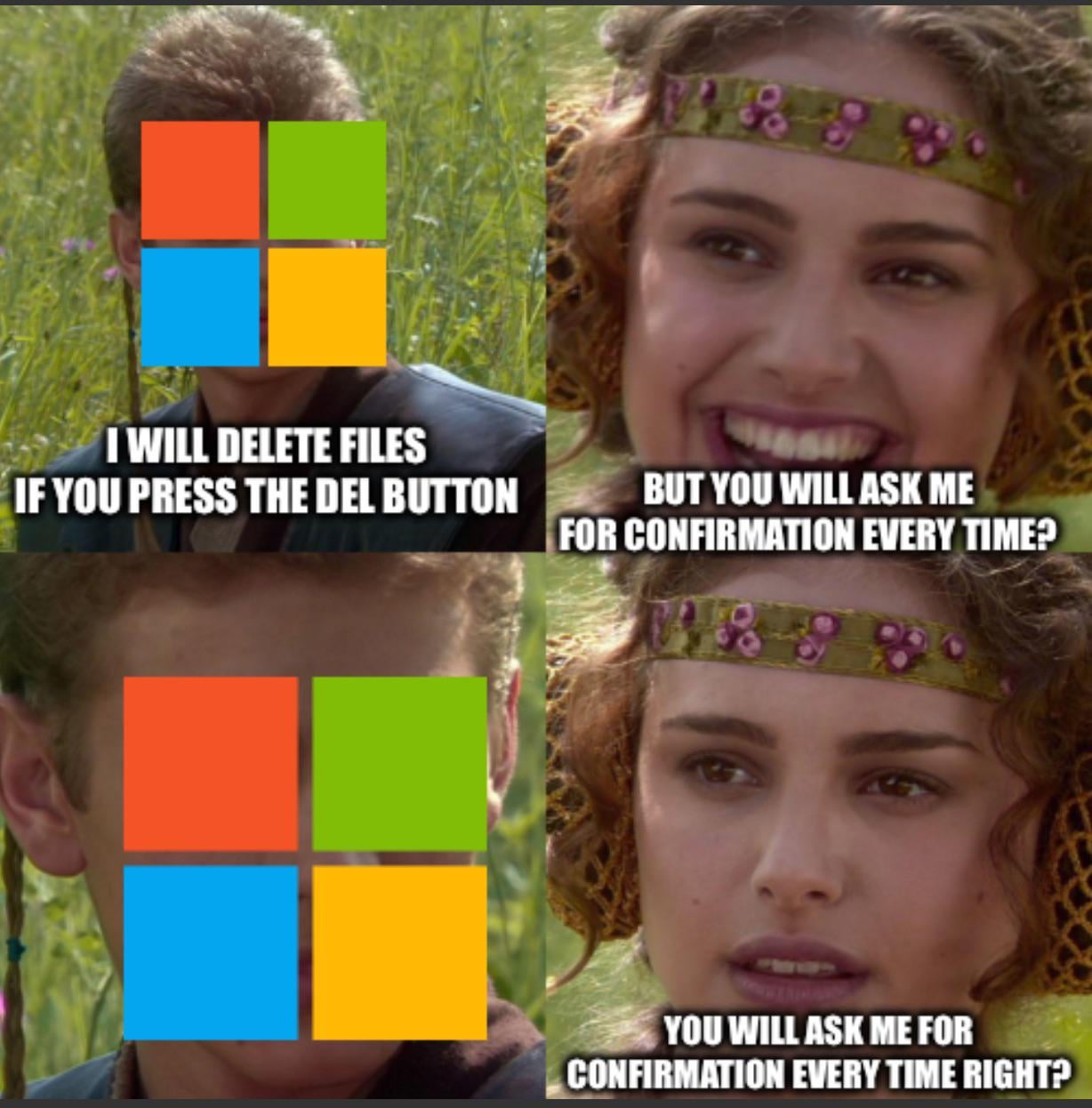
No need to worry about that. By default, Windows 10 and 11 do not ask for confirmation if a “deleted” file is just being sent to the recycle bin. This was a setting available in Windows 7 too, but wasn’t enabled by default.
It will ask for confirmation every time it is going to actually delete a file. For example, deleting files off a network drive or flash drive doesn’t use the recycle bin so it confirms for those.
Rhoihessewoi
You have a backup of your “business data” anyway. Right?
Right?
Kxlium
Thats how my 600 gb file got deleted🫠
Inevitable_Turn994
you know you can set the confirmation dialog before deleting file?
Positive-Olive3530
Anyone with 10TB of business data should have at least one backup if not the only thing to blame is you. Don’t beg for sympathy when you shot your own foot
Slippy_27
No problem, just restore from backup.
PurpleDragonCorn
If only there was a place where you could go to recover those files.
Adrian_Alucard
just del does not delete stuff, that’s why I always press shift+del
crasagam
GetDataBack by Runtime is my go-to for undeleting files. Unless you did a secure-erase on your drive, GDB will work.
Evantaur
bitches don’t know about testdisk
Bdr1983
If you didn’t back it up, it’s your own fault. Drives can fail as well, would you have blamed the manufacturer then?
ChocolateDonut36
rm -rf /
Anxlyze
Skill issue honestly, I have a 75TB Nas and I keep regularly backups on things that are important using 3-2-1
phara-normal
If it *actually* deletes files it always asks.
If it doesn’t ask you can press crtl+z to undo it or go restore from the recycling bin.
vlken69
I feel like so many people has no access into Settings.
Sir_Arsen
ctrl+z?
Davoguha2
Professional data recovery expert here – there are dozens of softwares that might help one get data back after an event like this, but they can be somewhat hit and miss our unreliable.
The data is not necessarily gone, once it’s deleted – if it’s critical data, don’t take chances on softwares and lookup data recovery services for professional help.
I know this is just a meme, but I always like to remind folks that it’s not necessarily that easy to lose data.

17 Comments
No need to worry about that. By default, Windows 10 and 11 do not ask for confirmation if a “deleted” file is just being sent to the recycle bin. This was a setting available in Windows 7 too, but wasn’t enabled by default.
It will ask for confirmation every time it is going to actually delete a file. For example, deleting files off a network drive or flash drive doesn’t use the recycle bin so it confirms for those.
You have a backup of your “business data” anyway. Right?
Right?
Thats how my 600 gb file got deleted🫠
you know you can set the confirmation dialog before deleting file?
Anyone with 10TB of business data should have at least one backup if not the only thing to blame is you. Don’t beg for sympathy when you shot your own foot
No problem, just restore from backup.
If only there was a place where you could go to recover those files.
just del does not delete stuff, that’s why I always press shift+del
GetDataBack by Runtime is my go-to for undeleting files. Unless you did a secure-erase on your drive, GDB will work.
bitches don’t know about testdisk
If you didn’t back it up, it’s your own fault. Drives can fail as well, would you have blamed the manufacturer then?
rm -rf /
Skill issue honestly, I have a 75TB Nas and I keep regularly backups on things that are important using 3-2-1
If it *actually* deletes files it always asks.
If it doesn’t ask you can press crtl+z to undo it or go restore from the recycling bin.
I feel like so many people has no access into Settings.
ctrl+z?
Professional data recovery expert here – there are dozens of softwares that might help one get data back after an event like this, but they can be somewhat hit and miss our unreliable.
The data is not necessarily gone, once it’s deleted – if it’s critical data, don’t take chances on softwares and lookup data recovery services for professional help.
I know this is just a meme, but I always like to remind folks that it’s not necessarily that easy to lose data.