
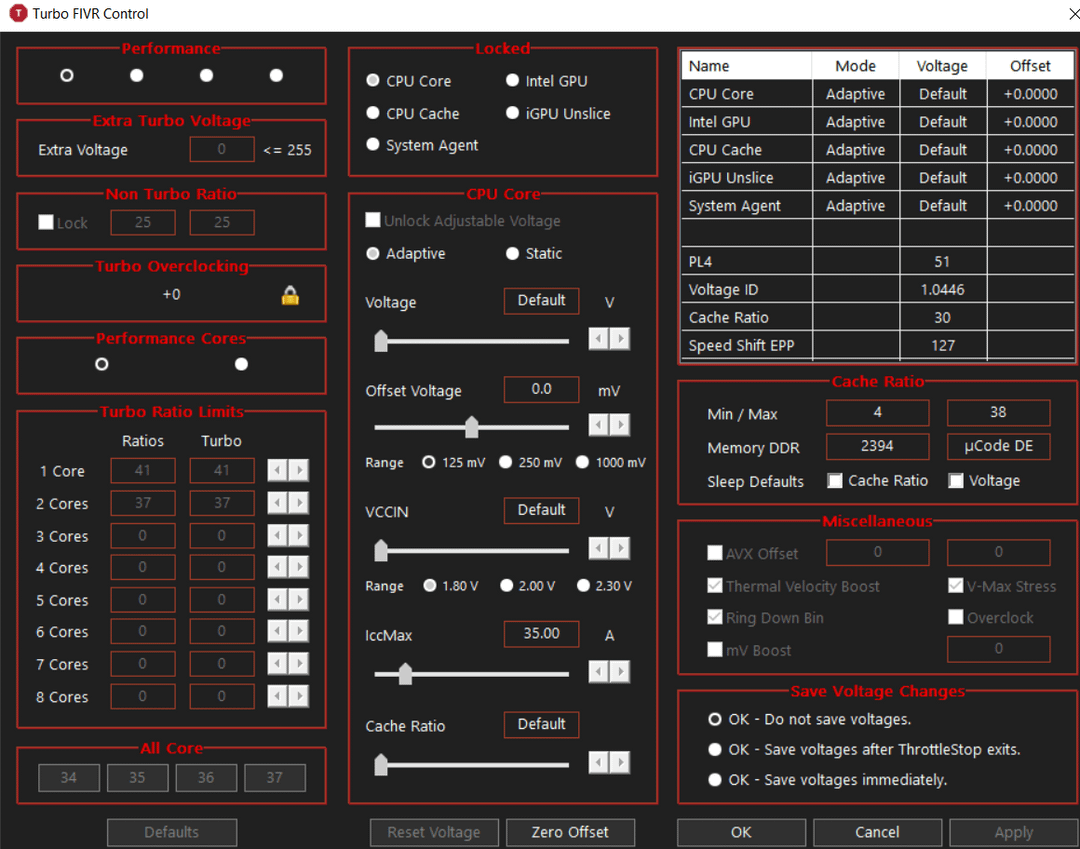
I need help, guys. My laptop is getting old and gets pretty hot when I play light games and perform simple tasks. I've been thinking of undervolting it, but since my CPU is locked, there aren't many guides online that explain me how to do it. Is there a way to undervolt a BIOS or CPU that has been locked? Especially on a laptop made by Huawei.
"As you can see above, everything is grayed out, and there really isn't much I can do. Also, I've tried every guide to get this to function on an unsupported platform, but it just won't work—not even when I try to get an older version of Intel XTU."
To put it briefly, my CPU or BIOS is locked. Is there a way to unlock it?
1 Comment
Not unless someone has a custom BIOS for your specific build of laptop that would include BCK control. XTU knows what chip you have, and unless finding a way to spoof an unlocked chip, you’re not gonna get results that way.
Why not just repaste? Exactly how old is the laptop? (Chance a fan failed?)