wtf? Just pull it out the cable from the connector, also you know you can clean your PC?
Blakewerth
Is it done for good 😵
deviance79
Grip the connector by the brown part close to the MB and pull back gently. It should come out with no resistance.
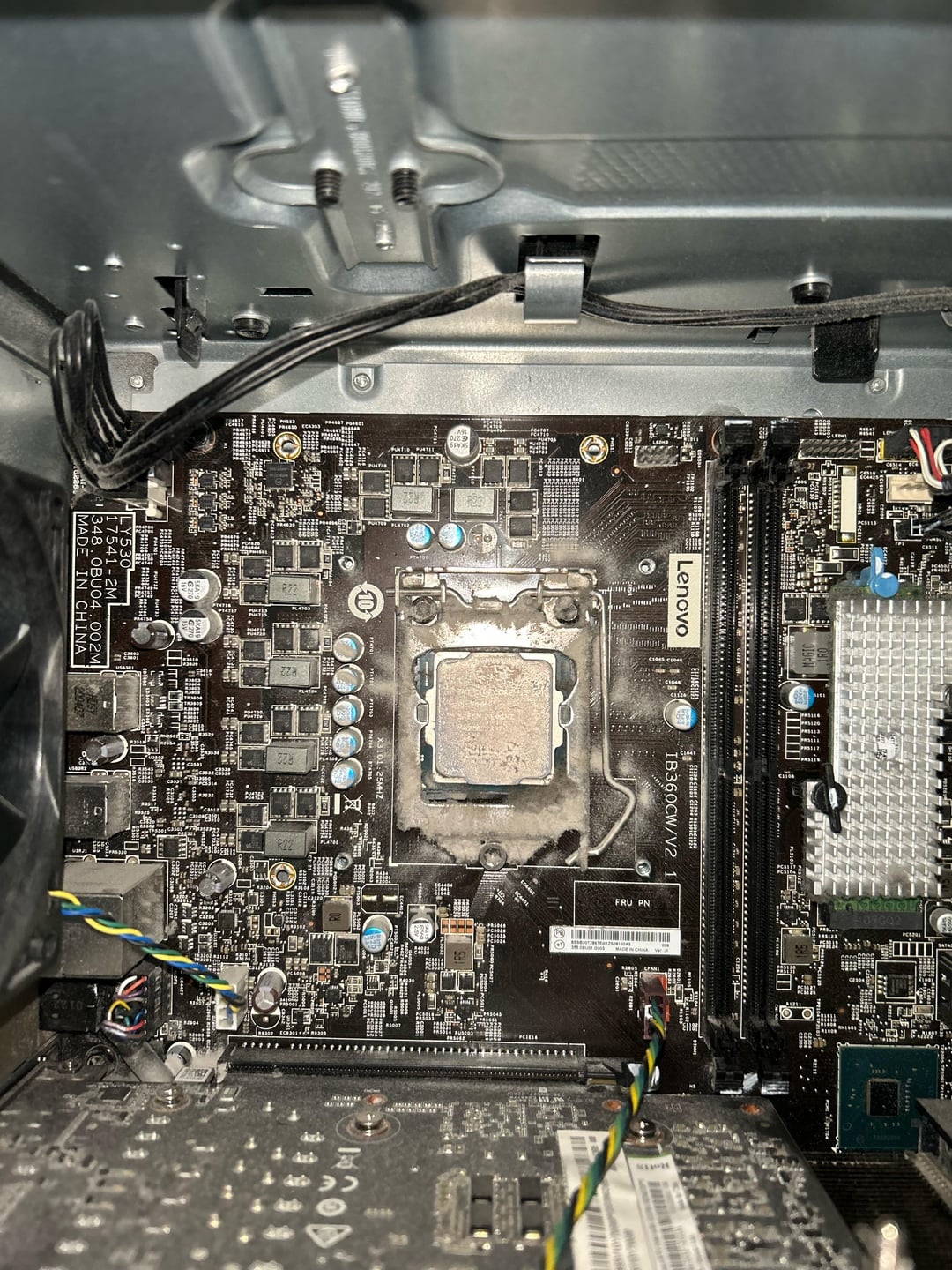
Take the whole case outside and use a can of compressed air (or 2) to clear out as much dust as possible. Pay special attention to the area around the cpu and any fans inside the case. Use a finger to hold the fan stationary while blowing air on it.
Use a soft lint free cloth and some rubbing alcohol to clean the surface of the CPU.
Apply some thermal paste to the CPU surface and reattach the CPU cooler. Lots of videos on YouTube for reference. Good luck.
VegetableWaltz100
rip cpu its all over
kirk7899
Use some 99 percent isopropyl alcohol to clean up all the paste from the cpu.

6 Comments
wtf? Just pull it out the cable from the connector, also you know you can clean your PC?
Is it done for good 😵
Grip the connector by the brown part close to the MB and pull back gently. It should come out with no resistance.
Take the whole case outside and use a can of compressed air (or 2) to clear out as much dust as possible. Pay special attention to the area around the cpu and any fans inside the case. Use a finger to hold the fan stationary while blowing air on it.
Use a soft lint free cloth and some rubbing alcohol to clean the surface of the CPU.
Apply some thermal paste to the CPU surface and reattach the CPU cooler. Lots of videos on YouTube for reference. Good luck.
rip cpu its all over
Use some 99 percent isopropyl alcohol to clean up all the paste from the cpu.
This shit don’t look like dust looks like mold