
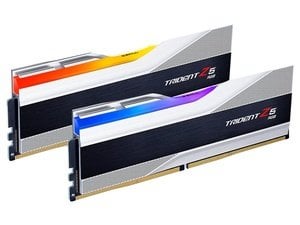
Built a new PC very recently and I'm struggling to get my ram to run at advertised timings.
Here's the kit
My set up is:
MSI X690e Carbon Wifi
7950X3D (fwiw before "get 7800X instead", I do make good use of the extra cores)
G.Skill Z5 48GB (2×24) 8000mhz
2x 860 evo 1TB (populating top two M.2 slots)
2x 990 pro 2TB (bottom two slots)
ASUS TUF 4080 super
2x ironwolf pro 4TB
Don't get me wrong, 8000 is likely ambitious to say the least, but I legitimately cannot get this thing to POST if I push it a smidge beyond 4800mhz.
What I've tried:
– Default XMP profile (8000mhz, 40-48-48-128)
– Turns on, DRAM light immediately on
– Sits on BIOS debug code 15 for a bit (memory training(?))
– Switches to code Ab and then nothing after (this is apparently waiting for setup input, but black screen so idk – no keyboard inputs fix this)
– rebooting after this results in indefinite code 15 with BOTH CPU and DRAM debug lights on
– Custom profiles/timings
– literally will not go above 4800mhz, had ONE mildly successful try here
– individual RAM sticks (i.e. A2 OR B2)
– loosening the cooler
none of these scenarios made me solve why this is happening
and again – i know 8000mhz is possibly unreachablex – but there are countless people who have reached 6000 no problem and even 6400 with minimal hassle, whilst i cannot go to 5600mhz
ATP i'm lost as to whether it's:
– bad component choice and i should swap motherboard with something else
– faulty ram
– faulty CPU
any advice hugely appreciated, thank u 🫶
4 Comments
Post your bios settings and make sure you are not setting the infinity fabric speed too high
Since you are doing the setting manually you should re check everything probably you are setting something way off and it can’t train the memory.
Also 8000 on that board I don’t think is possible, at least not without tuning the terminations and that’s a pita to set up correctly.
In addition to these other suggestions, you could try pushing more voltage on DRAM, VDDP and VDDP. I’d try bumping the DRAM a bit first and test. Of you’re going to end up in ‘scary’ voltages, I’d bump the other two up before you get there. Good luck.