Could try and debloat windows, move games onto an secondary drive etc WizTree will be your saviour.
GABE_EDD
Yeah, minimum to be kinda comfortable these days is a 1TB drive, in fact that’s been the comfortable amount for probably over a decade now. Install another SSD and make it your games SSD.
Maykspark
You install GTAV on that thing, and will be fill to the half
ew435890
500 GB is pretty much nothing these days. Just my install of Microsoft Flight Simulator is almost 400GB.
I put two 2TB M.2 drives into my PC and try not to install anything except utility programs on the 1TB C:/ drive. And I also have an 8TB HDD in it for bulk storage. Don’t even get me started on my Plex server. Haha.
Short_Rip_5562
Got an old DVD player? Heard you can savage hard drives from it if your strapped for cash lmao but that might be crap
Adderall-Buyers-Club
Run diskcleanup as admin and delete the windows updates and old windows versions
HazardousHD
Something to keep in mind is that you lose X amount of space on a C drive immediately due to the W10 install
500GB is a fine boot drive size imo but you might benefit from a cheap second SSD for games to live on
Otherwise you are gonna be treating your PC like a Console and uninstalling and installing games over and over.
lol thats why i said fk it and got a 4tb ssd. couldn’t be bothered with storage issues
raptorjesusIam
Yeah the size of games today is depressing for storage space. I have 2 500GB SDD’s, 1 1TB SSD, and 1 2TB SSD and I think I have like 300GB of storage left in total 😢
thxredditfor2banns
Thats can fit a total of 3 modern games
Atrocious1337
500 GB in 2024? That was your first mistake.
Lycanthrope_Leo
Protip to free up unnecessary used space: run command prompt as admin and run: powercfg.exe -h off
Turns off hibernation which is not used on desktops and frees up the drive space reserved for it.
SunoPics
500gb boot and 2tb storage drive ftw
Big3man
500gb as your boot OS drive isn’t going to last long. I recommend just using the 500gb for ur OS and installing apps like mice software, steam, battlenet, epic games- then get like a 2tb as a secondary game drive and you will have all the storage you need
d0or-tabl3-w1ndoWz_9
Install the OS on a <128GB SATA SSD, games and softwares on a decently fast NVMe and store personal files on a decently fast >1TB SATA SSD or HDD. Avoid SSHDs at all costs.
Ph11p
Hard drive is way too small by modern standards. You need at least a pair of 1.0 Tb m.2 NVNe drives.
DianaRig
2x1Tb RAID 0 FTW. Stupid fast and easier to manage than two volumes.
720-187
i’m still rocking an old 500gb samsung ssd for my boot drive.
any games, music, movies/tv etc goes on one of 3 2tb NVME drives.
Lord_Kuntsworthy
Get yourself an external Hdd. Game changer.
I only store my fps games on the 500gb ssd i use for C:
Toast_Meat
You picked a 500GB SSD….
Nick85er
Why not add a “data” disk or two? 2.5″ SATA SSD/SSHDs are pretty affordable nowadays.
Also majority helps with OS reinstall when needed.
MrWobblyHead
Get a second SSD just for game installs. As big as you can afford. And maybe a HDD for the same. If you’re using Steam you can easily move game install location between the two game drives, so that the game you’re currently playing is on the faster SSD.
DrKingOfOkay
Sounds right. 500 is nothing.
Top-Conversation2882
That is not only
Those games are like 100gb for starfield and cyberpunk
YoureGettingTheBelt
My tiny office prebuilt had a 500gb drive back in 2011.

29 Comments
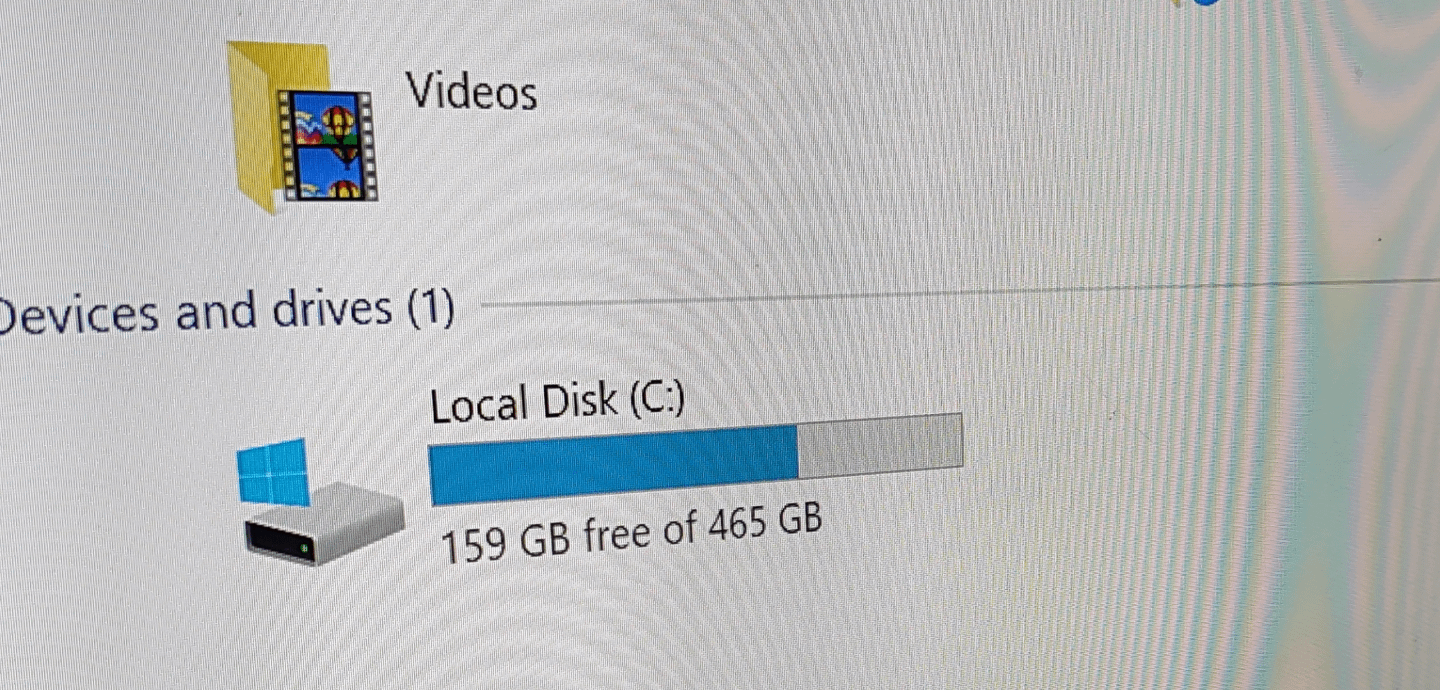
500gb isn’t a lot today
Could try and debloat windows, move games onto an secondary drive etc WizTree will be your saviour.
Yeah, minimum to be kinda comfortable these days is a 1TB drive, in fact that’s been the comfortable amount for probably over a decade now. Install another SSD and make it your games SSD.
You install GTAV on that thing, and will be fill to the half
500 GB is pretty much nothing these days. Just my install of Microsoft Flight Simulator is almost 400GB.
I put two 2TB M.2 drives into my PC and try not to install anything except utility programs on the 1TB C:/ drive. And I also have an 8TB HDD in it for bulk storage. Don’t even get me started on my Plex server. Haha.
Got an old DVD player? Heard you can savage hard drives from it if your strapped for cash lmao but that might be crap
Run diskcleanup as admin and delete the windows updates and old windows versions
Something to keep in mind is that you lose X amount of space on a C drive immediately due to the W10 install
500GB is a fine boot drive size imo but you might benefit from a cheap second SSD for games to live on
Otherwise you are gonna be treating your PC like a Console and uninstalling and installing games over and over.
https://preview.redd.it/3akvrfub9yvc1.png?width=788&format=png&auto=webp&s=0ca1b9ba0ea401dea041b8c25deb3032291ca82b
Built mine a year ago
lol thats why i said fk it and got a 4tb ssd. couldn’t be bothered with storage issues
Yeah the size of games today is depressing for storage space. I have 2 500GB SDD’s, 1 1TB SSD, and 1 2TB SSD and I think I have like 300GB of storage left in total 😢
Thats can fit a total of 3 modern games
500 GB in 2024? That was your first mistake.
Protip to free up unnecessary used space: run command prompt as admin and run: powercfg.exe -h off
Turns off hibernation which is not used on desktops and frees up the drive space reserved for it.
500gb boot and 2tb storage drive ftw
500gb as your boot OS drive isn’t going to last long. I recommend just using the 500gb for ur OS and installing apps like mice software, steam, battlenet, epic games- then get like a 2tb as a secondary game drive and you will have all the storage you need
Install the OS on a <128GB SATA SSD, games and softwares on a decently fast NVMe and store personal files on a decently fast >1TB SATA SSD or HDD. Avoid SSHDs at all costs.
Hard drive is way too small by modern standards. You need at least a pair of 1.0 Tb m.2 NVNe drives.
2x1Tb RAID 0 FTW. Stupid fast and easier to manage than two volumes.
i’m still rocking an old 500gb samsung ssd for my boot drive.
any games, music, movies/tv etc goes on one of 3 2tb NVME drives.
Get yourself an external Hdd. Game changer.
I only store my fps games on the 500gb ssd i use for C:
You picked a 500GB SSD….
Why not add a “data” disk or two? 2.5″ SATA SSD/SSHDs are pretty affordable nowadays.
Also majority helps with OS reinstall when needed.
Get a second SSD just for game installs. As big as you can afford. And maybe a HDD for the same. If you’re using Steam you can easily move game install location between the two game drives, so that the game you’re currently playing is on the faster SSD.
Sounds right. 500 is nothing.
That is not only
Those games are like 100gb for starfield and cyberpunk
My tiny office prebuilt had a 500gb drive back in 2011.
The reason I went for an 8TB for my new laptop.
Why didn’t you get 1tb? A 1tb nvme is like $40