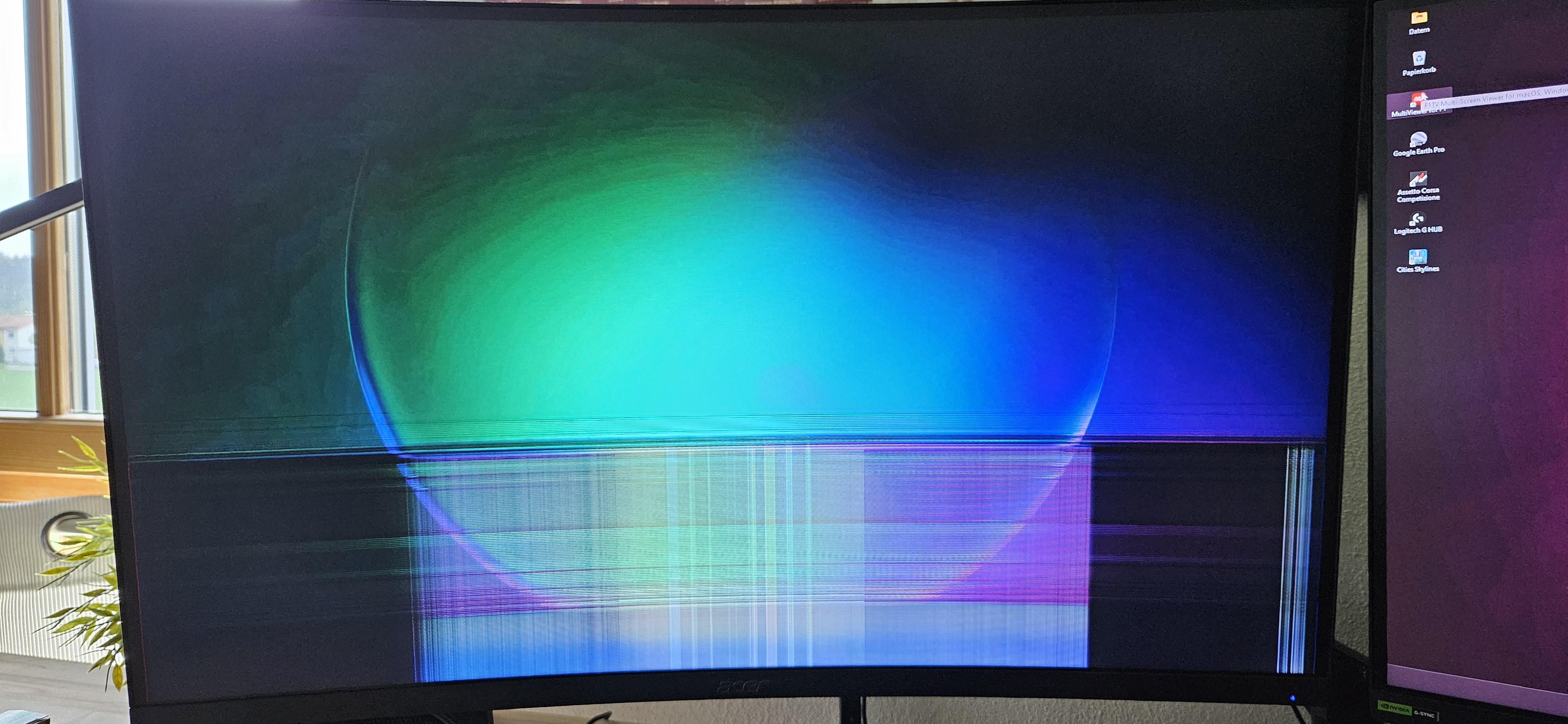
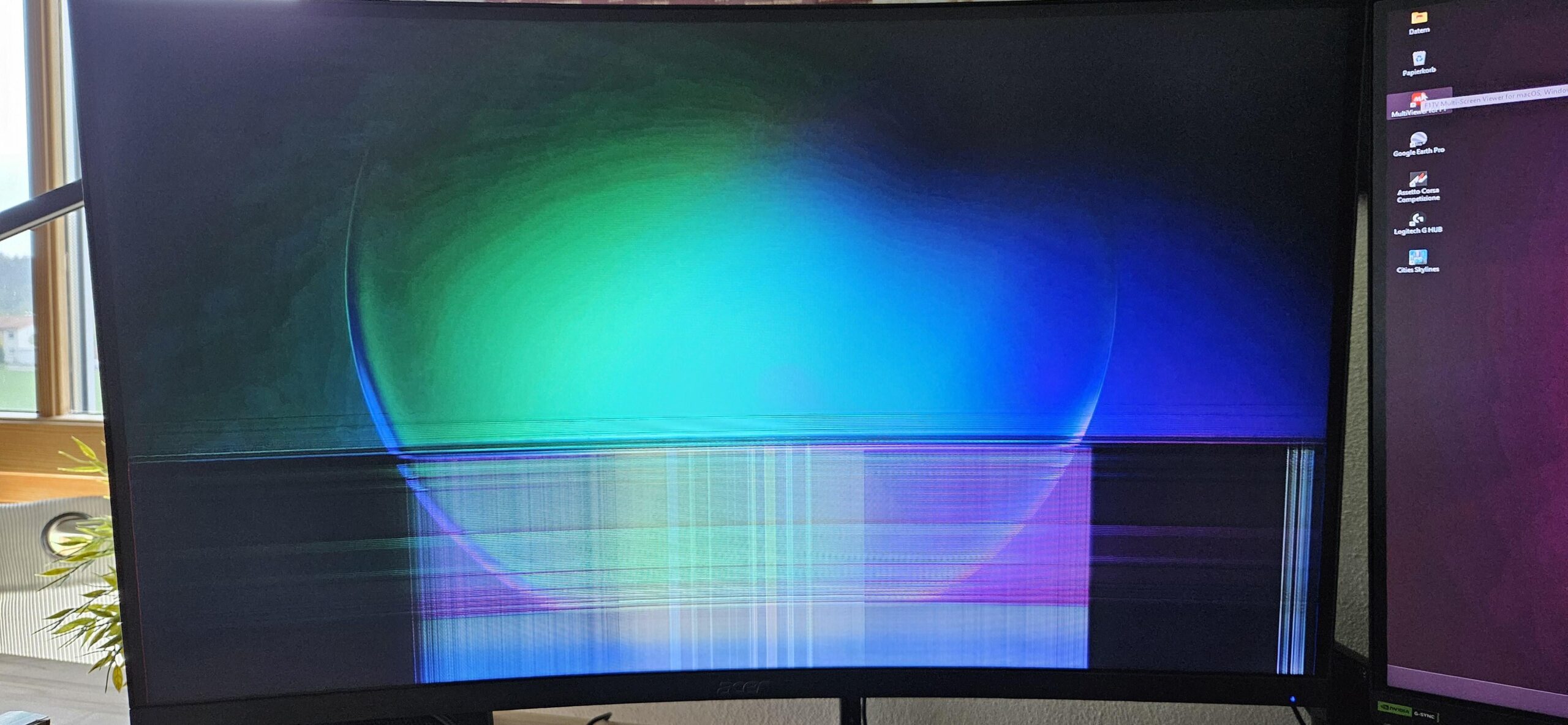
I’ve had this before, its either that your room is cold or the monitor is dying.
The reason why cold could cause this is because a part (like a capacitor or a resistor) that is open when cool and does not connect until warm or a cold solder joint that does not connect until the Monitor gets warm and the joint expands to connect.
PastorofMuppets-
Leave the PC on but turn the monitor off for a bit. If when you turn the monitor back on and it does the same thing then Id say the LCD is on the way out. Possibly the inverter
koordy
Does it emit any sound? In any way, your monitor is slowly dying. It will take longer and longer for it to go back to normal and that broken bar will grow to be larger and larger.
I’d advice to start doing a research what to buy then and if necessary start saving for it.
ToastedHedgehog
Dont worry this is (sadly) standard on a lot of samsung monitors. This happens to mine every day its cold and has done for over 5 years. Its annoying but your monitor should be fine once it warms up
Faeces_Species_1312
Yeah mine does this too, it’s just warming up. 🤷
Sneekat
My Agon does this, I heard it’s caused cheap solder/capacitors. Once its warm its usually fine. Mine is less of a problem if I turn the refresh rate down.
joaovitorblabres
Our TV does the same thing, we had it for 10 years, it does since 4~5 year of use, still going strong besides it
despwn
Probably faulty capacitor issue. Mine showed similar issue only once when I came back home after a ten days holiday.
My friends monitor has it but it got fixed by lowering refresh rate a bit.
alphakoala19
Mine does this after booting when running at 144hz. I just dropped the refresh rate to 120hz and it’s been fine since. Fortunately there isn’t much difference between 144hz and 120hz.
Jaba01
Low temperature.
ggBandit
Had this issue before, it started acting up when I moved to a damp, cold house. The issue would also happen when I was on display port but won’t happen on hdmi, so could be a cable issue or it’s a monitor thing, or temp issue. Pick your poison
Blastergasm
I’ve seen this a few times and it’s *always* on Samsung monitors. Samsung Display is technically a separate company and they make the panels for many other manufacturers too but I refuse to buy any Samsung Electronics branded products, they’re always junk.
Komplexii
its an old diesel monitor, give it some time to warm up
El_Wizardo
Capacitors are dying off.
Take it to a trusted electrician to recap it. Should cost under 50$.
robomobile
Hit the Degauss button
New-Albatross8143
Got this issue on a Acer z35p ultrawide, it starts like that and fades to black. Have to unplug the powercord/PSU to restart and it works again. Happens very randomly but almost always within an hour of turning it on for the day.
NicolasBellido
i had this problem on a laptop, intel driver was malfunctioning when i installed windows 10 LTSC, went everywhere looking for a solution but reinstalling windows 10 home worked like a charm, i hope this guides you somewhere.
NeoGPT
Had this on a monitor, had to send it back, they gave me a new one so I’d assume it’s dying
Miguelus_pospolitus
might be a problem with the cable or the port in the monitor
BlvckReddit
Same here
ReminexD
This happened to me too and somehow the monitor still works (it’s been like that for almost 3 years)
Mine does the same damn thing. It’s a Samsung VA display. Believe it might have been an old G7 model. This has happened every cold boot for like 6 years now. It always goes away so I’ve never tossed it.
SwagChemist
Bad/low quality capacitor.
KonM4N4Life
Happens to me too 🙂 only a 2 year old monitor, in AZ heat 🙂

27 Comments
How cold is your room?
I’ve had this before, its either that your room is cold or the monitor is dying.
The reason why cold could cause this is because a part (like a capacitor or a resistor) that is open when cool and does not connect until warm or a cold solder joint that does not connect until the Monitor gets warm and the joint expands to connect.
Leave the PC on but turn the monitor off for a bit. If when you turn the monitor back on and it does the same thing then Id say the LCD is on the way out. Possibly the inverter
Does it emit any sound? In any way, your monitor is slowly dying. It will take longer and longer for it to go back to normal and that broken bar will grow to be larger and larger.
I’d advice to start doing a research what to buy then and if necessary start saving for it.
Dont worry this is (sadly) standard on a lot of samsung monitors. This happens to mine every day its cold and has done for over 5 years. Its annoying but your monitor should be fine once it warms up
Yeah mine does this too, it’s just warming up. 🤷
My Agon does this, I heard it’s caused cheap solder/capacitors. Once its warm its usually fine. Mine is less of a problem if I turn the refresh rate down.
Our TV does the same thing, we had it for 10 years, it does since 4~5 year of use, still going strong besides it
Probably faulty capacitor issue. Mine showed similar issue only once when I came back home after a ten days holiday.
My friends monitor has it but it got fixed by lowering refresh rate a bit.
Mine does this after booting when running at 144hz. I just dropped the refresh rate to 120hz and it’s been fine since. Fortunately there isn’t much difference between 144hz and 120hz.
Low temperature.
Had this issue before, it started acting up when I moved to a damp, cold house. The issue would also happen when I was on display port but won’t happen on hdmi, so could be a cable issue or it’s a monitor thing, or temp issue. Pick your poison
I’ve seen this a few times and it’s *always* on Samsung monitors. Samsung Display is technically a separate company and they make the panels for many other manufacturers too but I refuse to buy any Samsung Electronics branded products, they’re always junk.
its an old diesel monitor, give it some time to warm up
Capacitors are dying off.
Take it to a trusted electrician to recap it. Should cost under 50$.
Hit the Degauss button
Got this issue on a Acer z35p ultrawide, it starts like that and fades to black. Have to unplug the powercord/PSU to restart and it works again. Happens very randomly but almost always within an hour of turning it on for the day.
i had this problem on a laptop, intel driver was malfunctioning when i installed windows 10 LTSC, went everywhere looking for a solution but reinstalling windows 10 home worked like a charm, i hope this guides you somewhere.
Had this on a monitor, had to send it back, they gave me a new one so I’d assume it’s dying
might be a problem with the cable or the port in the monitor
Same here
This happened to me too and somehow the monitor still works (it’s been like that for almost 3 years)
Samsung?
https://preview.redd.it/blocc22ta2vc1.png?width=3024&format=png&auto=webp&s=c919353b19989166336a01a4fb5a89b171650a71
Lmao welcome to the Samsung Display club.
Mine does the same damn thing. It’s a Samsung VA display. Believe it might have been an old G7 model. This has happened every cold boot for like 6 years now. It always goes away so I’ve never tossed it.
Bad/low quality capacitor.
Happens to me too 🙂 only a 2 year old monitor, in AZ heat 🙂