
Recently upgraded my GT77HX Titan 13980HX 4090 to MSI Titan 18HX 14900HX 4090 (had good opportunity to do it with next to no loss)
Unfortunately (but fortunately) the laptop has 4 DIMM slots, which means that overclocking is somewhat limited as it's quad RAM board.
I currently have 2x16GB DDR5 6400 CL38 XMP modules (using those for gaming)
I also have 4x48GB 5600 modules (Productivity, swapping when needed)
Currently trying to get to at least 6000Mhz stable on the RAM.
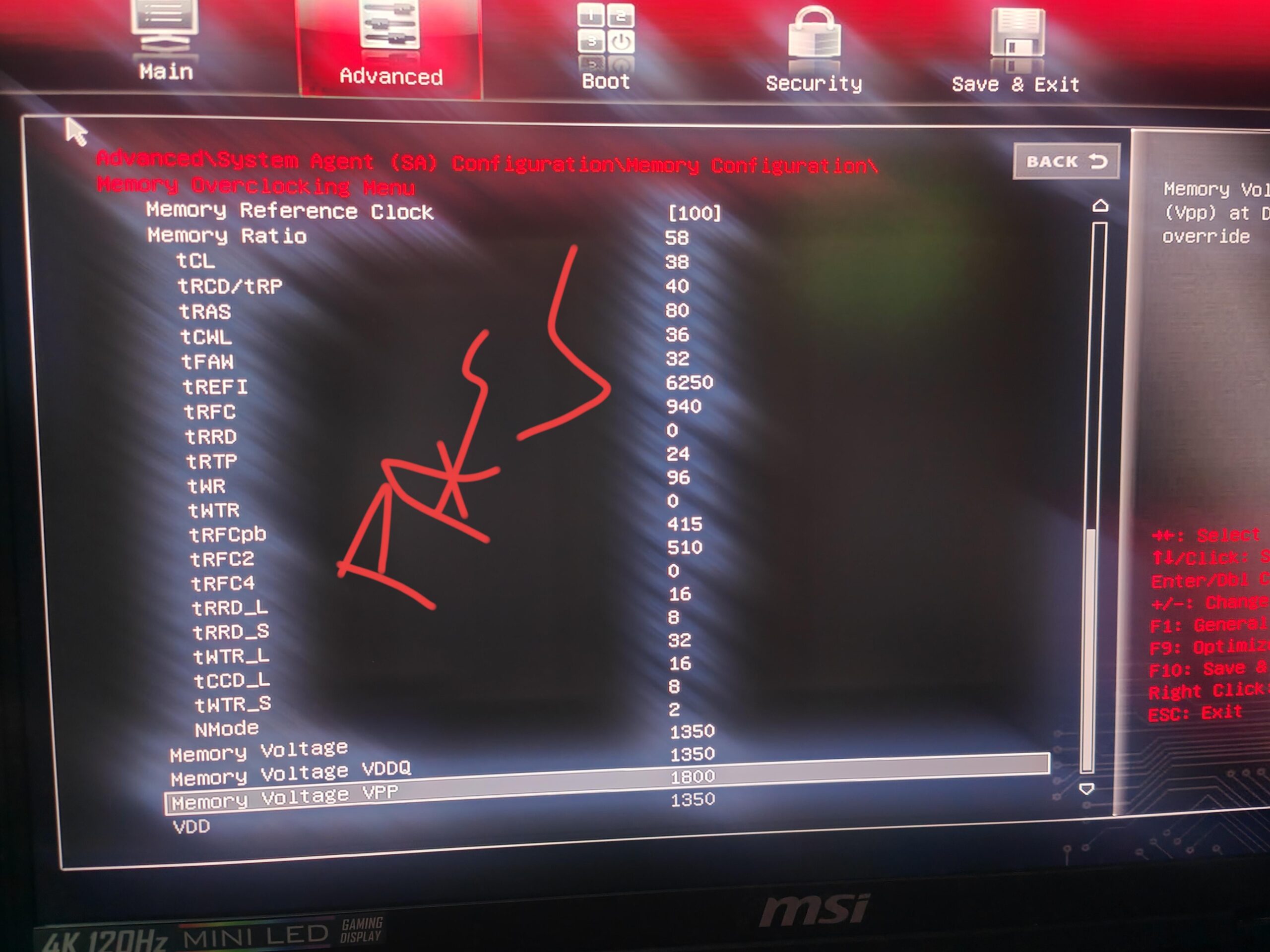
The current settings that work and pass Memtest86 are linked to this post.
Essentially when I even attempt to sent 5900 to memory ratio I will get a flashing power button on and off. Then I have to hold it for 40 sec for CMOS reset to try fresh.
However, if I copy XMP settings from one of the XMP profiles (6000Mhz CL38 Profile) it will boot and work, just crash often in games and Memtest86 will produce some errors which result in WHEA in the Event Viewer.
Can anyone pinpoint what I can do to stabilise?
1.35V 5800Mhz CL38 is stable, tried raising tRCD/Trp to 42 but I would wake up to 10000 Memtest error when tRCD/Trp is set to 42 and RAM is set to 6000Mhz.
The 6000Mhz profile is identical as the picture except for tRCD/Trp is 42 and memory ratio is 6000 (this would then produce endless errors)
Tried raising and reducing Trefi but system would never boot it I would get flashing power button.
Any way to get it working?
Any help appreciated.