
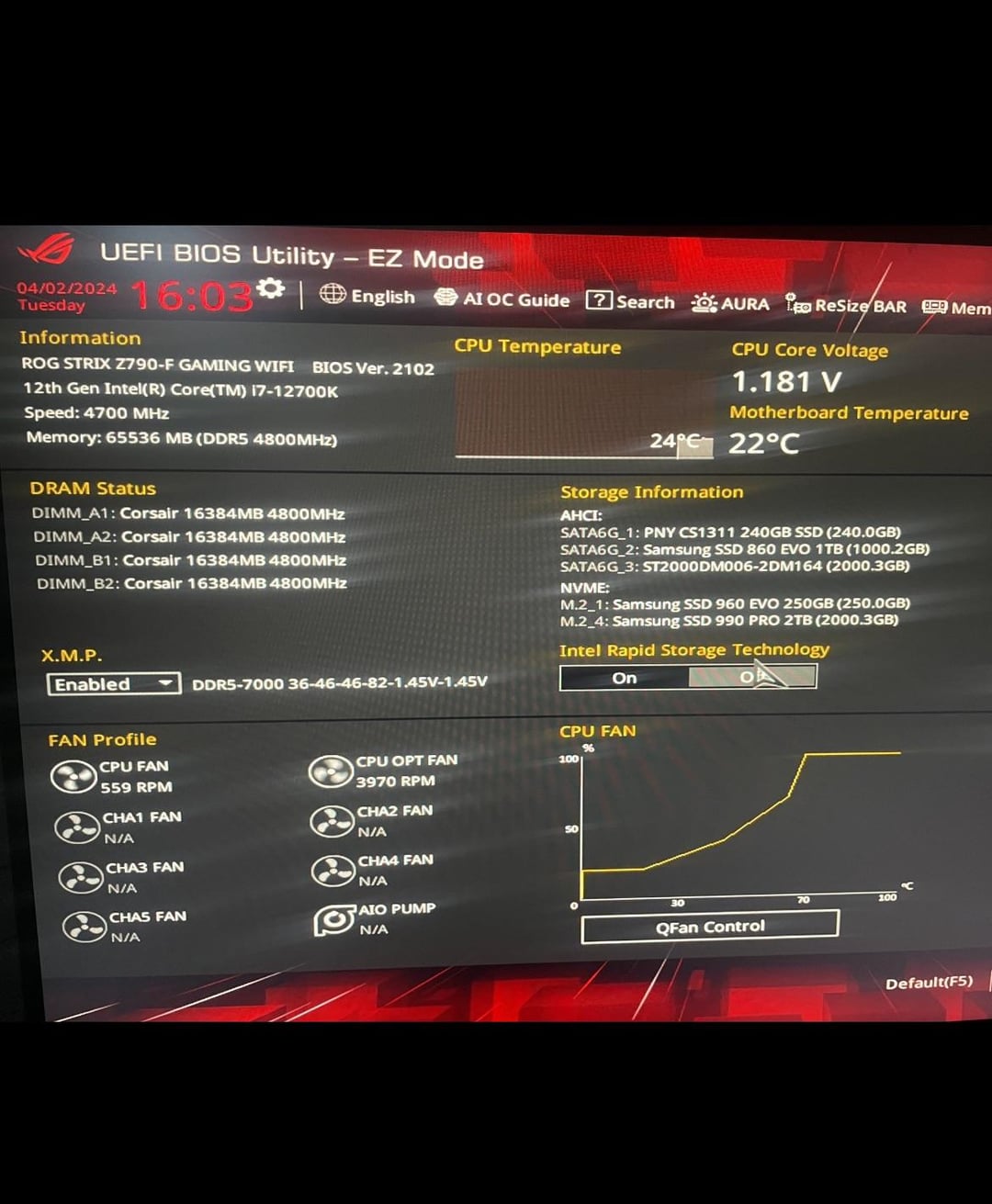
I recently upgraded my system and things have changed a lot since my last build.. My current setup is
-Asus z790-F gaming Wi-Fi 6E
-i7 12700K
-4070 ti super
4x 16gb Corsair vengeance @7000mhz
I’m wondering if the ram I chose is too fast for my cpu. When I first got everything set up I was having some stability issues during gaming on a few games I tried like cs2 and bfV. I was dropping frames and stuttering so I started doing some research and realized I had some optimizing to do, and that’s when I tried xmp. My first go I got black screened and stuck in a boot cycle so I quickly reset the mobo and looked into it and saw that this could be an issue with running 4 ram slots or my cpu won’t allow the speeds that are preset. I manually lowered the speed to 4800, which my cpu shows as max ram speeds. As of right now it seems to be running stable and my games are running much smoother but is it ok to run at this high of a voltage? It’s set at 1.45v but that was the xmp preset for 7000mhz and I didn’t see an option to lower it but am nervous to even mess with that.. Also, if I wanted to try to push it above the 4800mhz that the cpu shows it supports, is that even an option? Sorry to ramble and thanks in advance for any help. Tweaking the bios is all new to me and makes me a bit nervous but I just want to get as much performance out of my new machine as I can. Also note that the second and third pic show temps during a 15 min battlefield V session. The ram idles at a steady 30c with these settings.
1 Comment
Getting 7000 MT/s stable on that motherboard with 12th gen is unlikely. You can probably do 6400 MT/s, but you will need to manually set the frequency. You can easily enable XMP, and then manually set the frequency – this would at least preserve the XMP timings, although they can be tightened further if desired.