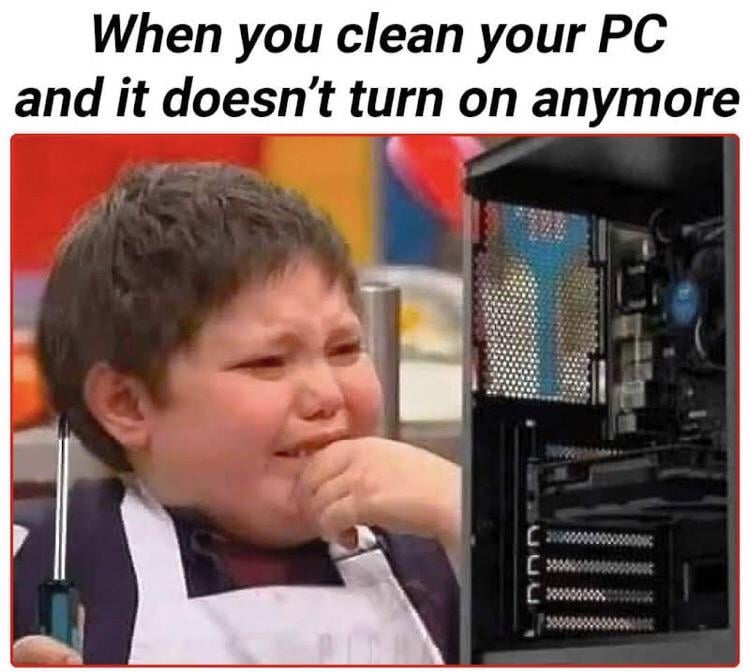
I hate to admit the number of times I cleaned the pc and accidently unplugged something like a fan, sata drive, or a usb cable.
Always make sure the pc is turned off and unplugged from the socket when you are cleaning the pc in order to prevent as many chances of accidently shorting the pc, or having it turn on while you are cleaning the fans therefore the fan blade cuts your fingers in your hand( happened to me several times before)
Edit: fixed the wording as it was pointed out that my comment made no logical sense.
SteelyEyedHistory
Nah this is common. Check your power cables something probably came loose.
CounterSided
“Why doesn’t it work? Did I screw something up?”
Me, who usually forgets to flip the power switch on
Kev_Cav
**Always check your cables after a filddle**
PirateRizz
Yes
greaterar
CCF = Check cable first.
sirflappington
Me: forgets to turn psu switch back on
ActualMoment8232
What if don’t connect the smps cables properly
skot77
I had a neighbor who came over crying because he decided to clean his computer completely and it wouldn’t turn back on..
He forgot to plug in the front panel power button on the motherboard.
ReverseFez
I heard you should always hold the fans still when blowing over them, as the fan might produce reverse current
Latviacm
*blasts PC with powerwasher*
Why won’t it turn back on?
CharAznableLoNZ
Must be just you.
I just cleaned my PC, as in less than ten minutes ago while rerouting some power cables to make room for a larger drive I swapped out. Took the GPU out and everything and used my datavac to blow all the dust out. Wasn’t too bad since I clean it twice a year.
A reminder to everyone, it may be fun to watch the fans spin in the airflow, however it’s a quick way to kill a fan or fan controller. Hold those fans still and then blast it.
RoleCode

queroummundomelhor
I’ve been seeing this a lot this week, it should be on the 2024 trend part 5
SameRandomUsername
Explain what you did and we can tell you if you screwed up.
PumaMyPants
I’m about to sell my computer and it’s getting dirty I really want to clean it but don’t want to mess anything up, going to buy him a dust bottle
Doverkan69
No, you are not alone mate.
kemeeh
happened to me a week ago, i was using air blower and when i put everything back on my pc won’t show display. after a lot of research and heavy panicking. turns out my ram stick was not properly mounted it was barely hanging on one side this whole time and my air blower bump it and finally losses the connection. longest day of my life.
Afraid_Function3590
I have seen this repost too many times
ASUS_MKTLeeM
No, not only you. I think we’ve all been there. Sometimes it’s like people are noting that you forget to plug something back in and it’s an easy fix. I’ve had a bead of sweat wind up on the motherboard while cleaning, which ended up causing the board not to POST until it was carefully cleaned up and dried.
Select_Truck3257
dust is fuel
why_even_need_a_name
I redid the thermal paste of my laptop once and it didn’t turn on. I redid it two more times right after to make sure I didn’t skip anything and still nothing. I gave up and was very upset. Next day I tried turning it on and it turned on like the day before never happened. I guess the paste needed time to spread and pop air bubbles. That was intense two days.
OkOwl9578
I work as a technician. Yesterday, i had to pick up a pc. It works at location A, but once i transferred it to location B, suddenly there were no windows on that pc.
alien-eight
Don’t use canned air dusters.
Niffen36
Mine turned on but kept crashing. Turned out my video card needed reseating. All looked fine but must have had dust over a pin or something.
TNovix2
Me when I cleaned an older rig, removed my CD drive and started it back up. Kept freezing up and had no clue what was going on until I got curious…it was the absence of the CD drive 😐
fine93
it’s the damn battery right? or this3 i7mper pins or what you call rem

29 Comments
I hate to admit the number of times I cleaned the pc and accidently unplugged something like a fan, sata drive, or a usb cable.
Always make sure the pc is turned off and unplugged from the socket when you are cleaning the pc in order to prevent as many chances of accidently shorting the pc, or having it turn on while you are cleaning the fans therefore the fan blade cuts your fingers in your hand( happened to me several times before)
Edit: fixed the wording as it was pointed out that my comment made no logical sense.
Nah this is common. Check your power cables something probably came loose.
“Why doesn’t it work? Did I screw something up?”
Me, who usually forgets to flip the power switch on
**Always check your cables after a filddle**
Yes
CCF = Check cable first.
Me: forgets to turn psu switch back on
What if don’t connect the smps cables properly
I had a neighbor who came over crying because he decided to clean his computer completely and it wouldn’t turn back on..
He forgot to plug in the front panel power button on the motherboard.
I heard you should always hold the fans still when blowing over them, as the fan might produce reverse current
*blasts PC with powerwasher*
Why won’t it turn back on?
Must be just you.
I just cleaned my PC, as in less than ten minutes ago while rerouting some power cables to make room for a larger drive I swapped out. Took the GPU out and everything and used my datavac to blow all the dust out. Wasn’t too bad since I clean it twice a year.
A reminder to everyone, it may be fun to watch the fans spin in the airflow, however it’s a quick way to kill a fan or fan controller. Hold those fans still and then blast it.

I’ve been seeing this a lot this week, it should be on the 2024 trend part 5
Explain what you did and we can tell you if you screwed up.
I’m about to sell my computer and it’s getting dirty I really want to clean it but don’t want to mess anything up, going to buy him a dust bottle
No, you are not alone mate.
happened to me a week ago, i was using air blower and when i put everything back on my pc won’t show display. after a lot of research and heavy panicking. turns out my ram stick was not properly mounted it was barely hanging on one side this whole time and my air blower bump it and finally losses the connection. longest day of my life.
I have seen this repost too many times
No, not only you. I think we’ve all been there. Sometimes it’s like people are noting that you forget to plug something back in and it’s an easy fix. I’ve had a bead of sweat wind up on the motherboard while cleaning, which ended up causing the board not to POST until it was carefully cleaned up and dried.
dust is fuel
I redid the thermal paste of my laptop once and it didn’t turn on. I redid it two more times right after to make sure I didn’t skip anything and still nothing. I gave up and was very upset. Next day I tried turning it on and it turned on like the day before never happened. I guess the paste needed time to spread and pop air bubbles. That was intense two days.
I work as a technician. Yesterday, i had to pick up a pc. It works at location A, but once i transferred it to location B, suddenly there were no windows on that pc.
Don’t use canned air dusters.
Mine turned on but kept crashing. Turned out my video card needed reseating. All looked fine but must have had dust over a pin or something.
Me when I cleaned an older rig, removed my CD drive and started it back up. Kept freezing up and had no clue what was going on until I got curious…it was the absence of the CD drive 😐
it’s the damn battery right? or this3 i7mper pins or what you call rem
It is a cleaning issue
When you suck the soul out of your PC by mistake