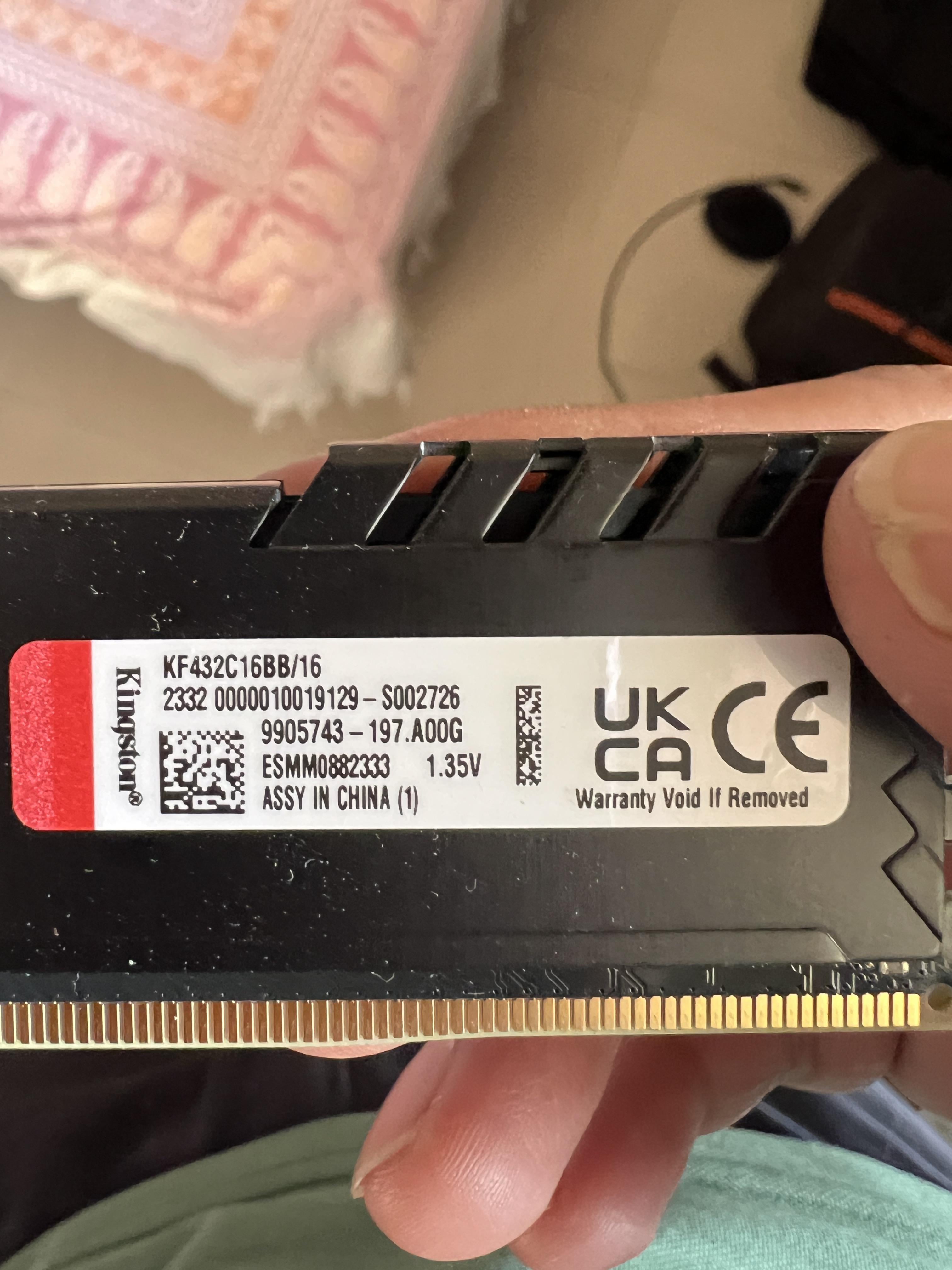
Share Facebook Twitter Pinterest LinkedIn Its a Kingston Fury Beast 16GB 3200Mhz stick (KF432C16BB/16). game pcOver ClockingPC 3 Comments AyeItsEazy 2 years ago I’m going to assume something Hynix Mabey? Def not smasnug b-die it looks like it’s CL16 3200Mbps. Put it in and check typhoon burner! ziddey 2 years ago no, but here’s a kit of this ram where it’s micron 16Gbit revF: https://www.reddit.com/r/overclocking/comments/1344r1h/kingston_fury_beast_32gb_3200mhz_cl16/ kztlve 2 years ago M08 means it’s using Micron with 8 ICs, so 16Gb. Beyond that you’d need to use Thaiphoon or remove heatspreaders Write A CommentYou must be logged in to post a comment.
AyeItsEazy 2 years ago I’m going to assume something Hynix Mabey? Def not smasnug b-die it looks like it’s CL16 3200Mbps. Put it in and check typhoon burner!
ziddey 2 years ago no, but here’s a kit of this ram where it’s micron 16Gbit revF: https://www.reddit.com/r/overclocking/comments/1344r1h/kingston_fury_beast_32gb_3200mhz_cl16/
kztlve 2 years ago M08 means it’s using Micron with 8 ICs, so 16Gb. Beyond that you’d need to use Thaiphoon or remove heatspreaders

3 Comments
I’m going to assume something Hynix Mabey? Def not smasnug b-die it looks like it’s CL16 3200Mbps. Put it in and check typhoon burner!
no, but here’s a kit of this ram where it’s micron 16Gbit revF: https://www.reddit.com/r/overclocking/comments/1344r1h/kingston_fury_beast_32gb_3200mhz_cl16/
M08 means it’s using Micron with 8 ICs, so 16Gb. Beyond that you’d need to use Thaiphoon or remove heatspreaders