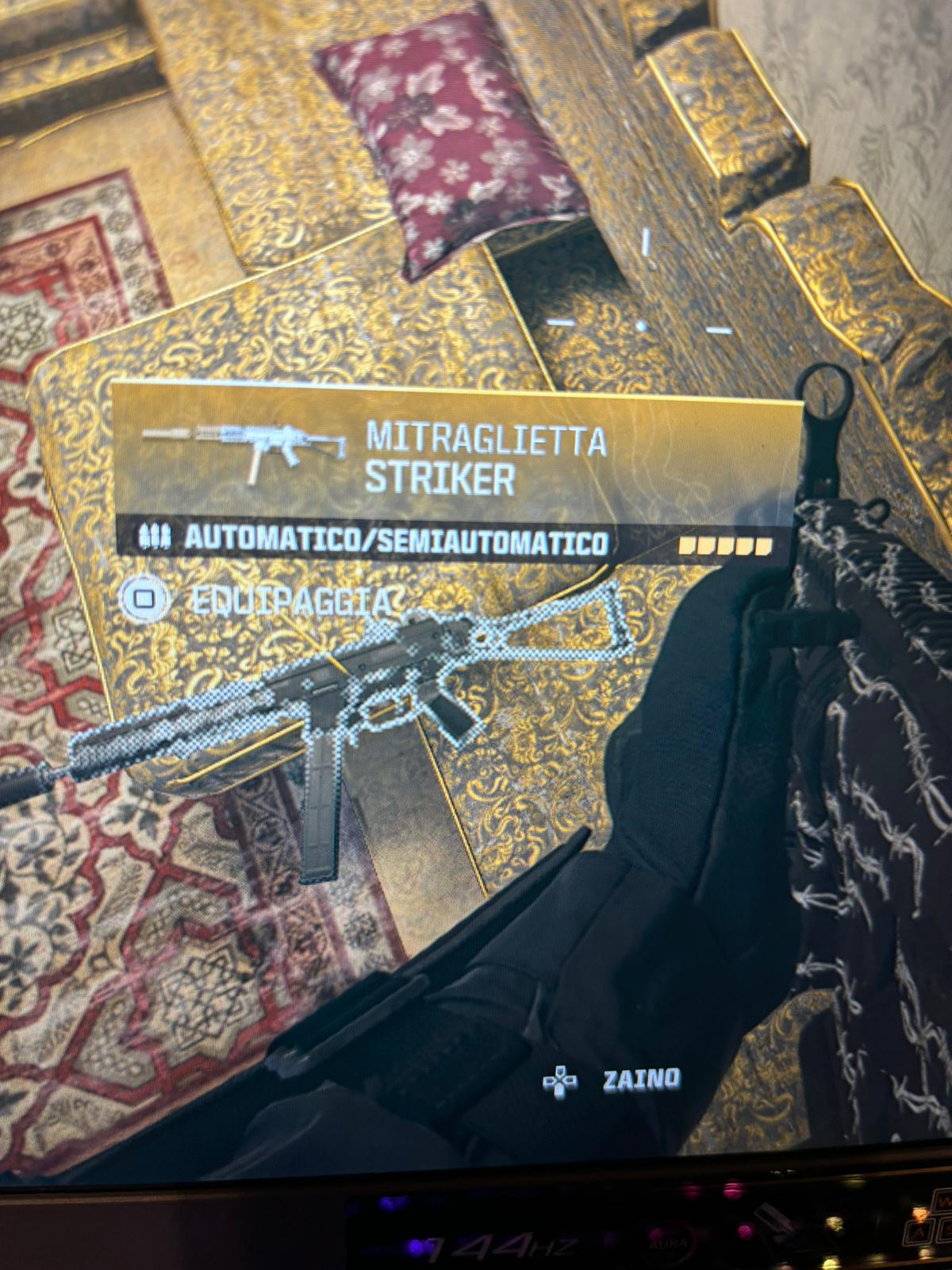
Share Facebook Twitter Pinterest LinkedIn How to remove this blurry object selection PC call of dutycall of duty warzonecodcod warzonewarzone 9 Comments goog1 2 years ago change to fidelitydxcas sharpening notsokururu 2 years ago Turn off the upscaling, or change it to fidelity CAS the % is up to you TheBloodNinja 2 years ago disable any temporal upscaling method (like FSR2/3 and DLSS) Ok-Professional-9956 2 years ago You’re probly using that DLSS option. Try fidelitydxcas Weary-Tower8875 2 years ago Whats the muzzle on this loadout? Log23 2 years ago If you can afford not increasing your FPS, Nvidia imagine scaling is the clearest option for me you just don’t get the increase in frames. tcarnie 2 years ago Yea it’s Dlss sid_killer18 2 years ago If you’re using FSR3, then switch to fsr1. If you have good fps, then Fidelitydxcas is what everyone uses RadialPrawn 2 years ago Ew controller on PC Write A CommentYou must be logged in to post a comment.
Log23 2 years ago If you can afford not increasing your FPS, Nvidia imagine scaling is the clearest option for me you just don’t get the increase in frames.
sid_killer18 2 years ago If you’re using FSR3, then switch to fsr1. If you have good fps, then Fidelitydxcas is what everyone uses

9 Comments
change to fidelitydxcas sharpening
Turn off the upscaling, or change it to fidelity CAS the % is up to you
disable any temporal upscaling method (like FSR2/3 and DLSS)
You’re probly using that DLSS option. Try fidelitydxcas
Whats the muzzle on this loadout?
If you can afford not increasing your FPS, Nvidia imagine scaling is the clearest option for me you just don’t get the increase in frames.
Yea it’s Dlss
If you’re using FSR3, then switch to fsr1.
If you have good fps, then Fidelitydxcas is what everyone uses
Ew controller on PC