
* **CPU**: i9-14900KF
* **MB**: Asus ROG STRIX Z790-A Gaming (BIOS 1801)
* **RAM**: Corsair Vengeance RGB Black (7200MHz, 2x16GB)
* **Cooling**: EK-Nucleus AIO CR360 Dark
* **PSU**: Corsair RM850x
This config turned out to be stable at Cinebech and Prime95 only at stock power limits and with multicore enhancement turned off – okay whatever. XMP is on though, if that matters.
But during heavy bursts, such as project indexing, my code editor – PyCharm – silently crashes (and sometimes brings down the whole system with him) suggesting to report EXCEPTION_ACCESS_VIOLATION afterwards. I saw the same error in the unstable runs of Cinebech, if I’m not mistaken. Pretty sure it’s related to the CPU and not the memory, because with LLC at level 7 (one level below max) this seems to have stopped happening or at least made it very infrequent.
Everything else is stable: gaming (Rust, very CPU-heavy game), browsing, you name it.
Have you heard of something like this? How bad is LLC this high? What other mitigations are there? Don’t really want to touch half the settings in BIOS, looking for a simple solution. Don’t think I want to RMA it considering how hard it’d be to reproduce this problem if I come to the service center with the chip alone and it’ll pass all the same stress tests which are passing for me too.
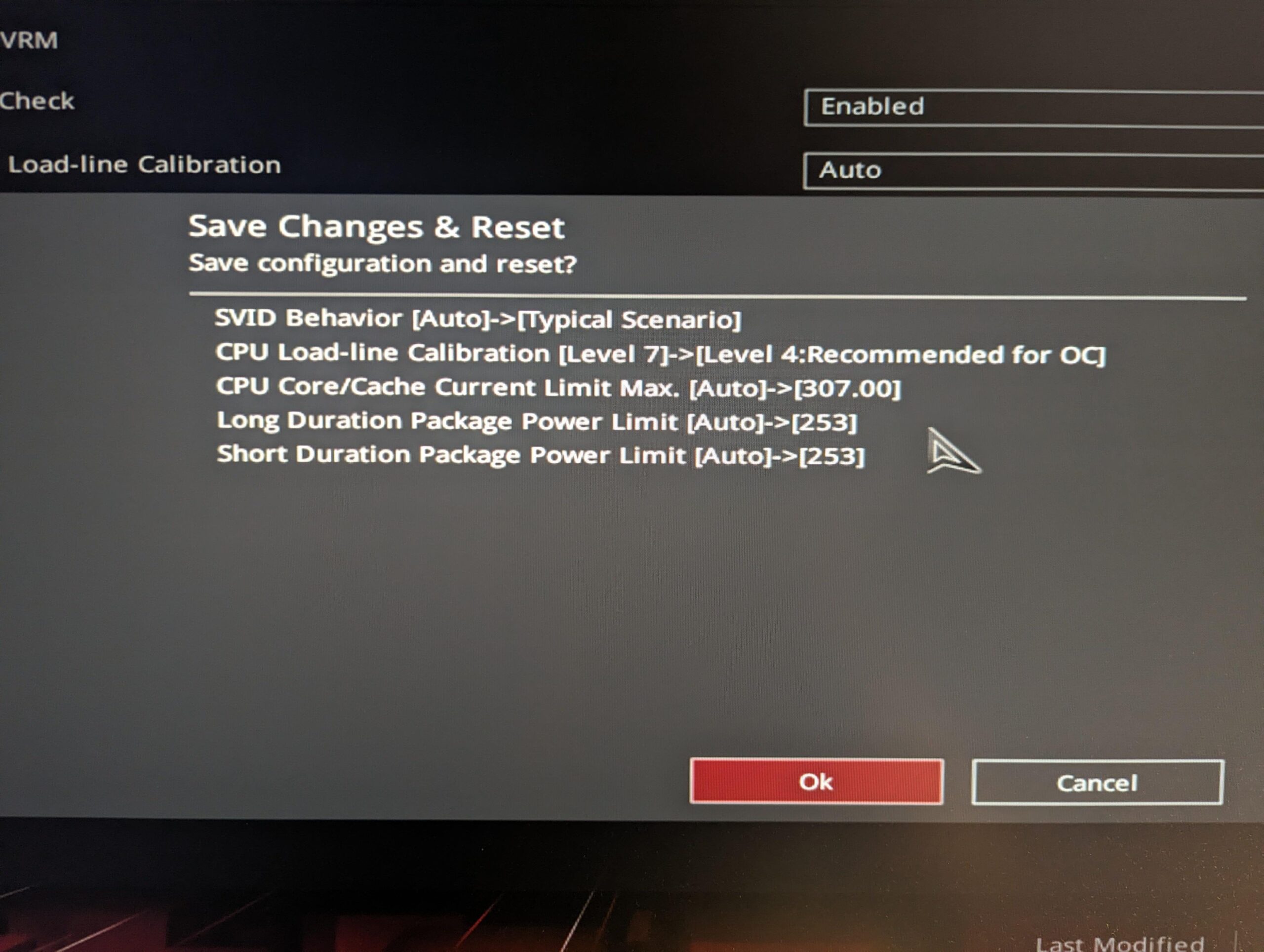
UPD: https://i.imgur.com/9QZ2GSK.jpeg – trying out recommendations from comments, need some time for observation
6 Comments
Vcore is probably too low, which is likely why LLC7 “fixed” it. Keep at LLC3 or 4, and try changing SVID Behavior to “Typical.” Ideally you want to adjust AC LL, but it’s possibly the default AC LL used by your motherboard is too low. Changing SVID Behavior changes how the motherboard handles stock AC LL.
Wow another one. Someone with this issue popping up daily now. Try setting power limits (PL1/PL2) to 253w which is Intel spec. There’s a long post here on reddit somewhere that outlines a bunch of stuff to set to try to fix this issue.
Yes LLC 7 isn’t a great choice. Poor transient response and you’re driving a ton of extra voltage at high loads compared to the spec LLC3.
This is the post I mentioned I think.
https://www.reddit.com/r/overclocking/comments/1axepvu/optimizing_stability_for_intel_13900k_and_14900k/
– Reset any tweaks you’ve done in the bios.
– Asus Multicore Enhancements : Disabled (enforce all limits).
– Short duration turbo power : 253.
– Long duration turbo power : 253.
– Max core : 307.
– SVID : Typical Behaviour
Fixed.
Edit : oh the link is already here. Anyway do this and it’ll work perfectly. We should get these 14900k bios settings stickied.
While you are getting good advice all around, and while I would be very surprised if LLC level would have any effect on the IMC. Just for troubleshooting purposes, turn XMP off JUST in case. 7200 is just about borderline for 4 dimm boards running XMP. Not saying that 7200 isn’t possible, but could require manual tuning.
A couple of good quick tests. Download Benchmate. Y-Cruncher 2.5b for memory/IMC. And Cinebench R15 Extreme for CPU.
Something I don’t understand from that guide after spending many nights testjng my own LL’s is if it’s better to use LL=4 as the guide says and work your way down on AC_LL’s as you can (I couldn’t get my 14900k below AC_LL = 0.29 before unstable in y-cruncher). Or if it’s better to use a larger LL as some people are saying, with less v-droop, like LL=6 and get your AC_LL down to like 0.03… 🤔