
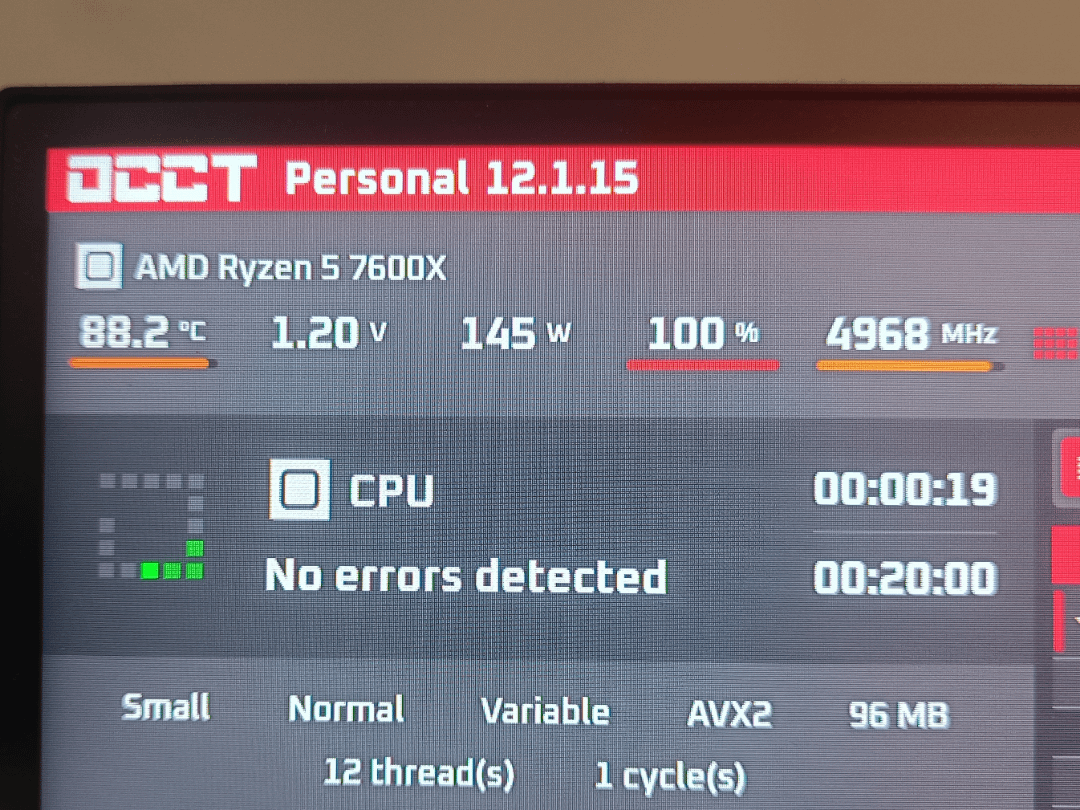
I’m facing this problem with a fresh build for a friend of mine, he told me that the computer crashes when using certain programs and so I went to check what happens with the computer under stress.
I ran OCCT with the small data set and after just 30 seconds the temperature shot up to 87/88 Celsius with a voltage of 1.2V (which I don’t know if it’s normal).
Any ideas on what to do to resolve this?
7 Comments
Forgot to mention PC specs:
-CPU: Ryzen 5 7600X
-MB: MSI B650
-RAM: 1x16Gb DDR5 6000MT/s
-GPU: Ryzen RX7600
-PSU: MSI MAG A650BN
-Cooler: DeepCool AK400 Zero Dark
For the thermal paste i used the Noctua NT-H1
check if the cooler is making good contact with the cpu
Did you remove the plastic film off of the cooler’s contact pad?
Crashing is of course not nice, but temps can be called reasonable under heavy benchmarking.
That is a type of load the CPU won’t really get in a normal day to day use case, and especially in gaming.
7000 series is known to run quite warm and your CPU Cooler simply can’t handle this type of load very well.
In gaming or normal use case the temps should be a lot lower and that’s what matters.
If you have PBO enabled that is of course also increasing temps.
im sorry to her ur pc is crashing dont run OCCT with such a bad aircooler and yes DeepCool AK400 Zero Dark is bad compared to much cheaper air coolers like thermalright peerless asassin or thermalright phantom spirit…
but my question is why the F did u only buy 1 stick of ram??? ur bottlenecked really bad with 1 stick only
It crashes with what error if any? Any messages, logs etc? It’s too general and can be crappy software.
The cooler is a single fan up to 220W. Considering that my 5600X draws 120W on a 150W cooler and I get 75-80C, either their case is not well ventilated or the fan is set to very low RPM.
It’s normal on such brutal load to have high temps, although it seems a bit high considering the cooler capacity and CPU power draw, What is the case and how many fans it got? Maybe it’s being cooked in a cramped case or the GPU heats up the air and the case isn’t well ventilated. Push more air in or swap case.
(why the single stick? is it prebuilt?)
Had kind of the same problem on a 7500f build. What is your case fans setup? Check if they are aligned correctly and check if they do use cpu temps for monitoring (instead of motherboard temps as it was in my case). Also, I suggest to lower voltage on cores (through PBO is prefferable) to meet 105-120w consumption (as it stated in cpu cpecs).
I had my cpu working on 88w (instead of 65w stated) and 90+ on stress tests. Made 1.1v for each core without any performance or stability lose. My case fans were not working correctly (since they were monitoring motherboard temps). 90+ -> 65 max.
But yet, if it crashes on 90 degrees, there might be some serious problems with your build, since for this cpu 90+ temps must be barable.