
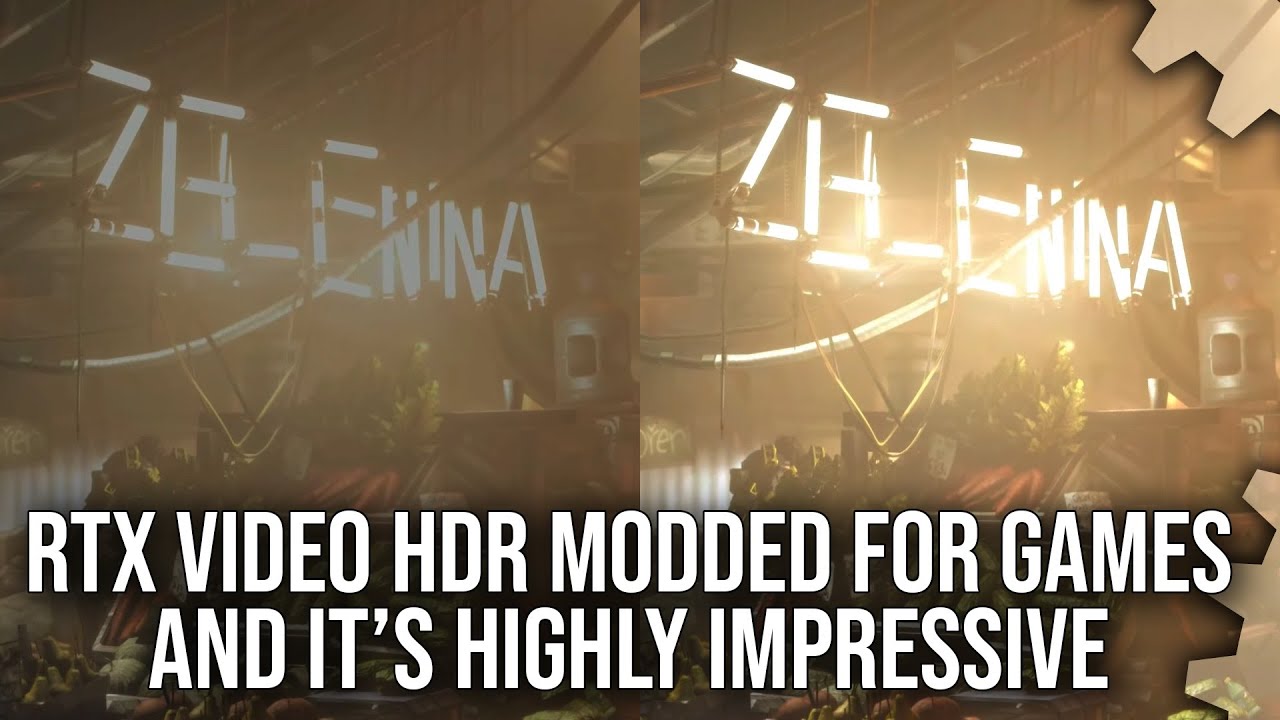
Nvidia recently added driver-level RTX HDR support for video, adding impressive HDR to any SDR video – but modders have discovered that it works for games too – and the results are impressive. There’s support for more games than Microsoft’s AutoHDR, the HDR delivery is much improved, and it even works on emulators too. Alex Battaglia has the full lowdown.
Subscribe for more Digital Foundry: http://bit.ly/DFSubscribe
Join the DF Patreon to support the team more directly and to get access to everything we do via pristine quality downloads: https://bit.ly/3jEGjvx
Want some DF-branded tee-shirts, mugs, hoodies and more? Check out our store: https://store.digitalfoundry.net
For commercial enquiries, please contact business@digitalfoundry.net
00:00:00 Introduction
00:01:46 Legacy API Support better than Windows 11 Auto HDR
00:11:15 Image Quality advantages over Windows 11 Auto HDR
00:13:23 Performance cost
00:14:28 Experiments in OpenGL and Vulkan
00:16:03 DirectX 8, DirectX 6, and 3Dfx Glide in HDR?
00:18:51 Conclusion
24 Comments
It just works.
There's alot of clipping on highlights but it should be easy to fix with ReShade.
Excellent video but i would add a few points , Auto HDR has a mod JUST like this to make it work with all games not just the whitelist. Also Auto HDR can be adjusted in real-time in game to increase or decrease the effect of the conversion , which is crucial in most games. Those two reason are why i much prefer it over the current form of RTX HDR. Hopefully Nvidia can add toggles for BOTH brightness/white point and saturation.
When has hdr become synonymous with blown out highlights? I really do not see any benefits of hdr over a proper linearly behaving 10bit sdr mode. I'd rather keep details in the highlights and the shadows at the cost of some peak brightness and shifting scene brightness caused by hardware limitations.
Help im building a pc for a friend.
Do I install windows 10 or 11? He has 11 on his laptop and hes noob with pcs.
Amd 5600, 16gb ram, samsung 980 pro, rtx 3060 12gb.
does it work well with bordeless fullscreen? swapping back to windows, etc ? I prefer to keep Windows autohdr on simply to avoid having my monitor constantly swap between sdr / hdr if I tab out from game to windows for a moment.
I'd be hesitant to call a product of SDR to HDR conversiom a high quality HDR. Looks more like a simple saturation and contrast boost without the expansion of the actual dynamic range. Otherwise it's a cool feature.
Finally a HDR Video from DF! Can we please get more of those? For example i really appreciate the „best HDR Games“ video. Why is not possible to Upload Most of the content in HDR? This would be awesome!
00:12 Blur?
Is it similar to lg HGIG?
One more reason for me to get that 400 dollar pre-owned Philips 27B1U7903 with VESA HDR1400 and 2700 dimming zones.
See my channel for more games tested RTX HDR like Farcry 3 and FF13
How does this compare to Special K's HDR? SK seems a bit more convoluted to get up and running but seems to have more controls and be gpu vendor agnostic?
Reshade can do true HDR injection like this but with far more options, black floor fix features for correct contrast and black levels, finetuning of both paper white brightness and peak brightness, better/more HDR colors, all with less gpu overhead.
This looks so cool. Hoping this kind of feature comes to AMD on Linux
As an LG OLED user, I can finally watch/play just about anything the way I want to. Love this.
Glad Alex is doing these tech focus videos
The fact that it works with Glide is outrageous. Nvidia engineers are talented beyond measure
A comparison with SpecialK would be nice too 🙂
Never thought I'd see Examina on a DF video 😂
So annoying to see people in the comments acting like they know more than the creator of this video and not recognizing the “blown out highlights” as actually just being the liberal use of bloom that’s always blown out even in SDR. He even covers this IN THE VIDEO but the smarty pants know better huh.
I wish all Digital Foundry gameplay footage was HDR. 😭
Man wish there was something like this for MacOS. I have a 13' M1, so the screen doesn't technically support HDR, but it has EDR, which works for HDR10 stuff, but Dolby Vision stuff looks like crap on YouTube and most video players, frustrating af 😂
I still game on plasma, I would really like to have it next to new oled and compare its image to HDRed oled side by side.