
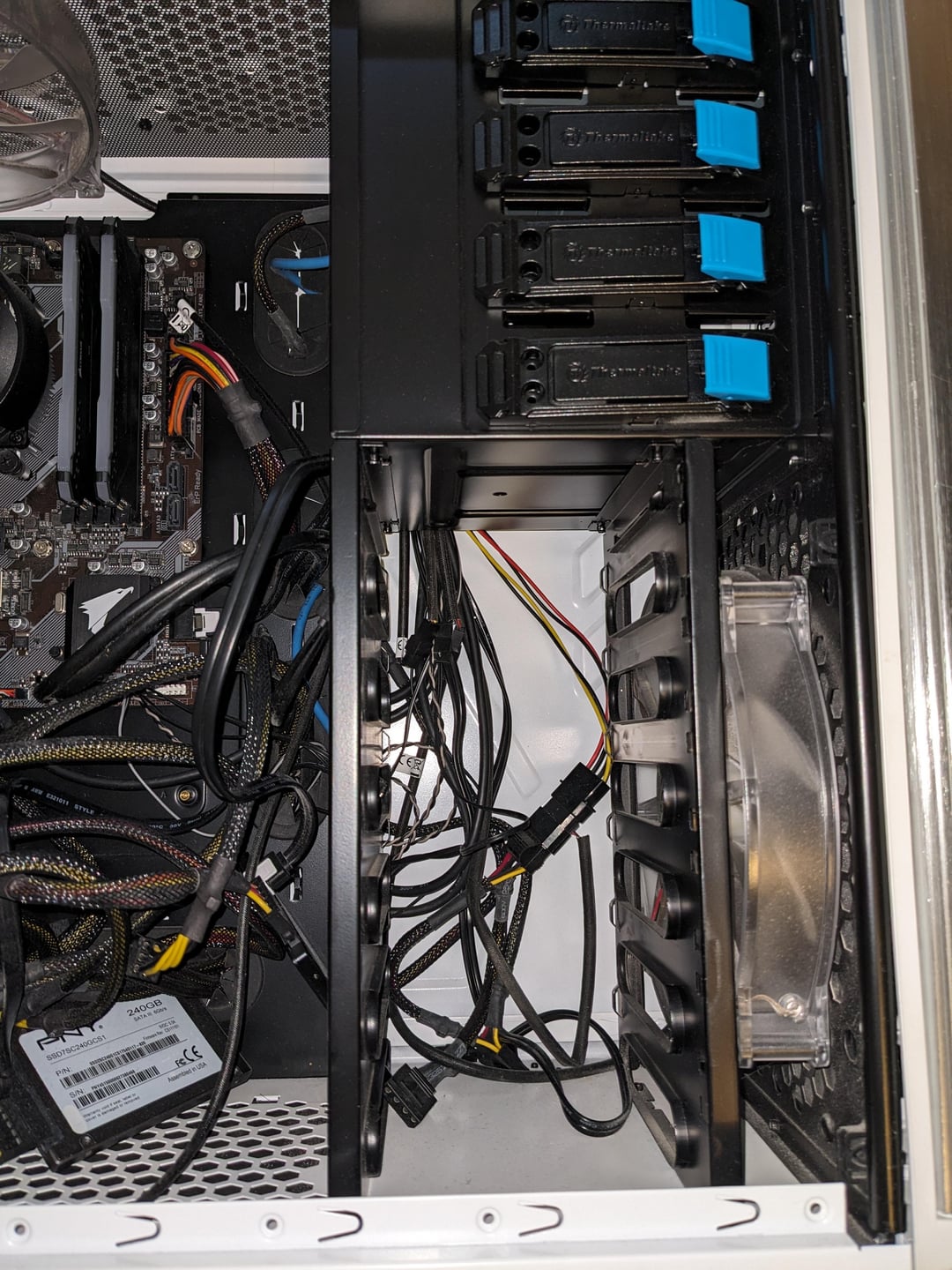
So I’ve recently did a sizable GPU upgrade. Pun intended. It’s just too long for the right side of my case with the drive bay. I’m trying to remove the braces but I can’t figure out what screw or tool to use. I’ve tried a few smaller hex wrenches but it doesn’t seem to do the trick. Any help appreciated. Thanks!
3 Comments
This post has nothing to do with overclocking at all, so next time try and post in a proper sub… but if it doesn’t get removed before you see this;
Those are rivets, you will need to drill them out. They are meant to be permanent without a way to remove them. A punch, chisel, and\or grinder can work really well if you have the room and are able to support the back while punching through, but in this case you would be better off just using a drill.
you will need to drill those rivets out;
-disassemble the whole setup to ensure metal shavings don’t touch anything electrically conductive
-get a drill gun and get a 2mm drill bit for metal
-set the drill to the slow gear to ensure drill bit doesn’t break
-drill out rivets which hold the drive bay and ensure you hold the drill as straight as you possibly can
-clean up the case from metal shavings
after you took out that drive bay do not rest anything really heavy on top of the case because drive bay does give some structural rigidity to the case
If you’re in the US, this might be worth a look.
https://www.bhphotovideo.com/c/product/1561244-REG/fractal_design_fd_ca_focus_bk_w_focus_g_window_atx_matx_itx.html