
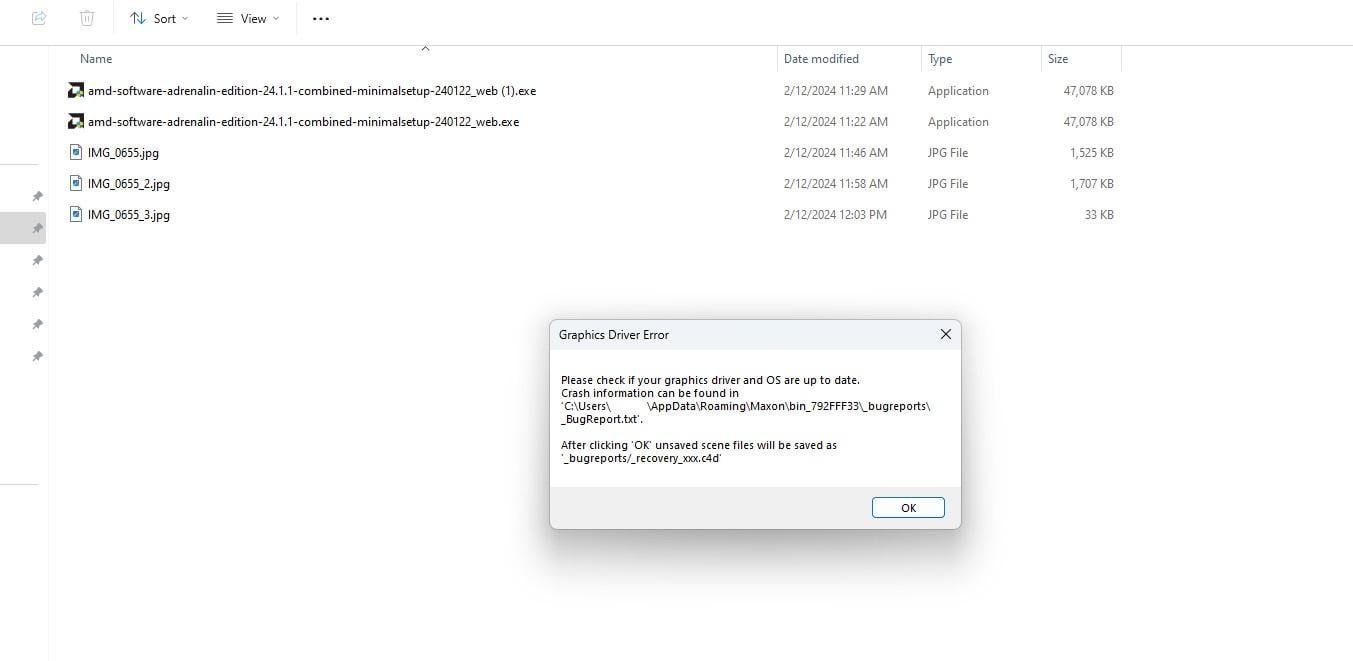
I’m trying to run Cinebench r23 multi-core test for my new 7950x build with only the integrated graphics. CPU setting is stock (no undervolt or overclocking), RAM 92GB (2\*48GB) XMP 6000mhz (in motherboard’s QVL list). The TM5 extreme@anta777 test, OOCT CPU and Memory tests, and Windows Mem Diagnostic Test all passed.
However, when I run Cinebench r23 multi-core and finish (with a largely normal score), there is about 50% chance when I exit the app I will see a “Graphics Driver Error” message, with a pointer to the bug report file.
Here is a link to the screenshot: [https://imgur.com/a/AkYCy9I](https://imgur.com/a/AkYCy9I)
Actually, even if I just launch Cinebench r23, do not run any test, and just exit the app, I still have 50% chance to see this error/crash message … Another odd thing is that the bug report file the message refers to actually does not exist. More specifically, there is no “Maxon” folder in C:\\Users\\username\\AppData\\Roaming\\.
Any idea or suggestion?