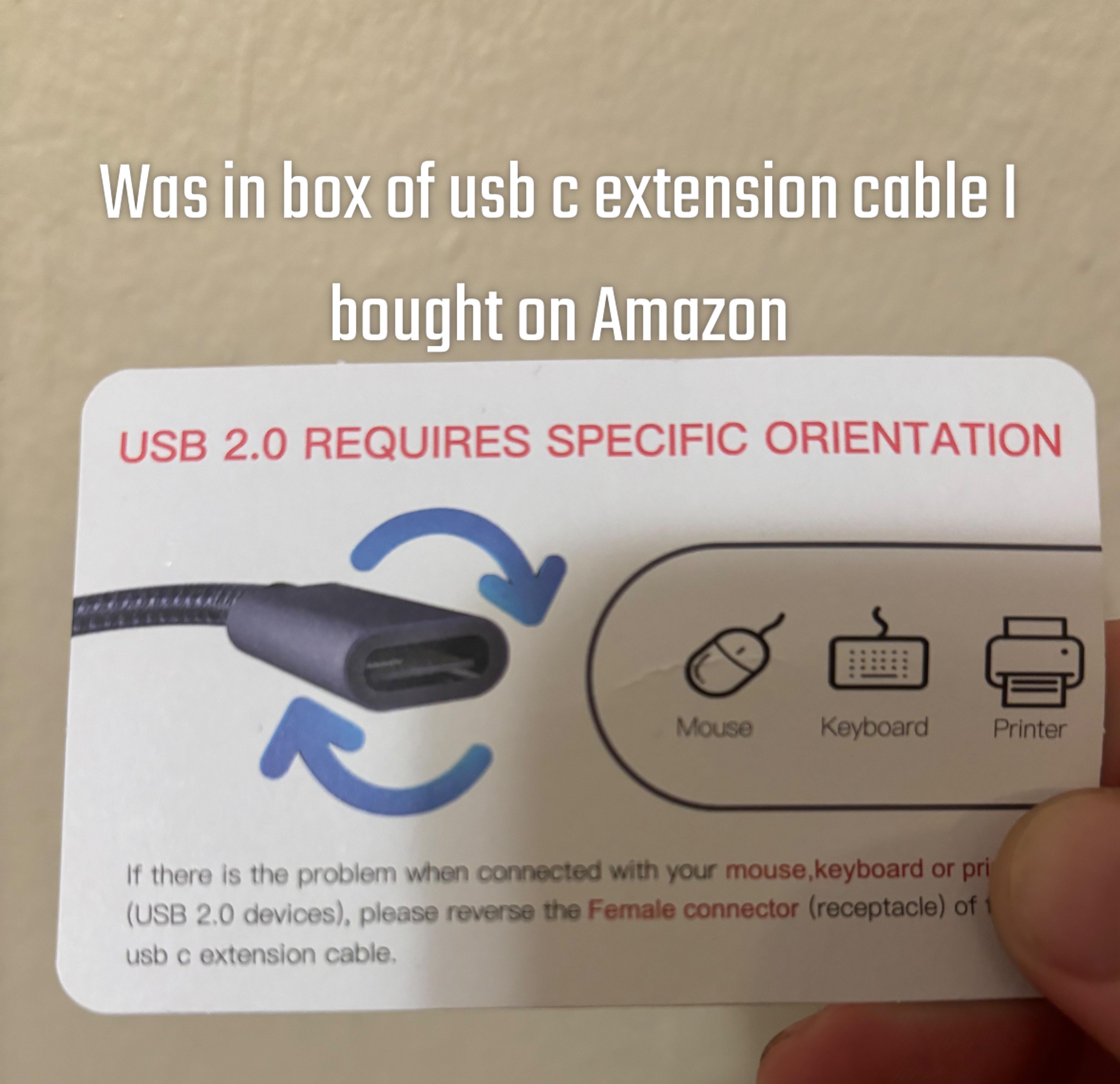
I feel like my whole life is a lie. I swore I’ve always heard when plugging in usb c the sides didn’t matter regardless if it’s for data or power use. Searches have been inconsistent so thought I’d ask here.

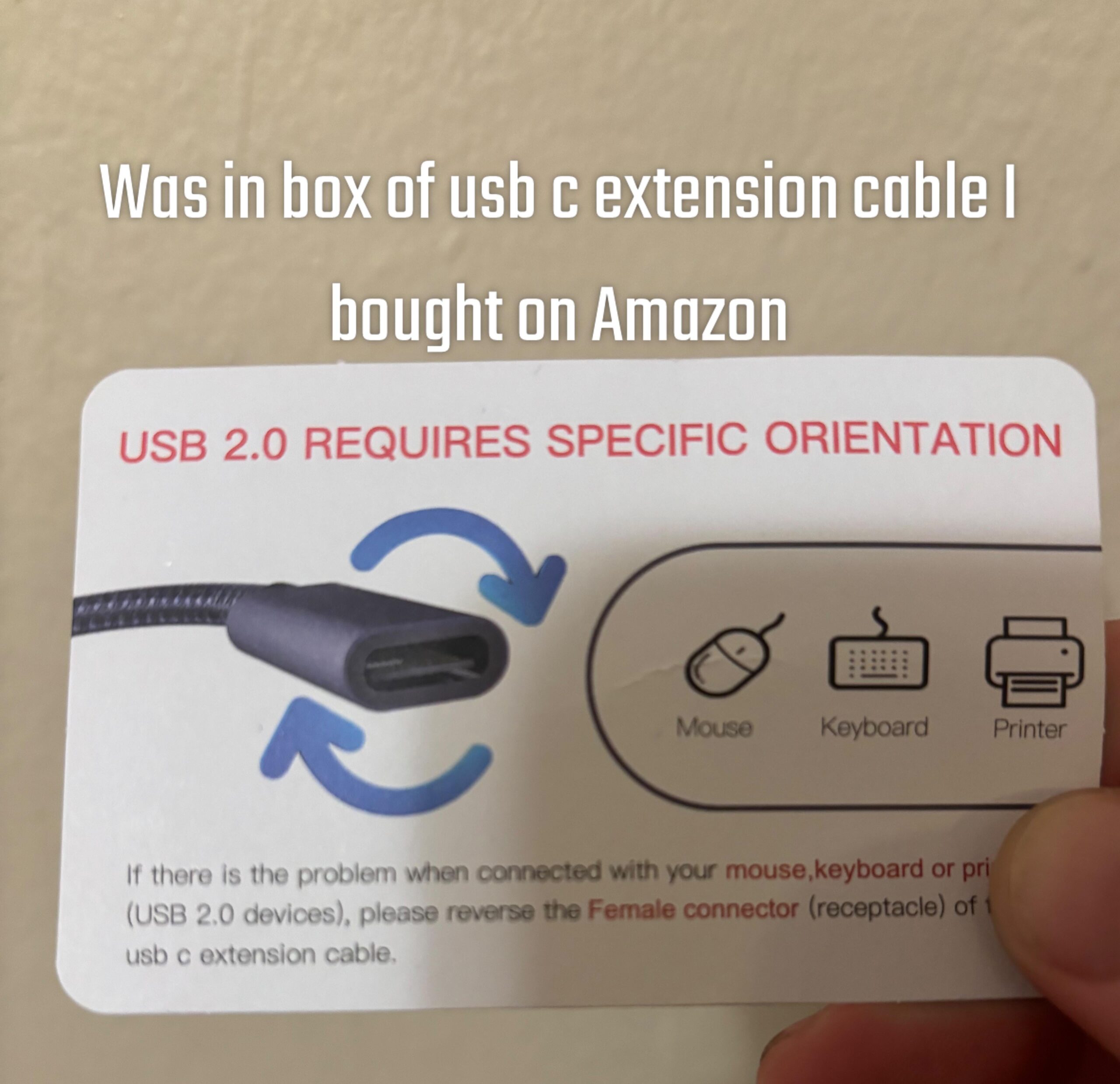
I feel like my whole life is a lie. I swore I’ve always heard when plugging in usb c the sides didn’t matter regardless if it’s for data or power use. Searches have been inconsistent so thought I’d ask here.
20 Comments
Ahh, I see. My problem is that when something doesn’t work, I always reverse both the Male and Female connectors. I guess next time I should try only reversing the Female (receptacle) connector.
Thanks OP!
someone made a blinky light doodad to show how/why this happens, but i do not understand it. not sure if it has to do with 2.0 or with damaged circuits, or both. i am lucky to have few devices with this port, and none are overly used or moved about very much…
https://hackaday.com/2021/03/22/cursed-usb-c-when-plug-orientation-matters/
USB-C has no specific orientation. I have no idea what that card is referencing, though just be aware of what you’re connecting the extension cable to as USB C devices could have a maximum cable length depending on how much data you plan to push through them. If it’s a lot, the cable the device has might be the longest possible before you start getting too much noise and not enough signal.
Is it USBc to the device and USB 2 to the computer? It may be a nonstandard pinout on the USBc side
My first guess, made without knowing the actual USB C specification, is that these cables aren’t being manufactured *to* that specification. Second guess is that they’re frequently used with USB C-to-A adapters that aren’t to spec.
My corsair PC case requires me to orient usb c cables a certain way for it to work. Quite annoying.
yeah I was also pretty dumbfounded when my nvme enclosure ran at 2.0 speeds… then I flipped the type c cable and fucking lo and behold I got full speed
I saw a video recently covering this. In short they xrayed cheap and expensive cables. Cheap cables are just a cable a few pins. They often cheap out and don’t install all the required pins.
Expensive cables had a full mini circuit board inside it behind the plug.
Did you reverse it and back again?
The USB 2.0 connectors (D+ and D-) are pins A7, A6, B7 and B6, of the USB type-C connector and sometimes only one side is connected.
This is down to a misunderstanding of the spec. A *plug* must have only A7 and A6 connected. A *receptacle* must interconnect them. Sometimes they don’t.
I’ve noticed this can be the case on the female to female connector I have. Power will pass but they won’t negotiate a higher voltage than 5V. Flip it over and it jumps to 20V.
Ah yes, the card is all knowing and always right. automaticly.
My phone only charges with a low speed depending on how I plug my cable in it. I don’t know if thats a problem of the cabel or of my phone though.
No. Normal expensive usb-c do not matter. They have the wiring on both sides. The cheap ones only work on one side. It’s a cost saving measure.
Adapters also. Especially usb-c to USB-A
USB C was the promise of a great connector. Then the tech industry put in their best effort to ruin it. Shit’s fucked and there are no guarantees of anything working right.
Looks like they updated the image, but not the description.
This is non standard the pinout is supposed to be mirrored on the center
USB c was supposed to be our saviour, instead it turned into a villain, having mini-usb, micro-usb and usb-c was way easier than having usb-c 1, usb c2.0, usb 3.0, usb 3.1, not to mention the myriad of frankenstein amalgamations various factories have come up with
Some cables or devices are just made so cheaply they couldn’t bother to implement the entire USB-C spec. The spec is always reversible though.
Here’s my theory: the same company made usb-a extension cables first and included a similar card, then when they started making usb-c ones, they just lazily replaced the cable picture on the card without thinking