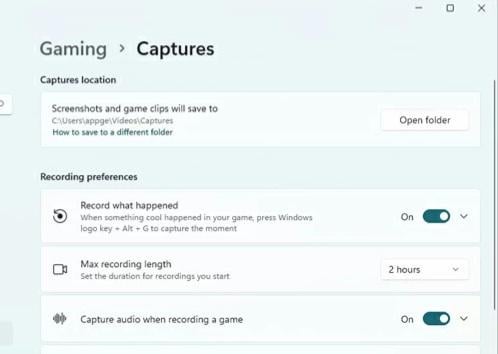
This fking thing was running my gaming experience in every game for nearly a year now I can finally enjoy games without stutter or fps crashes this and the AMD instant replay

This fking thing was running my gaming experience in every game for nearly a year now I can finally enjoy games without stutter or fps crashes this and the AMD instant replay
16 Comments
Why did you turn it On?
I don’t play games but I checked my vanilla settings – capture audio during gaming was enabled.
[deleted]
[deleted]
LoL that sucks 😀 record what happened is one of my fav windows features.
I know I can do the same with AMD-Replay, but on windows I can trigger Record what happened pretty easily via XBOX controller.
Did you also disable the video recording in the Microsoft game bar?
Remember when windows was just an operating system that did not have a load of crap attached.
Genuine question, does this really make a huge difference or is it best off for squeezing some extra frames on a system that’s already struggling? Definitely going to go turn it off on my handheld PC either way!
I use that to clip cool moments when I game, never had any issues tho
Ima have to check this
What’s your cpu/gpu if you don’t mind me asking?
I don’t get it, it’s not recording non stop only when you trigger it with WIN + alt + G??
I have a feeling yours is a low end system cuz I use this setting very often to save captures if something cool happens in the game, etc and everything runs fine.
I’ll have to check this when I go home. My pc became super slow in game since an update.
i prefer shadowplay
Happy to hear man