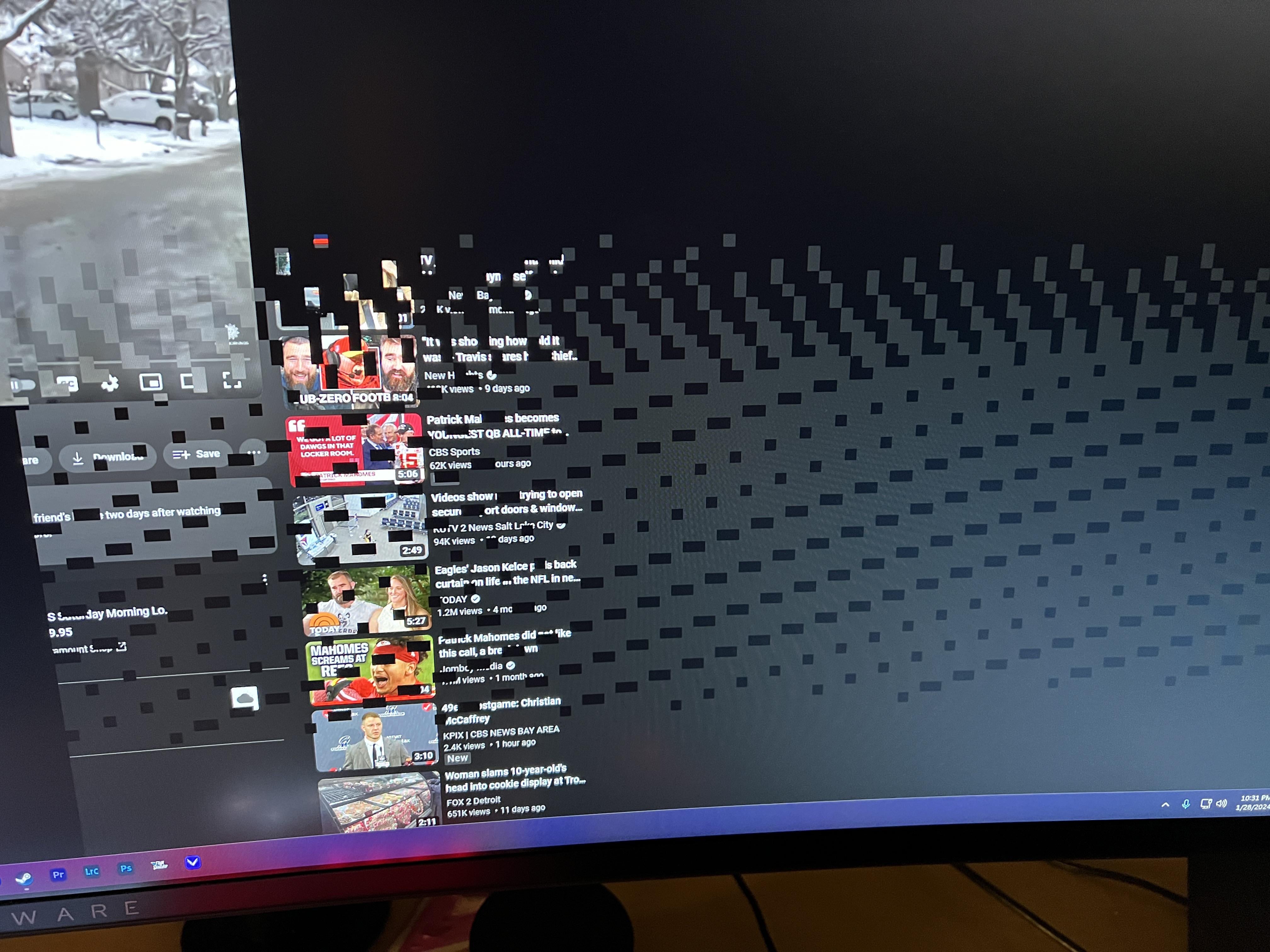
I had this show up on my Chrome page just now. This happened once before and was also on Chrome. No other program has had this happen. Its a brand new GPU (ASUS RTX 4090), 1.5 months old. Should I be worried?

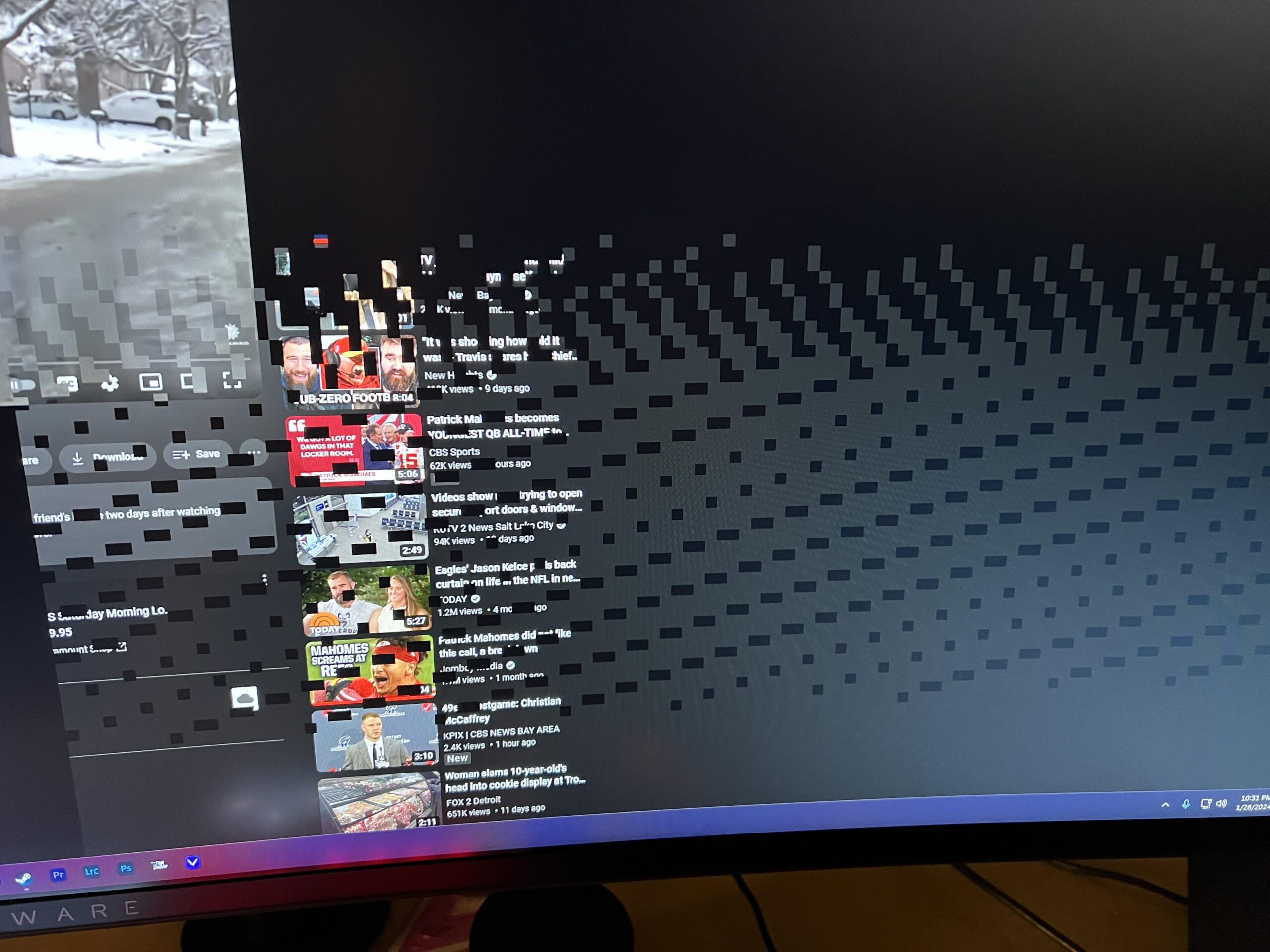
I had this show up on my Chrome page just now. This happened once before and was also on Chrome. No other program has had this happen. Its a brand new GPU (ASUS RTX 4090), 1.5 months old. Should I be worried?
43 Comments
IIRC it is a Chrome issue
All chromium browsers have this problem. I use edge and I get it as well
Try using a different, non Chromium based browser and see.
Sometimes my Chrome also do this, I thought it was my GPU problem
sometimes hardware acceleration on chrome can cause this. try turning it off.
VRAM could be the issue, but not the only possible cause. Does this happen in other apps too? Desktop?
Chrome issue that Google/NVIDIA just keep ignoring.
Looks like Thanos has found all the infinity stones again
Happens on chromium based apps with directx hardware accelerated rendering. I get the same in chrome or steam. Switching off hardware acceleration patches up the problem but then the cpu is doing more work. I’m also on 4090
i had the same issue with my 3060 and i turned it off also and now no more problems
chromium in general
Open up Chrome://flags, search for directx and switch to opengl. It’s a Chrome/Nvidia issue that’s been around for months.
Use Firefox and or try different browsers. Sometimes a weird obscure bug can hit a particular web browser with your driver’s and or web browser. Or a recent web browser update. Ya just never know! As long as your temps and system voltages seem fine.
nvidia + chromium based hardware accelerated applications causes this, just turn off hardware acceleration in app and in windows, then reboot.
It should be fixed by one of the future windows updates, so all you can do is just wait
Chromium’s fault but just check your gpu drivers, never too safe
bro got invaded by the void
Chrome
chrome
Chrome, I use firefox and that never happens to me
This is what it looks like when Chrome is eating your ram 😜
Tape chrome://flags/ in your search bar and check for “choose angle graphics back-end”. Select open GL and restart chrome. Your problem should be solved.
I‘m so glad I‘m not the only one with this issue
“No other program has had this happen”
Chrome issue.
Chromium BASED
[https://www.techpowerup.com/forums/threads/youtube-discord-visual-studio-code-are-flickering-with-black-checkered-squares-vertical-lines-partial-solutions-to-this-issue.306623/](https://www.techpowerup.com/forums/threads/youtube-discord-visual-studio-code-are-flickering-with-black-checkered-squares-vertical-lines-partial-solutions-to-this-issue.306623/)
You didn’t delete the ini file before installing your Minecraft mods
I have this on Brave, which also uses Chromium. If you only see this on browsers and not elsewhere, you can change some flags found in
chrome://flags/
Change Angle graphics backend from Default to D3D9.
See [this thread](https://forums.guru3d.com/threads/solution-fix-checkerboard-like-patterns-randomly-appearing-in-chromium-based-applications.449341/) for more info.
Iv been getting this when watching netflix through edge recently
I have this happening on OperaGX and it lasts like a second but is frequent..
Chrome issue. My RTX 2080 does this sometimes
Also getting this. Relieved its not my GPU dying.
Looking at this reminds me of those floaty things we see on ours eyes some times, and how they captured it
https://preview.redd.it/o8y2q05hrcfc1.png?width=250&format=png&auto=webp&s=b6b588e87f3e735913325d0967c2c63cd922e8cf
Ye it’s chrome, I recommend opera gx. It’s genuinely good and useful and comes with an integrated vpn, plus with opera gx I never had this happen to me anymore because the same thing was happening to me when I was using chrome.
I have the same on opera gx. Only on opera gx
So im guessing browser issue. Had a heart attack first time it happened
Long running Nvidia driver bug with hardware acceleration and MPO, not much you can directly do about it. Some people say reinstalling the driver fixes it for them, or you can disable hardware acceleration, or [disable MPO](https://nvidia.custhelp.com/app/answers/detail/a_id/5157/%7E/after-updating-to-nvidia-game-ready-driver-461.09-or-newer%2C-some-desktop-apps), or use Firefox (obviously won’t help for software with chromium built in), or buy a better GPU.
It’s driver and Chrome related.
Nvidia has been having this bug for a fairly long time. It comes and goes. First time I’ve seen it so extreme though. Usually helps to turn off hardware acceleration in Chrome.
Some times you’ll get this with a driver version – while with the next one you wont (despite the issue not having been fixed).
Been happening to me on opera, probably a browser issue
Is chrome running? i see steam. Restart the pc and see if it happens again. The task bar looks spared from artifacts so it’s probably chrome, artifacts would usually affect the entire screen across and not just a browser window. Try running fur mark, artifacts will surely pop up if the gpu is going bad.
Had this happen in December twice when I opened Blender 3.6. But now it hasn’t happened again in the update 4.0. Basically the screen would turn into this for a second, then the entire screen would turn black and then turn back to normal.
Have an almost 5 years old GTX 1660.
minimize the window into desktop if it dissapears it’s chrome issue if it stays it could still be windows gpu drivers so reinstall if still persists could be gpu dram then it’s rip RMA.
More like skill issue
Skill issue.
On a serious note, this might be because of hardware acceleration in chrome, try disabling that and restart it.