
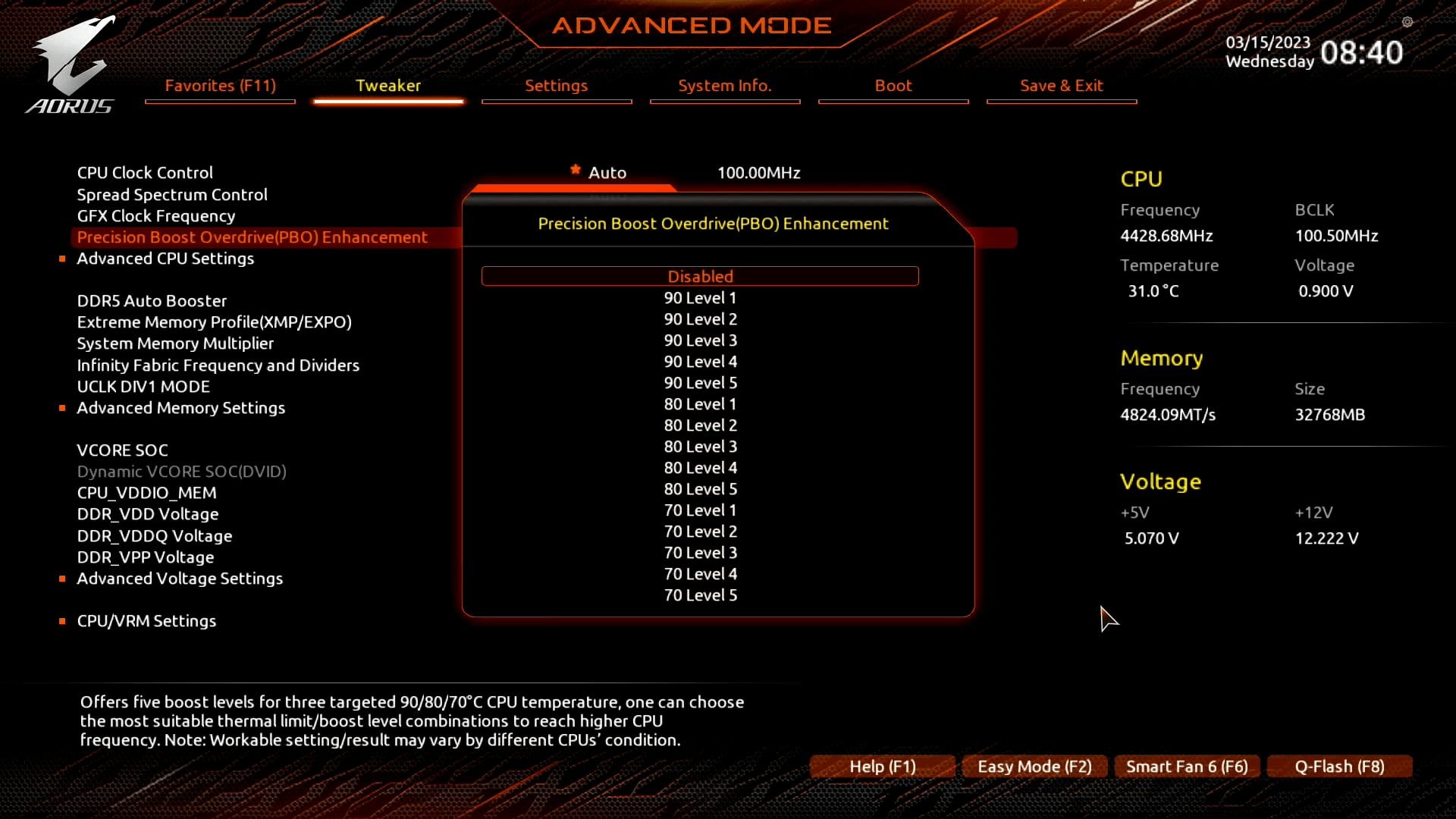
In my MOBO I have these options of 70/80/90 and each has 5 levels.
[https://skatterbencher.com/gigabyte-pbo-enhancement](https://skatterbencher.com/gigabyte-pbo-enhancement/)
This is what the article says:
*”For example, the “90 Level 2” profile will set the maximum temperature to 90 degrees Celsius, down from the default of 95 degrees Celsius, and an all-core Curve Optimizer of -20. Note that the preset will not override any factory-fused hard limits. For example, on the 7000X3D CPUs the maximum allowed temperature is 89 degrees Celsius. If you set a 90 Level profile, while the preset will configure a maximum temperature of 90 degrees Celsius, the actual limit will still be 89 degrees Celsius. You can select your preferred profile based on the maximum temperature you’re comfortable with and how well your CPU can undervolt. Obviously, a lower maximum temperature will yield lower CPU frequency in all-core workloads and a higher negative Curve Optimizer will push the CPU frequency higher at similar voltage.”*
If I understand it correctly, 70/80/90 is the temperature limit and the level is the same as Curve Optmizer. Level 1 (-10), Level (-20), Level (-30) and so on.
My 7600 was getting too easy to 95c on Prime95 before I turned PBO Enhancement on. I tried first with 90 Level 5 (-50 curve) without looking at the article above with and it got amazing temperatures, they actually dropped around 20-25c while gaming, and on Prime95 wouldn’t go above 75c even though the limit was set to 90c. I just don’t know how much I lost in performance.
Changed to 3 (-30), and the temperatures on Prime95 went straight to 90c, and while gaming it lowered the temperatures in 10c-15c. But again, I couldn’t tell how much I lost or gained in performance.
I don’t really know what the Curve Levels 1,2,3,5 (-10,-20,-30,-40,-50) really affects in terms of performance.
Is that significant? Is there anything else behind this? Is anyone able to explain how to find the best option?
Should I even be trying 80/70 instead of 90?
1 Comment
Use cinebench if you want to compare your performance levels. Honestly kind of surprised you could run -50 all core without crashing.
But cinebench23 will give you numbers you can compare with and that will tell you how much performance youve gained or lost.
And no, you do not want to limit your chip to 80 or 70. You likely wont ever see those temps anyways with regular use, only in benchmarks. But those temp limits throttle your CPUs clockspeed. If you cap it at 70, you will lose significant performance. Maybe not much in gaming, but you will in any all core workload. The chip is designed to operate at 95c. Obviously you dont want to cruise at that temp for no reason, and cooler is better but you shouldnt be afraid of 90c especially not when benchmarking.
If youre not crashing at 90 level 5 you need to use cinebench23 and run it with PBO set to auto (or off) to get a baseline. Then put on 90 level 5, then level 4, then 3. Compare your scores and whatever gives you the highest score is the one you go with.
After you figure that out, run prime95 for like 12 hours. If you make it through that with no crashes, youre good to go.