
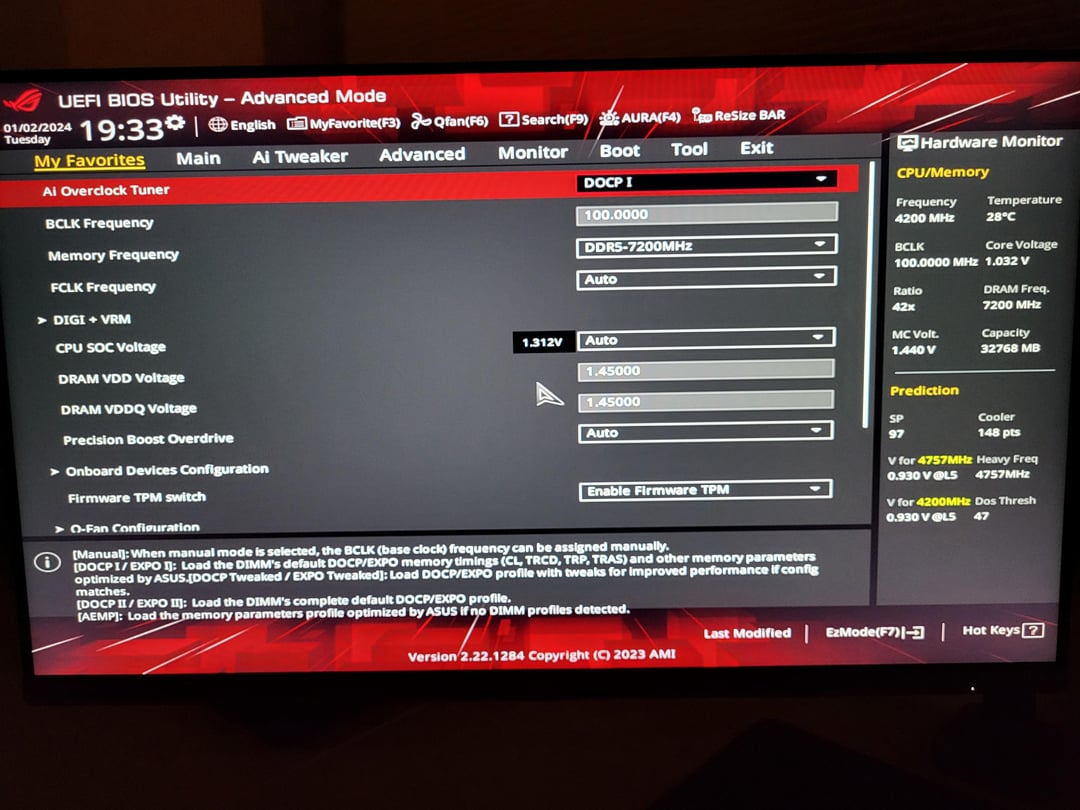
Hello fellow OC’s
I just got a platform upgrade to AM5 for christmas. Got the ROG B650E-I, 7800X3D and 2x16gb of Corsair Vengeance 7200mhz C34 XMP. I didn’t realise it was XMP until I installed it and went to set up EXPO and CO. I just tried the DOCP profile which seems to run just fine. I have run multiple 10 min multicore Cinebench R23 runs and several hours of gaming without any issues.
I’ve seen a lot of posts stating that AM5 wont be stable much above 6000mhz, so am I missing something here, or did I just get lucky?
Ekstra question if no worries: Should I downclock it to 6000mhz and tighten the timings or do so on the 7200mhz?
I hope you understand – english isn’t my native language.
3 Comments
Downclock to 6200, maybe 6400 if you can run 1:1 still. Or you could try the overclocking to say 7600 with tight timings. That should be the point where you may start seeing gains from it
You have good RAM and your BIOS is good.
There are two roads to go down (approximately equal, but different) for optimising performance.
Option A: Set memory controller clock to be equal to memory clock (uclk=mclk).
* This limits max stable memory clock to 6000-6400mt/s or so which hurts performance
* Memory controller clock can run very high (3000-3200mhz) which helps performance
Option B: Set memory controller clock to be half of memory clock (uclk=mclk/2).
* This frees up the memory clock to run at whatever the memory, PHY and motherboard can handle, which is much higher – up to 8000mt/s, gaining some performance
* Memory controller clock is lower (down to ~2000mhz tops) which hurts performance
* Since memory controller clock is lower, it can be synchronised 1:1 with FCLK (uclk=fclk) which gives a large latency reduction. This is unavailable on every other configuration.
* SOC voltage is lower, which is better for the system and assists in stabilising a higher FCLK if wanted
* VDDP requirements are higher (although this is usually less of an issue than SOC)
* This config is more sensitive to your motherboard to push high memory frequencies, but you have a good motherboard for it.
It will work fine as is, but it will be a bit faster if you tune it to the maximum frequency possible in either of those modes – uclk=mclk, or uclk=mclk/2. Right now you’re in uclk=mclk/2, but you’re at a middling frequency – 7200, when it could easily be 7600 or probably be pushed towards 8000 if you tried. To test 7600 for example, 36-48-48 timings are probably plenty fine. To go down to 6200, you’d set uclk=memclk and try timings like 30-38-38.
No, I would recommend and try to Oc your ram all the way to 8000 otherwise downclock to 6200 or 6400 so you can ran at a 1:1 ratio