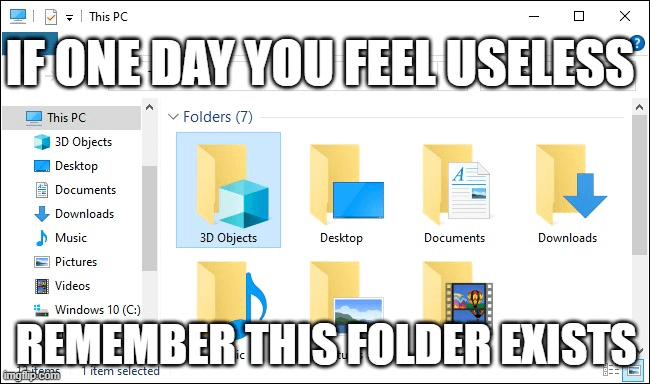
Even i who does 3d modeling do not ever use this folder lol
Bobsofa
Yeah, that one is just idiotic.
Gytole
“Leave 3D objects folder alone!”
– Somebody Probably 🤷
BloodMoon6737
I’ve done 3D models and I’ve never used it 😂
GaryTheLocomotive
Dude, for real…
Yorudesu
Mine is about 300gb full of useful visuals
Nytr013
Been modeling and 3d printing for years. I didn’t even know that folder was there.
michixryo
Whaddaya mean that’s literally the safest folder to save porn in 🤔
TheBupherNinja
*hard to delete. You can turn it off with some registry edits.
JmTrad
i always remove it
Wasabi9495
Wait, that can’t be deleted?
RealSamF18
Can’t you delete by changing the permissions to it? It’s a bit cumbersome, but usually, it can be done (I use that method to delete folders created by Game Pass when it decides to install a game on the wrong drive, all on its own).
fetter80
That’s where I put my 2D objects.
Kushagra_K
Me who has tons of 3D models and files for 3D printing, even my 3D Objects folder is empty.
gpkgpk
5s of googling:
>Open the registry editor by pressing the Windows Key + R and type in regedit and press enter. Paste HKEY_LOCAL_MACHINE\SOFTWARE\Microsoft\Windows\CurrentVersion\Explorer\MyComputer\NameSpace into the address field. Locate the key names {0DB7E03F-FC29-4DC6-9020-FF41B59E513A}, right-click and delete.

16 Comments
Even i who does 3d modeling do not ever use this folder lol
Yeah, that one is just idiotic.
“Leave 3D objects folder alone!”
– Somebody Probably 🤷
I’ve done 3D models and I’ve never used it 😂
Dude, for real…
Mine is about 300gb full of useful visuals
Been modeling and 3d printing for years. I didn’t even know that folder was there.
Whaddaya mean that’s literally the safest folder to save porn in 🤔
*hard to delete. You can turn it off with some registry edits.
i always remove it
Wait, that can’t be deleted?
Can’t you delete by changing the permissions to it? It’s a bit cumbersome, but usually, it can be done (I use that method to delete folders created by Game Pass when it decides to install a game on the wrong drive, all on its own).
That’s where I put my 2D objects.
Me who has tons of 3D models and files for 3D printing, even my 3D Objects folder is empty.
5s of googling:
>Open the registry editor by pressing the Windows Key + R and type in regedit and press enter. Paste HKEY_LOCAL_MACHINE\SOFTWARE\Microsoft\Windows\CurrentVersion\Explorer\MyComputer\NameSpace into the address field. Locate the key names {0DB7E03F-FC29-4DC6-9020-FF41B59E513A}, right-click and delete.
It’s everyday.