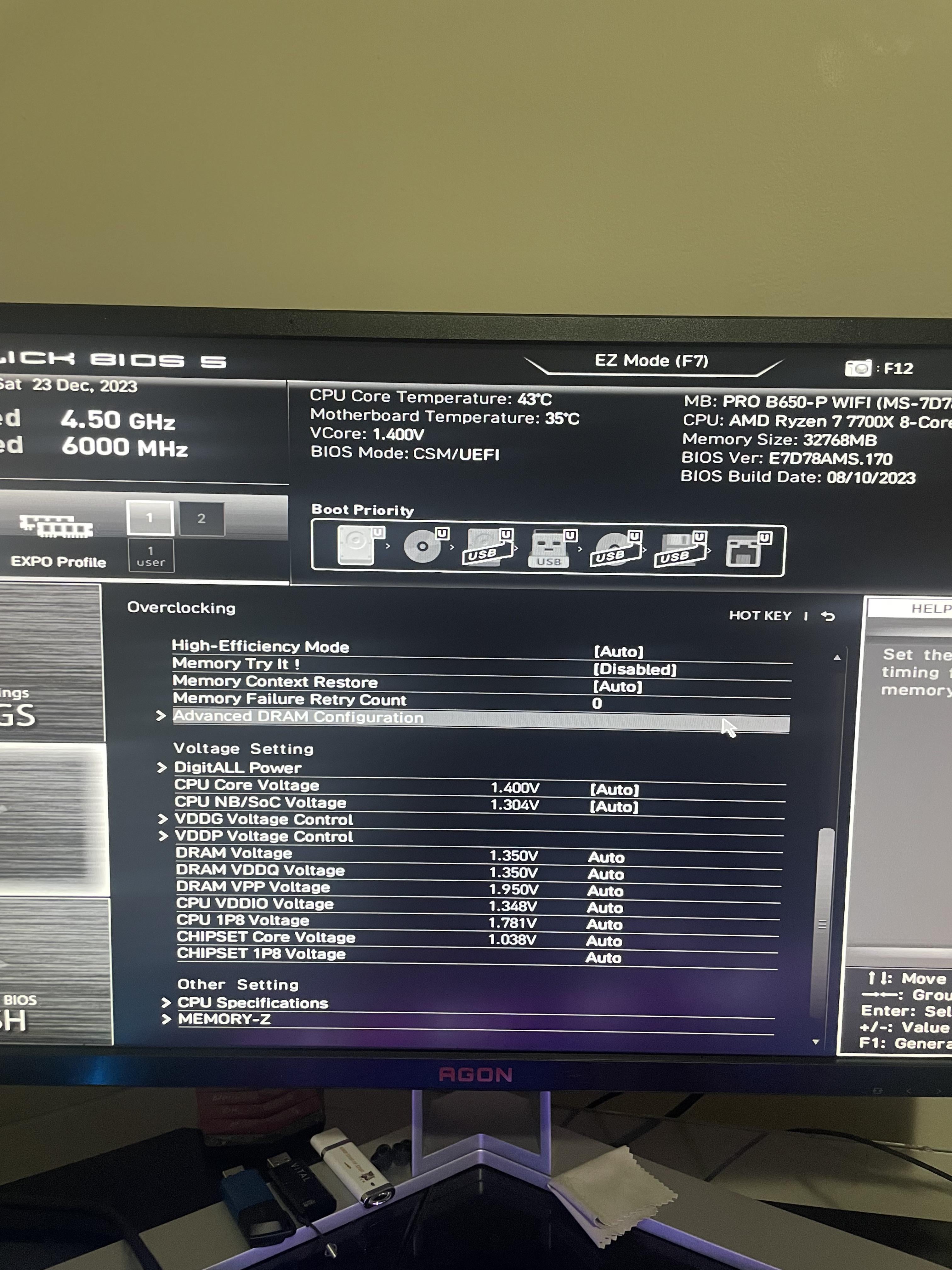
Bought the microcenter bundle with G.Skill Flare X5. Expo enabled. Pc will just randomly crash and restart on high ram intense games it seems. Are these volts safe?

Bought the microcenter bundle with G.Skill Flare X5. Expo enabled. Pc will just randomly crash and restart on high ram intense games it seems. Are these volts safe?
5 Comments
MoBo; MAI B650-P Wifi
CPU; Ryzen 7 7700x
RAM; G.Skill Flare X5 32GB.
The crashing happens with both expo enabled and disabled. I’m at a lost on what to do and MSI support was no help at all on the phone.
Fine tune and stress test everything if you want exchange what doesn’t work for replacements check to make Shure everything is inserted and fastened down well
I had free G.Skill Flare X5 in a Microcenter bundle too. Set the EXPO settings in Ryzen Master, not the bios, see if that helps. It worked for me.
Because that kit is Samsung die, I just ended up returning my kit for $60 and buying Hynix for $20 more on Amazon
The gskill kit in the combo sucks
Those ram voltage are completely safe, maybe update to a newer bios too
Just for reference, I’ve seen people use 1.7 and 1.8v vdd/vddq for months straight. Now would I recommend it? Nah wouldn’t go past 1.6 personally but you aren’t going to high on the ram at all
Also vddio only ever needs to be between 1.25-1.4
Even for 6400mhz cl28/26, vddio 1.3/1.35 is usually fine
Update your BIOS to latest version available for your motherboard
Be sure to install latest AM5 chipset drivers from AMD website
Check your CPU and GPU temps
Be sure to check for firmware updates for your SSD’s too
I had issues with that Samsung chipped RAM up until the release of AGESA 1.0.0.7c.. now the run great aired with a 7600 on a Gigabyte B650M Aorus Elite AX motherboard in my mother’s AM5 setup