Share Facebook Twitter Pinterest LinkedIn Any of y’all know how to get rid of this stupid pop up ? game pcPCPC Master 26 Comments EducationalCamel1043 3 years ago uninstall mcafee ryrytotheryry 3 years ago Remove McAfee and make sure windows defender is enabled 👌🏻 BigBoss738 3 years ago Wasn’t McAfee a virus? Keylogger and the worst thing to have on a pc? zcomputerwiz 3 years ago If the standard uninstall doesn’t work, use the McAfee Consumer Products Removal Tool. confused_patterns 3 years ago Mcafee is garbage. Uninstall and use windows defender, ad blockers, and common sense. Pi hole for extra measure! Izan_TM 3 years ago uninstall McShit and use windows defender MoisticleSack 3 years ago Hit ok tbl222 3 years ago Its even mimicking windows gui in an attempt to add legitimacy to their malware. There should be some McAfee Removal Tool’s around if you google it. ​ Edit: Looks like the warning is a legit windows one but I wouldnt put it passed them to do something like that! Lord_Snow77 3 years ago Uninstall McAfee then wipe and reinstall windows just to be sure it’s gone. StarGuardianAshe 3 years ago Uninstall McAfee lmao, that program sucks MiniDemonic 3 years ago How to get rid of any popup from scamware: 1. Remove the scamware. joNH_ 3 years ago Organise your desktop and the pop up will stop coming up your_dead_console 3 years ago [follow this tutorial by john mcafee](https://www.youtube.com/watch?v=yIaNZXgDtRU) Takeasmoke 3 years ago McAfee and Avira just cause more problems than they can solve, i’m with everyone, windows defender is the way, malewarebytes if you really need it but free version is just meh 1patchim1 3 years ago Windows lol  freechickens 3 years ago Doom 3. I see you’re a man of culture. 🧐 Recipe-Jaded 3 years ago install Linux TurkishHouseMafia 3 years ago Too much icons victor6267 3 years ago Like others say, uninstalling McAfee will fix this. Though the bloatware version has given me issues in the past. You can use this tool to remove it. https://www.mcafee.com/support/?articleId=TS101331&page=shell&shell=article-view Endle55torture 3 years ago Get rid of the malware McAfee and use Microsoft defender Alec____ 3 years ago Appwiz.cpl Sendmedoge 3 years ago Set your AV to Defender in the security settings. Right now your “default AV” is expired. Set the “Default av” to defender and the notification should stop. msanangelo 3 years ago I’d delete the ~~malware~~, I mean, the antivirus program. it’s not needed, windows comes with it’s own. pokemonfan95 3 years ago Uninstall mcafee simple developRHUNT 3 years ago Member of pcmasterrace but is a pc rookie wulfithewulf 3 years ago listen and repeat: any anti virus itself is a security risk by puncholing your system to do the antivirus thing. just use the windows defender, nowadays it actually is sufficient Write A CommentYou must be logged in to post a comment.
zcomputerwiz 3 years ago If the standard uninstall doesn’t work, use the McAfee Consumer Products Removal Tool.
confused_patterns 3 years ago Mcafee is garbage. Uninstall and use windows defender, ad blockers, and common sense. Pi hole for extra measure!
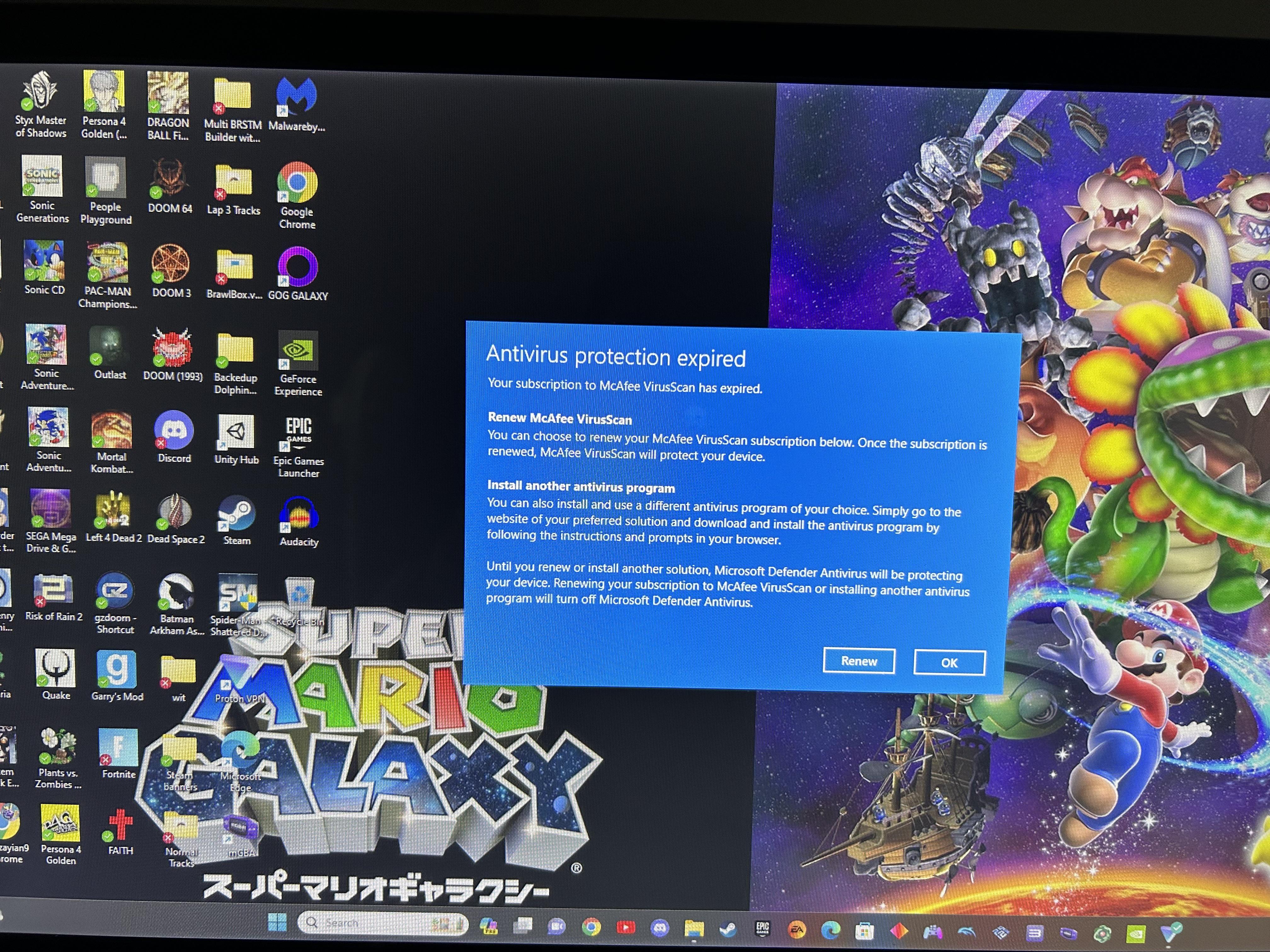
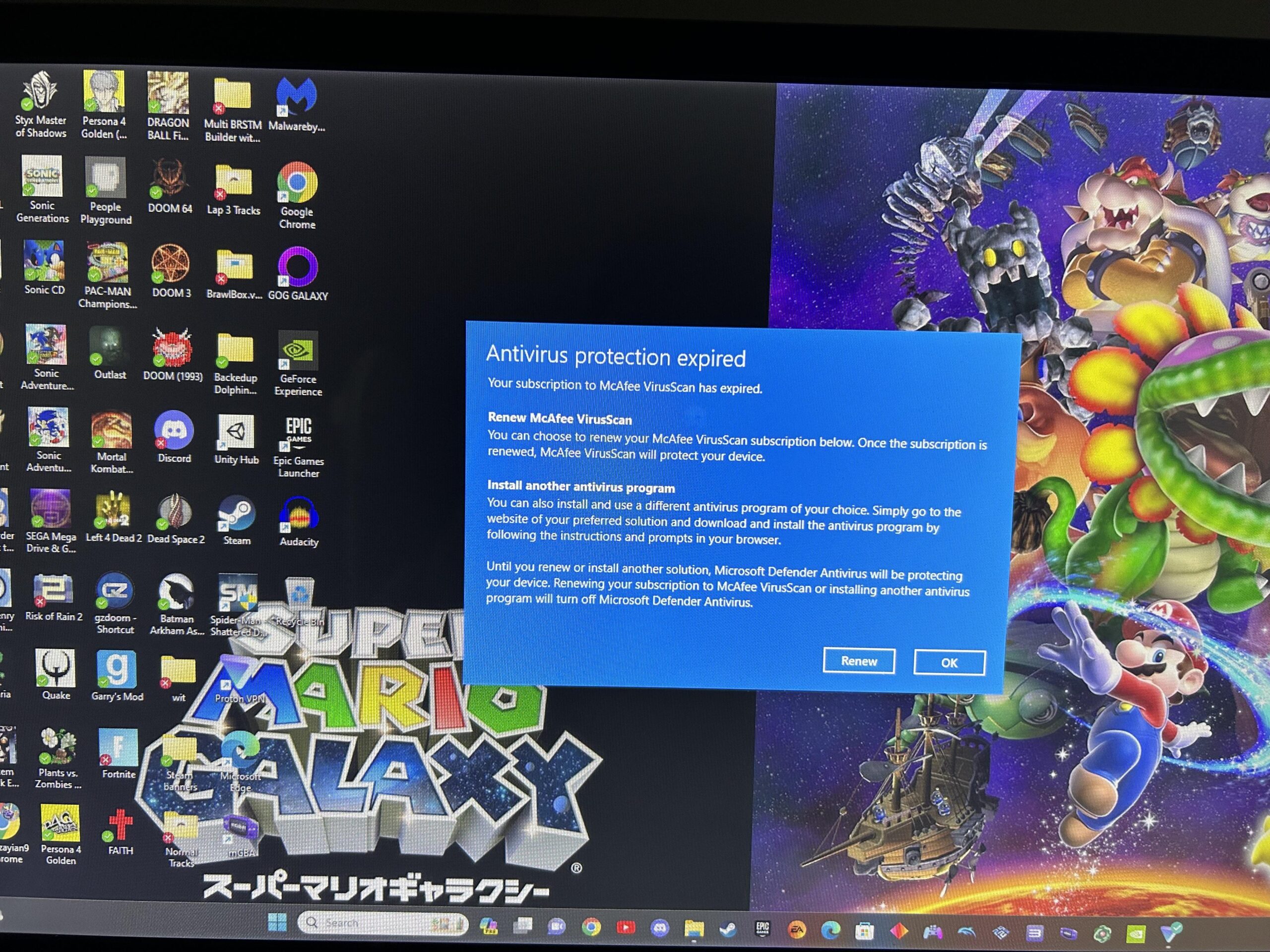
tbl222 3 years ago Its even mimicking windows gui in an attempt to add legitimacy to their malware. There should be some McAfee Removal Tool’s around if you google it. ​ Edit: Looks like the warning is a legit windows one but I wouldnt put it passed them to do something like that!
your_dead_console 3 years ago [follow this tutorial by john mcafee](https://www.youtube.com/watch?v=yIaNZXgDtRU)
Takeasmoke 3 years ago McAfee and Avira just cause more problems than they can solve, i’m with everyone, windows defender is the way, malewarebytes if you really need it but free version is just meh
victor6267 3 years ago Like others say, uninstalling McAfee will fix this. Though the bloatware version has given me issues in the past. You can use this tool to remove it. https://www.mcafee.com/support/?articleId=TS101331&page=shell&shell=article-view
Sendmedoge 3 years ago Set your AV to Defender in the security settings. Right now your “default AV” is expired. Set the “Default av” to defender and the notification should stop.
msanangelo 3 years ago I’d delete the ~~malware~~, I mean, the antivirus program. it’s not needed, windows comes with it’s own.
wulfithewulf 3 years ago listen and repeat: any anti virus itself is a security risk by puncholing your system to do the antivirus thing. just use the windows defender, nowadays it actually is sufficient

26 Comments
uninstall mcafee
Remove McAfee and make sure windows defender is enabled 👌🏻
Wasn’t McAfee a virus? Keylogger and the worst thing to have on a pc?
If the standard uninstall doesn’t work, use the McAfee Consumer Products Removal Tool.
Mcafee is garbage. Uninstall and use windows defender, ad blockers, and common sense.
Pi hole for extra measure!
uninstall McShit and use windows defender
Hit ok
Its even mimicking windows gui in an attempt to add legitimacy to their malware.
There should be some McAfee Removal Tool’s around if you google it.
​
Edit: Looks like the warning is a legit windows one but I wouldnt put it passed them to do something like that!
Uninstall McAfee then wipe and reinstall windows just to be sure it’s gone.
Uninstall McAfee lmao, that program sucks
How to get rid of any popup from scamware:
1. Remove the scamware.
Organise your desktop and the pop up will stop coming up
[follow this tutorial by john mcafee](https://www.youtube.com/watch?v=yIaNZXgDtRU)
McAfee and Avira just cause more problems than they can solve, i’m with everyone, windows defender is the way, malewarebytes if you really need it but free version is just meh
Windows lol

Doom 3. I see you’re a man of culture. 🧐
install Linux
Too much icons
Like others say, uninstalling McAfee will fix this. Though the bloatware version has given me issues in the past. You can use this tool to remove it.
https://www.mcafee.com/support/?articleId=TS101331&page=shell&shell=article-view
Get rid of the malware McAfee and use Microsoft defender
Appwiz.cpl
Set your AV to Defender in the security settings.
Right now your “default AV” is expired.
Set the “Default av” to defender and the notification should stop.
I’d delete the ~~malware~~, I mean, the antivirus program. it’s not needed, windows comes with it’s own.
Uninstall mcafee simple
Member of pcmasterrace but is a pc rookie
listen and repeat: any anti virus itself is a security risk by puncholing your system to do the antivirus thing.
just use the windows defender, nowadays it actually is sufficient