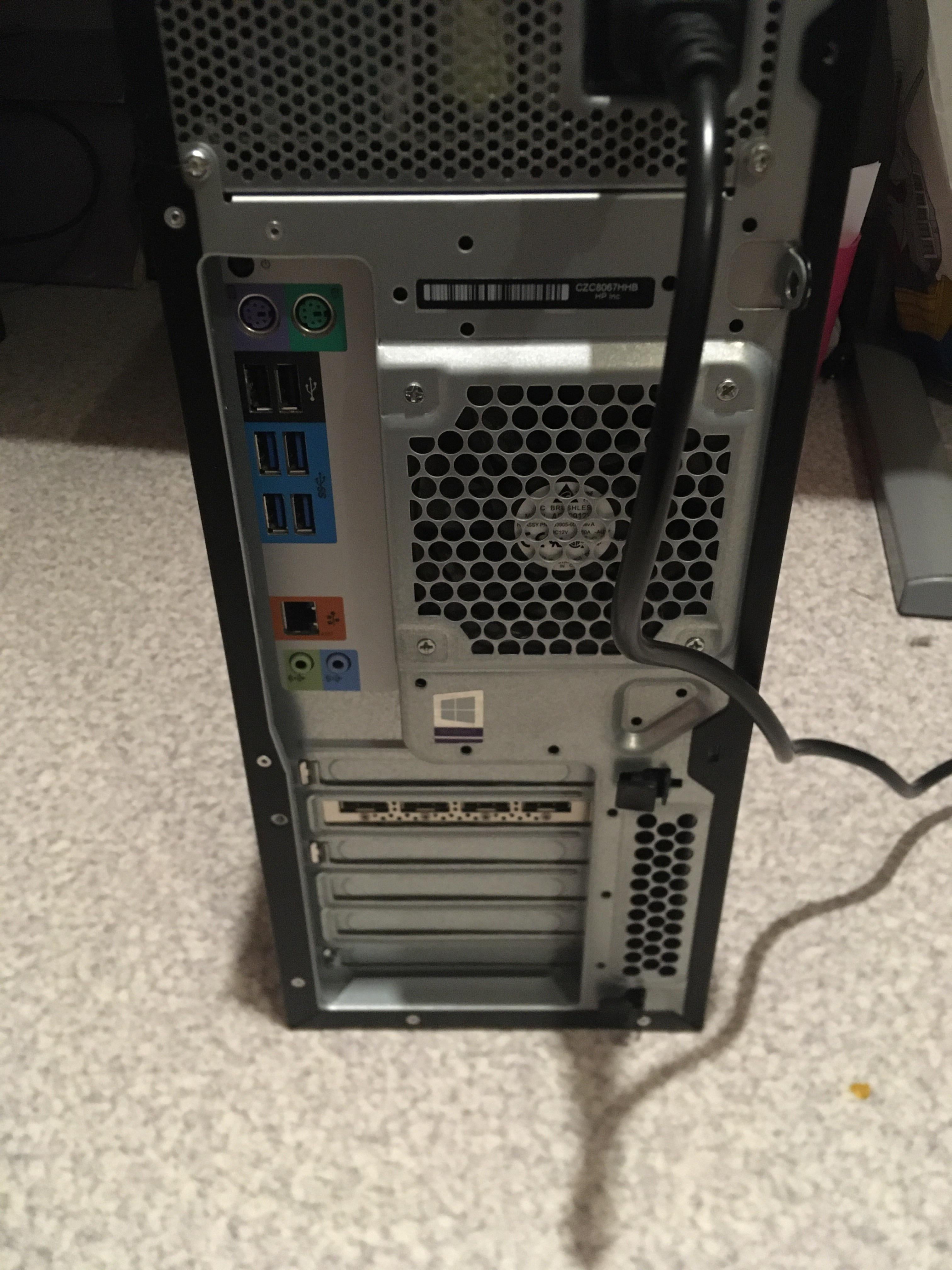
I’m used to VGA, HDMI etc… but none of these fits here ?
For information, this is a HP Z440, and l want to plug my monitor in.

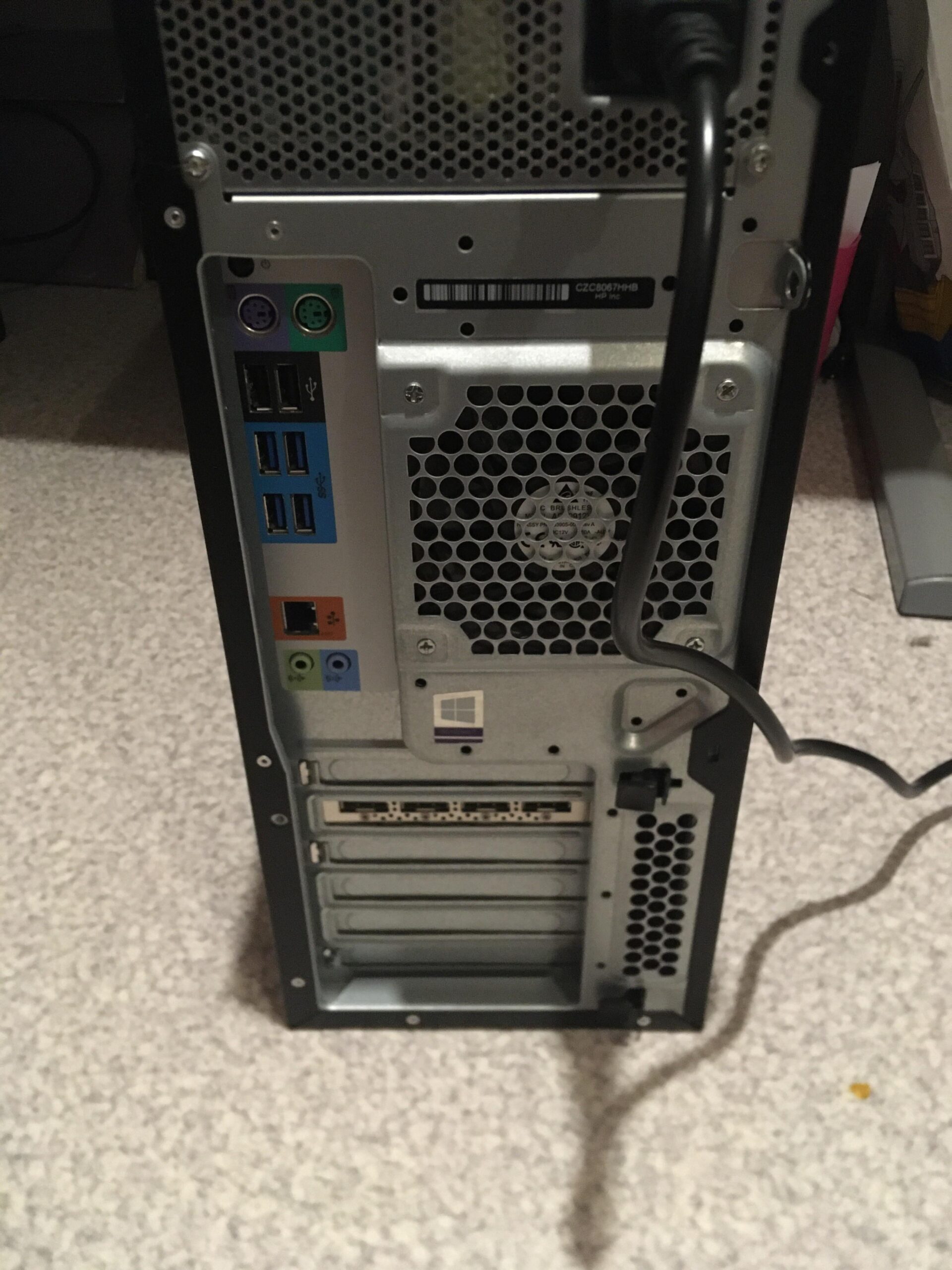
I’m used to VGA, HDMI etc… but none of these fits here ?
For information, this is a HP Z440, and l want to plug my monitor in.
17 Comments
[The video card.](https://i.imgur.com/wiBltnZ.png)
The video card has four Displayport connectors, use one of those.
You see the 4 port under the windows logo ? it’s here so choose one of them
With this angle, i can’t identifie what type of port it is
no stupid questions, homie. posts like this might not get the most upvotes but this community always get the questions answered.
you’re going to want to plug your monitor directly into the HDMI/Display Ports of the GPU.
Least hostile comment section on this sub towards a new person.
What I thought the comment section would be like:

Jesus it’s been awhile since I’ve seen ps/2
What year is this from?
Very stupid question. You should be ashamed
Just joking lol. No such thing as stupid questions unless you ask the same question constantly. I’m glad you found answers here!
the horizontal ports on the bottom.
​
VGA and HDMI dont work since its all Display port
Displayport and HDMI are the current display standards for video/audio output. VGA/DVI are considered obsolete by today’s standards.
You need a DP (Display Port Cable) for your GPU
Your butthole.
Jk the 4 little squares on the shiny silver piece. Probably need an adapter.
I knew it was a Z440 😌😌 Pretty nice machines I gotta say, especially when you upgrade them.
You have 4x DisplayPort outputs on the video card, directly below the Windows sticker
Is that a windows 8 sticker?
🤦♂️
The display ports