Are you trying to run a resolution the monitor can’t do?
Shadow_Ass
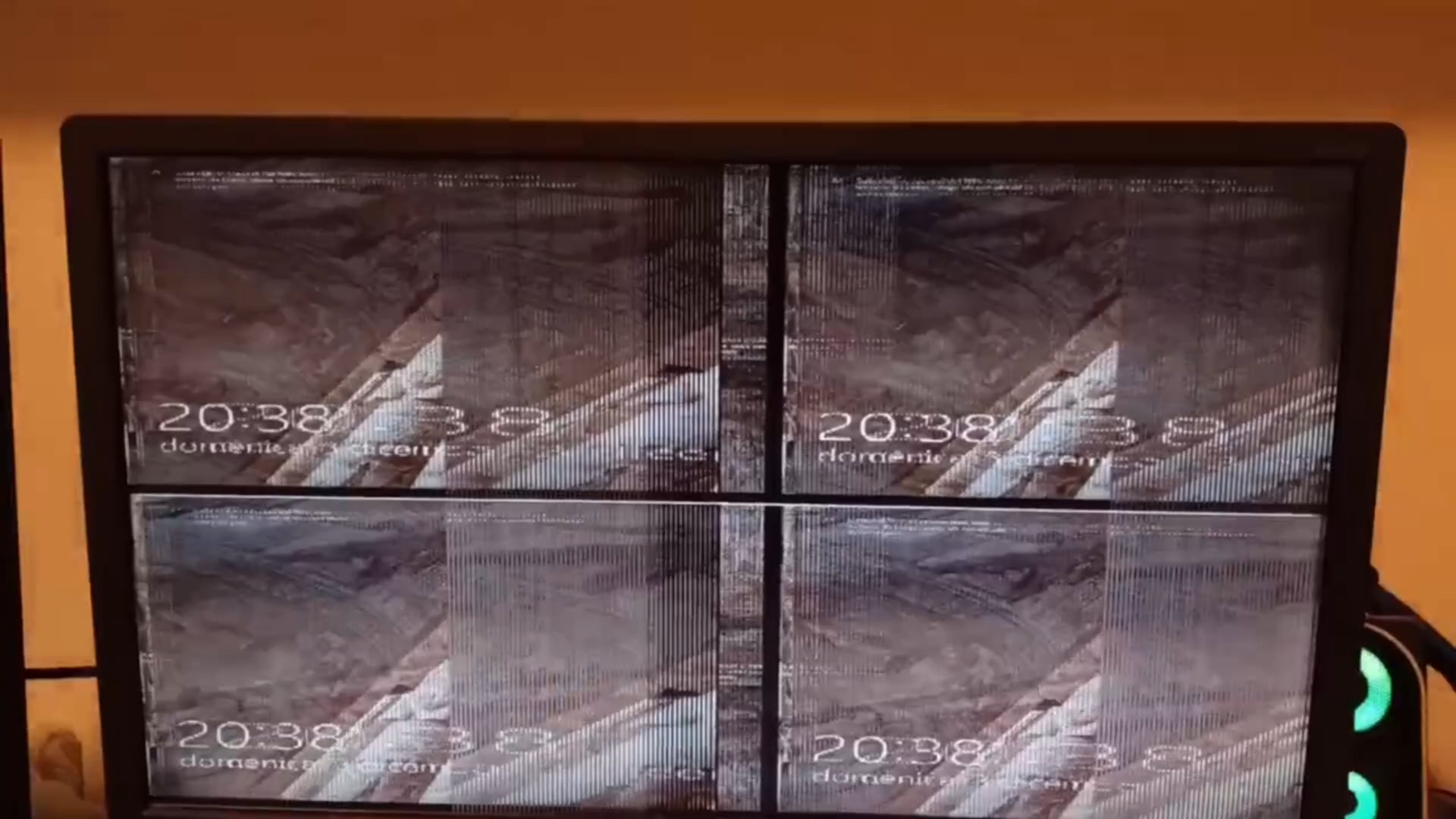
Looks like a 1980s security camera footage lmao
ro_g_v
Must be a coincidence, that’s your monitor failing
DG_House
Try another cable
TrackPotential
Remove the drivers with DDU and install drivers
shendxx
first what spec your PC before ? so why not try plug old GPU or using onboard ? to test if the GPU the culprit or the monitor, why you need RTX For CCTV Monitor
because im seen many Monitor with this flash blank mostly caused by short circuit on T-CON module on the monitor
Rickard403
OP, did the remove old drivers and or using a different cable (display port or HDMI) work?
LOBSI_Pornchai
Goldeneye time y’all
ApprehensiveResort93
Looks fine to me
Writhing2
Completely remove all old drivers. They will completely fuck your system when you swap to a new GPU. If that doesn’t work, try a new cable. If not try a new monitor.
coffeejn
Should have gone with AMD, at least it would be a different problem! /s
Seriously, try booting into the bios to see if it reproduces the same thing. Might be easier to rule out the cable first or something else. Not that I think it’s the cable, but you never know.
Still think you need to run DDU and reinstall the drivers.
hangmanhatesme
Fnaf
passtiramisu
Did you enable pip mode?
stress_ed_out
Congrats on the baby
TryingToBeReallyCool
Try plugging something else into the monitor and see if you get the same behavior. If so, it’s a monitor issue
Next, drivers. Reinstall, and make sure the old ones are removed. If that fixes it, it was a driver issue
Next, try booting your computer into a Linux distro (you can easily load something like Ubuntu onto a usb). If it works, the issue is somewhere else in windows If not, could be a hardware issue
Cave_TP
I think it’s just mocking you
Paciorr
Idk why but this makes me feel uneasy. Like in a horror movie or something lmao.
postmortem6
As others have said run DDU to remove the drivers then install the drivers for the new gpu. When you switch gpus you want to do this.
A1pH4W01v
When they meant 4k resolution, they really meant it.
iamlegend235
1. Make sure that this same thing happens on the BIOS/POST screens
2. Try another monitor, or a TV. Also try another cable just to be safe.
3. Like others mentioned, boot into safe mode and uninstall drivers using DDU. Let windows auto-install drivers on first boot afterwards, then grab the right drivers from your graphics card manufacturer
ZombieNek0
hmm maybe buy a 5090 it might fix it
Rerun15
You’re going to die in 7 days
Abtizzle
That’s a feature not a bug.
SubmissiveDinosaur
Your pc wanted to be a surveillance camera system
Crylon_
I hat this Problem a While ago myself
For me it was my graficscard that was too heavy and tilted a bit down which i fixed with getting something to stabileze it
Ihansung
War, war never changes.
CammyPooo
Should have gone AMD can’t trust Nvidia Drivers…/s

35 Comments
Latest drivers installed?
Are you trying to run a resolution the monitor can’t do?
Looks like a 1980s security camera footage lmao
Must be a coincidence, that’s your monitor failing
Try another cable
Remove the drivers with DDU and install drivers
first what spec your PC before ? so why not try plug old GPU or using onboard ? to test if the GPU the culprit or the monitor, why you need RTX For CCTV Monitor
because im seen many Monitor with this flash blank mostly caused by short circuit on T-CON module on the monitor
OP, did the remove old drivers and or using a different cable (display port or HDMI) work?
Goldeneye time y’all
Looks fine to me
Completely remove all old drivers. They will completely fuck your system when you swap to a new GPU. If that doesn’t work, try a new cable. If not try a new monitor.
Should have gone with AMD, at least it would be a different problem! /s
Seriously, try booting into the bios to see if it reproduces the same thing. Might be easier to rule out the cable first or something else. Not that I think it’s the cable, but you never know.
Still think you need to run DDU and reinstall the drivers.
Fnaf
Did you enable pip mode?
Congrats on the baby
Try plugging something else into the monitor and see if you get the same behavior. If so, it’s a monitor issue
Next, drivers. Reinstall, and make sure the old ones are removed. If that fixes it, it was a driver issue
Next, try booting your computer into a Linux distro (you can easily load something like Ubuntu onto a usb). If it works, the issue is somewhere else in windows If not, could be a hardware issue
I think it’s just mocking you
Idk why but this makes me feel uneasy. Like in a horror movie or something lmao.
As others have said run DDU to remove the drivers then install the drivers for the new gpu. When you switch gpus you want to do this.
When they meant 4k resolution, they really meant it.
1. Make sure that this same thing happens on the BIOS/POST screens
2. Try another monitor, or a TV. Also try another cable just to be safe.
3. Like others mentioned, boot into safe mode and uninstall drivers using DDU. Let windows auto-install drivers on first boot afterwards, then grab the right drivers from your graphics card manufacturer
hmm maybe buy a 5090 it might fix it
You’re going to die in 7 days
That’s a feature not a bug.
Your pc wanted to be a surveillance camera system
I hat this Problem a While ago myself
For me it was my graficscard that was too heavy and tilted a bit down which i fixed with getting something to stabileze it
War, war never changes.
Should have gone AMD can’t trust Nvidia Drivers…/s
4k in SQD
Definitely the monitor issue 👌🤦♂️
display timings arent correct…ie gpu doesnt read correctly display id/edid
google edid override or run custom resolution utility with manual display timings (timings you can get from your monitor manual)
Sure if wasn’t 4x 1060s?
ddu both your old drivers while you are in safe mode. then reinstall your nivida drivers
[https://www.guru3d.com/download/display-driver-uninstaller-download/](https://www.guru3d.com/download/display-driver-uninstaller-download/)
$10says you didn’t seat it properly
GPU is seeing the light it seems lmao