I’m having a weird issue.
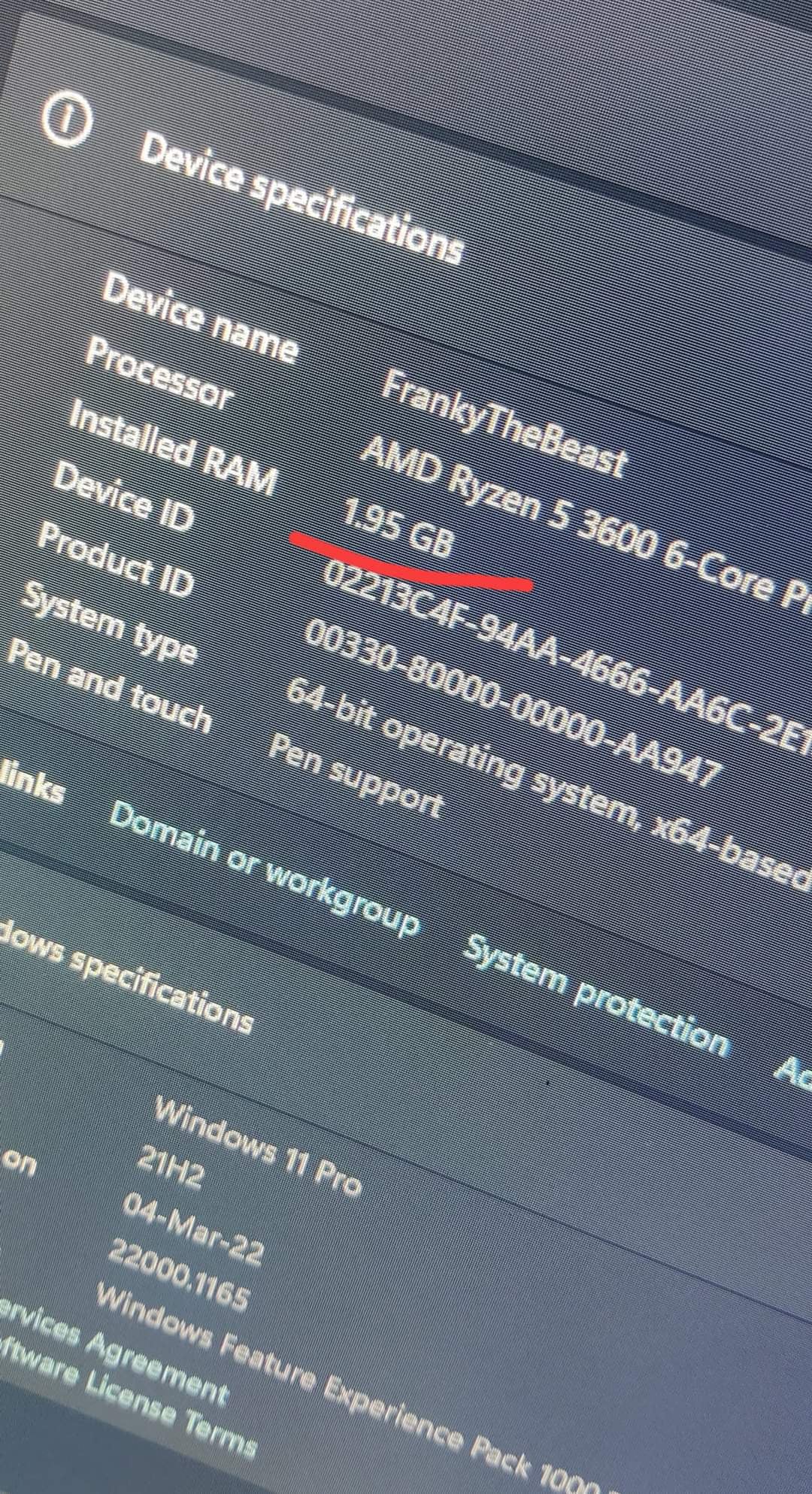
My 8GB Ram is being detected as 1.95 GB.
I’ve tried this ram in different slots as well as different PCs but everywhere it is detected as 1.95 GB.
What could be the issue and solution ?
Ram : Corsair Vengeance Pro RGB

I’m having a weird issue.
My 8GB Ram is being detected as 1.95 GB.
I’ve tried this ram in different slots as well as different PCs but everywhere it is detected as 1.95 GB.
What could be the issue and solution ?
Ram : Corsair Vengeance Pro RGB
33 Comments
I wish I could help you, but I can only comment to help you with the interaction and wish you the best 😔
Have you tried a different stick of ram?
Maybe its reserved for the gpu or so.
So, does the taskmanager say something like 13gb reserved?
Does it also show 2gb with 1 of the 2 sticks used?
Should both sticks be bad? I think it’s more likely the motherboard. Did you try the ram on a different pc.
New build? New ram? Or did this happen after a crash wile being in game or so?
Those pins arent exactly in great shape, it could be affecting how that stick is communicating.
Clean the pins with an eraser and run some tests
Where did you get it from? Does Icue see it?
Check if it also says that in the BIOS, if so it’s almost definitely some sort of hardware issue.
updated the BIOS to the newest version already?
seems like a hardware defect. return it if you can.
Don’t handle RAM like that. Static, oil deposits from your fingers. You can damage it.
Download more ram.
Look up memtest86
Take a rubber/eraser and go over the gold pins with it.
Could fix the problem.
RIP
Wipe the ram contacts with a white eraser to clean off grime and try again
happened to me when i was using a 32 bit os
What does it say the ramstick is in cpu-z ?
Does it get detected as an 8 gb stick there from corsair ?
Or has someone swapped the cooler out while thats another ramstick under there ?
STONKS
Some memory banks might have gotten busted
Clear your RAM connection pads with eraser, try one more time. If that doesn’t fix the issue, this one’s faulty.
Try cleaning those pins with isopropyl alchohol
https://preview.redd.it/ee7llv99324c1.jpeg?width=1284&format=pjpg&auto=webp&s=3a7665f1e832b20b65a021f2b2718da61aba0556
Maybe problem is here?
Wtf is that damage on the connectors
see if it posts with just that one stick in.
Or maybe you’ve been scammed
Did you buy it new? No chance someone put a 8gb heat sink on a 2gb stick of ram?
I had the same problem. The bios battery was discharged and after I replace it was the problem solved. Don’t forget to load default settings in bios.
Use a rubber eraser to clean the pins
Is your OS 64bit or 32bit?
You need at least 4gb of ram to operate windows 11
I will never buy anything from this brand
OR use a rubber and use it to erase the gold connectors, it might fix it
Are u using a 32 bit version of window by any chance?