more RGB would be exceptional, btw, i love those monitors 🔥
5kyl3r
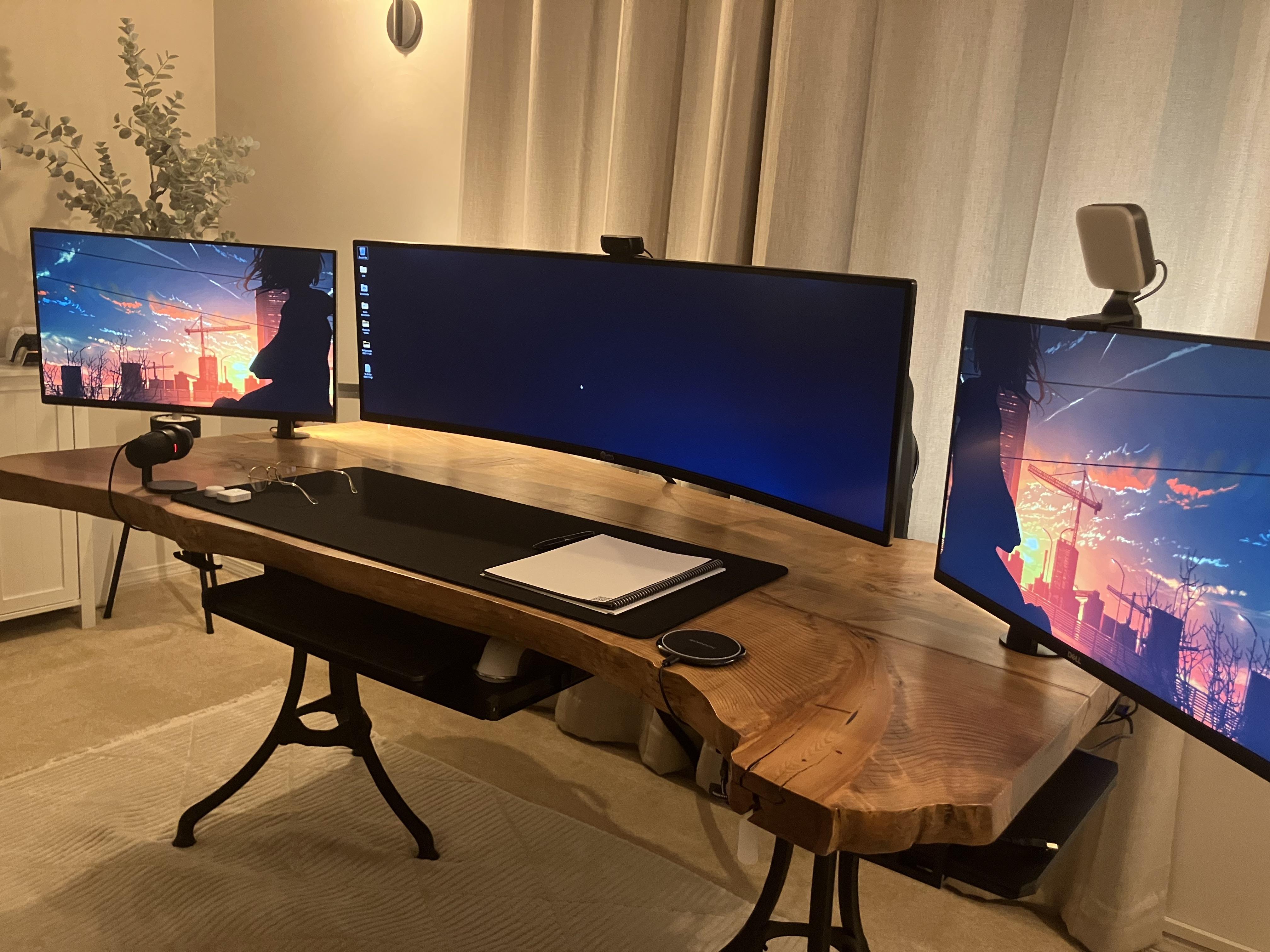
as someone with a neo g9 center, and two side monitors, I can say this is awful! lol you’re going to need some medical attention for your poor neck. my side monitors are dual-up’s, so they’re vertical-ish, and so not nearly as wide as your total width, and it’s terrible, so I can’t imagine how off-angle your side monitors must be unless you sit across the room, and also how tired your neck gets having to constantly turn your head. I’m still dealing with it because I haven’t seen a worth monitor yet to replace the neo g9, but once I do, I’m out of the ultrawides. cons outweigh the pros. I think back to when I was a DBA. that would’ve been the one job that would really benefit from an ultra wide, but now, everything I do is annoying on it. plus it’s curved, so when I do CAD work, all straight lines look curved, and it’s just not good for anything other than gaming, and even then, I find myself playing competitive games with a smaller centered resolution due to having such a wide area to physically look at putting me at a disadvantage. things nobody tells ya before you buy an ultra wide. in games where I’m just playing a campaign, like doom eternal, it’s amazing and immersive. but yeah, no more ultrawides for me. that and my goal was wall mounting monitors to save desk space, but the neo g9 is so wide AND curved that it curves out over my desk, undo’ing a lot of the saved space, and add the side monitors and it’s just silly. but damn we’re in a weird place with monitors right now. I want neo g9 levels of backlight zones in a flat 32″ 4k monitor with 240hz. but they’re all either curved, a lower resolution, or 144hz. we’re soooo close, but not quite there. and the oled’s look nice in the dark, but they just can’t get as bright and during the day it’s underwhelming if you’ve been spoiled by the massively bright neo g9’s
ok that was an unnecessary monitor rant, but anyway, good luck with the neck situation
distantblue
What size is the one in the middle?
RB-27
This is a really nice tidy and clean setup, but why do you have such big gaps between the monitors?
I don’t see a computer?!? Do you have some specs?
The real wood desk top is amazing, it looks really great.
LarsonianScholar
Bring the side ones in closer (almost touching) and raise all of them evenly, then use a level to make sure they’re perfectly straight. Other than that, pretty insane setup. Don’t even wanna know how much that desk cost 😂

7 Comments
That desk is fucking beautiful
more RGB would be exceptional, btw, i love those monitors 🔥
as someone with a neo g9 center, and two side monitors, I can say this is awful! lol you’re going to need some medical attention for your poor neck. my side monitors are dual-up’s, so they’re vertical-ish, and so not nearly as wide as your total width, and it’s terrible, so I can’t imagine how off-angle your side monitors must be unless you sit across the room, and also how tired your neck gets having to constantly turn your head. I’m still dealing with it because I haven’t seen a worth monitor yet to replace the neo g9, but once I do, I’m out of the ultrawides. cons outweigh the pros. I think back to when I was a DBA. that would’ve been the one job that would really benefit from an ultra wide, but now, everything I do is annoying on it. plus it’s curved, so when I do CAD work, all straight lines look curved, and it’s just not good for anything other than gaming, and even then, I find myself playing competitive games with a smaller centered resolution due to having such a wide area to physically look at putting me at a disadvantage. things nobody tells ya before you buy an ultra wide. in games where I’m just playing a campaign, like doom eternal, it’s amazing and immersive. but yeah, no more ultrawides for me. that and my goal was wall mounting monitors to save desk space, but the neo g9 is so wide AND curved that it curves out over my desk, undo’ing a lot of the saved space, and add the side monitors and it’s just silly. but damn we’re in a weird place with monitors right now. I want neo g9 levels of backlight zones in a flat 32″ 4k monitor with 240hz. but they’re all either curved, a lower resolution, or 144hz. we’re soooo close, but not quite there. and the oled’s look nice in the dark, but they just can’t get as bright and during the day it’s underwhelming if you’ve been spoiled by the massively bright neo g9’s
ok that was an unnecessary monitor rant, but anyway, good luck with the neck situation
What size is the one in the middle?
This is a really nice tidy and clean setup, but why do you have such big gaps between the monitors?
I don’t see a computer?!? Do you have some specs?
The real wood desk top is amazing, it looks really great.
Bring the side ones in closer (almost touching) and raise all of them evenly, then use a level to make sure they’re perfectly straight. Other than that, pretty insane setup. Don’t even wanna know how much that desk cost 😂
Bro has his monitors in 3 different time zones