Check the cables. Try full power off, unplug for 5 mins them plug back in. Try reinstall graphics drivers.
abewut
I had similar issue except I never got the status bar on the bottom. I booted up with windows media and uninstalled latest windows quality update and that fixed whatever was the problem.
daHaus
Windows 11? There’s a bug where the UI crashes but the laptop I saw it on it was only noticeable as a few seconds where nothing was clickable.
SentientDust
How long is the hdmi cable?
AlexViralata
Ahoj ty volé!
It might be Adaptive sync acting up or the panel is having a bad time.
Unplug the screen from the power wall, and try disabling adaptive sync.
Hezky den!
_YeAhx_
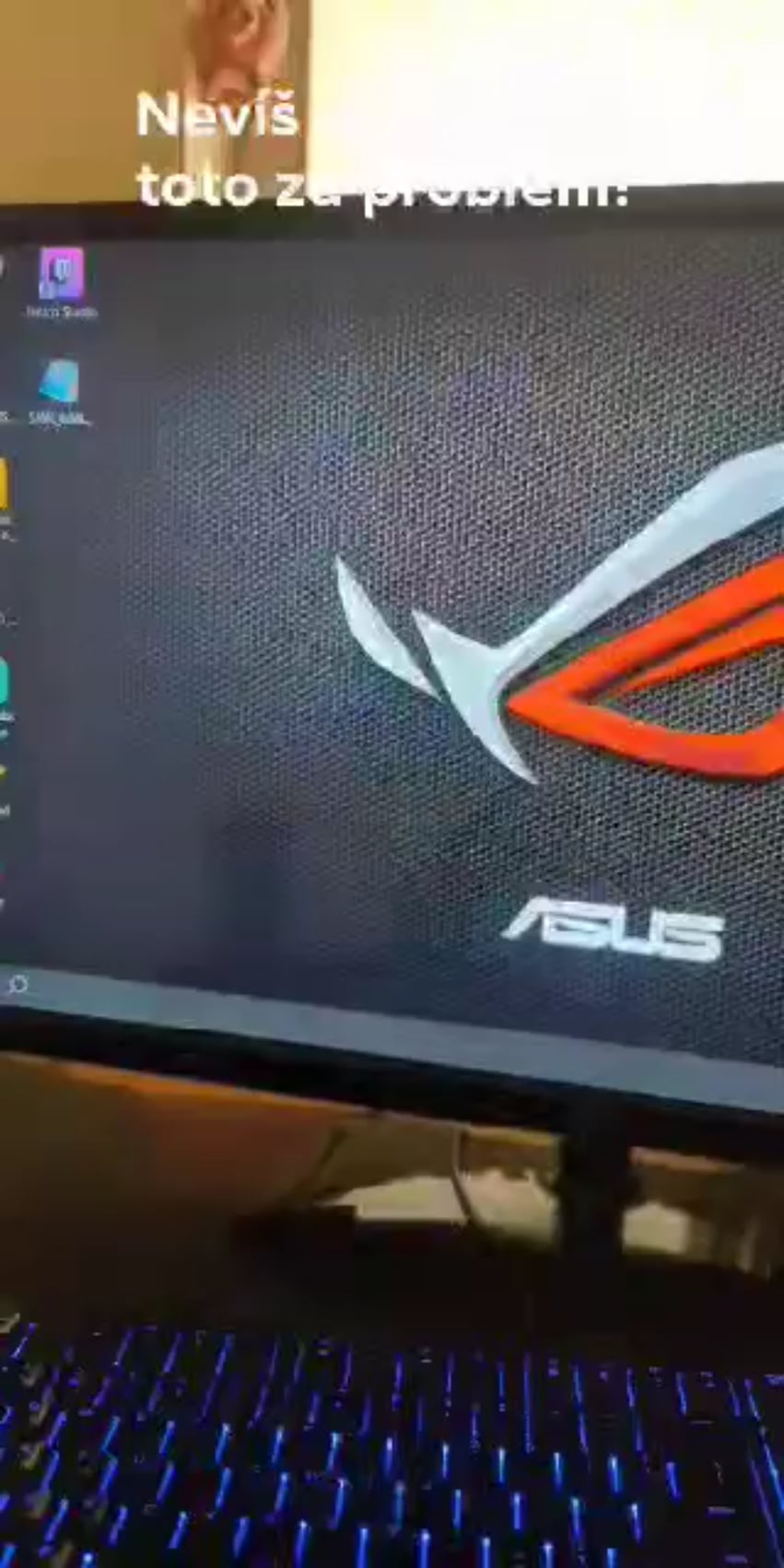
Guys it’s not display. Look at the cursor. This is only happening to the windows screen. Weird bug. Have you tried verifying windows files ?
[deleted]
[removed]
abighairyspyder
If you can open a command prompt try running “sfc /scannow” without the quotes.
arkane-linux
You have some crap running on the PC which is doing this.
Best to just nuke and pave, reinstall the system, who know what other trash and malware is installed.
fm837
The cursor is still visible, which means it’s probably a software issue. First I’d try to reinstall the graphics drivers in safe mode and then see what’s happening.
New-Neighborhood-147
Try lowering the refresh rate to the monitor.
Panthean
Just time your blinks to the flashing. Problem solved
DJ_Cas
Check with another cable. Hope nothing serious
FullBarracuda3526
Probably a driver issue … Try reinstalling Graphics Drivers, Display Drivers & maybe even a fresh Windows install …
Pristine-Pangolin-61
My sister had this a few times.
Do a integrity check in cmd
Sfc/scannow
It is a bug in windows, your hardware is fine no worries.
watsik227
Looking at the book your friend has, hes got bigger problems
DocGerbill
either driver crashing or explorer crashing, you’ll need to reinstall graphic drivers and if still the same, probably need to restore to a windows backup
ginsodabitters
Drivers. DDU time.
Vadzerz
Happened to me when I forgot to plug in a separate USB power supply cable when using an HDMI to VGA adapter.
FlashGordon-X-
Ram. He put some new stuff in there?
Puzzleheaded_Can8724
The Ring bitch about to come out of it I think that’s my technical opinion.
LOBSI_Pornchai
I heard stabbing it in the middle of the screen with a fork does wonders for some.
Ps. Don’t actually stab it with a fork
dudleyfire
Disable the Windows Error Reporting service to stop the blinking and then go from there to find the cause.
RushTfe
I’d start with going to windows recovery mode and see if it happens there.
If it still happens in recovery mode, it might be a hardware issue. I’d try to clean install windows in a different hdd if it’s possible for you. If it keeps happening it’s definitely a hardware issue.
Otherwise, in recovery mode, use ddu to uninstall display drivers, and fresh install the most recent ones.
If it keeps happening try to look for a older different driver version.
It could also be some bios fuck up, so, reseting to default could help, or even update bios version if everything above fails.
Its also worth checking different cable and/or monitor. Probably I’d start here
Comprehensive_Ship42
Loose or broken cable hdmi or display port cable
DMurBOOBS-I-Dare-You
I know precisely what’s happening.
The monitor image is cycling off and on.
BaconMeetsCheese
I know what it’s doing. It’s blinking.
LazyMagicalOtter
Explorer.exe crashing over and over. Could be a lot of reasons.
ElderberryTrick9697
Might need to reinstall windows but if you do make sure to back up your data.
Gatinsh
I think your screen is going black and then back to normal constantly. Hope that helps
tonybombata
Explorer is crashing and reloading for some reason. It may be he has explorer patcher, which gets iffy anytime there is a windows build update. It may also be an Explorer extension.
If he has explorer patcher installed he can either uninstall, update or reset.
If it is not explorer patcher he may have to do some sleuthing. Though in my experience restarting windows is sometimes all you need to stop explorer crashes
radis370
Only two solutions.
1.Reboot the PC.
2. While the pc is starting (on the windows screen not the login screen and not after logging in) Press the power off button and turn it back on,repeat this for 2 more times.
3. After rebooting into recovery mode,press troubleshoot,advanced options,startup repair.
If that doesn’t work then make a windows installation USB And then reinstall windows.
If you need any more help then DM me.
Stoutyeoman
Hard to say just from that, I would look at a loose cable tbh.
InternationalRun7345
I work at an IT company, I have seen a problem like this in several computers using windows 10.
The problem seems to be the “news and interests” bar. When you have a lot of icons fixed on the taskbar, there is not enough space left for the “news and interests” bar and that causes “explorer.exe” to collapse.
It keeps collapsing until you deactivate the “news and interests” bar just before the system loads the rest of the icons. You have one try just when the system starts, after that “explorer.exe”will just keep restarting too fast for you tu try again. Unless you have a very old and slow computer, of course.
On really fast computers, you will not have any chance at all of doing this, in this case, you have to uninstall one or maybe two apps that you now for sure are “icon-locked” on the taskbar and then restart.
That way, the “news and interests” bar will have enough space to appear and you can then hide it for good before adding back more icons to the taskbar.
I hope it helps.
Butter-Lips
Change the refresh rate, guarantee it stops. Thank me later
P4t13nt_z3r0
It’s been about 40 years since I have worked on computers, but this looks normal. You CPU can either display on the monitor or execute commands, not both. During the blackouts, your CPU is just executing commands. Now if oyu will excuse me, I need to get back to playing Moonlander on my ZX 80

38 Comments
GPU problem but I’m not %100 sure what it is
Is your cable loose by any chance check both ends
Check the cables. Try full power off, unplug for 5 mins them plug back in. Try reinstall graphics drivers.
I had similar issue except I never got the status bar on the bottom. I booted up with windows media and uninstalled latest windows quality update and that fixed whatever was the problem.
Windows 11? There’s a bug where the UI crashes but the laptop I saw it on it was only noticeable as a few seconds where nothing was clickable.
How long is the hdmi cable?
Ahoj ty volé!
It might be Adaptive sync acting up or the panel is having a bad time.
Unplug the screen from the power wall, and try disabling adaptive sync.
Hezky den!
Guys it’s not display. Look at the cursor. This is only happening to the windows screen. Weird bug. Have you tried verifying windows files ?
[removed]
If you can open a command prompt try running “sfc /scannow” without the quotes.
You have some crap running on the PC which is doing this.
Best to just nuke and pave, reinstall the system, who know what other trash and malware is installed.
The cursor is still visible, which means it’s probably a software issue. First I’d try to reinstall the graphics drivers in safe mode and then see what’s happening.
Try lowering the refresh rate to the monitor.
Just time your blinks to the flashing. Problem solved
Check with another cable. Hope nothing serious
Probably a driver issue … Try reinstalling Graphics Drivers, Display Drivers & maybe even a fresh Windows install …
My sister had this a few times.
Do a integrity check in cmd
Sfc/scannow
It is a bug in windows, your hardware is fine no worries.
Looking at the book your friend has, hes got bigger problems
either driver crashing or explorer crashing, you’ll need to reinstall graphic drivers and if still the same, probably need to restore to a windows backup
Drivers. DDU time.
Happened to me when I forgot to plug in a separate USB power supply cable when using an HDMI to VGA adapter.
Ram. He put some new stuff in there?
The Ring bitch about to come out of it I think that’s my technical opinion.
I heard stabbing it in the middle of the screen with a fork does wonders for some.
Ps. Don’t actually stab it with a fork
Disable the Windows Error Reporting service to stop the blinking and then go from there to find the cause.
I’d start with going to windows recovery mode and see if it happens there.
If it still happens in recovery mode, it might be a hardware issue. I’d try to clean install windows in a different hdd if it’s possible for you. If it keeps happening it’s definitely a hardware issue.
Otherwise, in recovery mode, use ddu to uninstall display drivers, and fresh install the most recent ones.
If it keeps happening try to look for a older different driver version.
It could also be some bios fuck up, so, reseting to default could help, or even update bios version if everything above fails.
Its also worth checking different cable and/or monitor. Probably I’d start here
Loose or broken cable hdmi or display port cable
I know precisely what’s happening.
The monitor image is cycling off and on.
I know what it’s doing. It’s blinking.
Explorer.exe crashing over and over. Could be a lot of reasons.
Might need to reinstall windows but if you do make sure to back up your data.
I think your screen is going black and then back to normal constantly. Hope that helps
Explorer is crashing and reloading for some reason. It may be he has explorer patcher, which gets iffy anytime there is a windows build update. It may also be an Explorer extension.
If he has explorer patcher installed he can either uninstall, update or reset.
If it is not explorer patcher he may have to do some sleuthing. Though in my experience restarting windows is sometimes all you need to stop explorer crashes
Only two solutions.
1.Reboot the PC.
2. While the pc is starting (on the windows screen not the login screen and not after logging in) Press the power off button and turn it back on,repeat this for 2 more times.
3. After rebooting into recovery mode,press troubleshoot,advanced options,startup repair.
If that doesn’t work then make a windows installation USB And then reinstall windows.
If you need any more help then DM me.
Hard to say just from that, I would look at a loose cable tbh.
I work at an IT company, I have seen a problem like this in several computers using windows 10.
The problem seems to be the “news and interests” bar. When you have a lot of icons fixed on the taskbar, there is not enough space left for the “news and interests” bar and that causes “explorer.exe” to collapse.
It keeps collapsing until you deactivate the “news and interests” bar just before the system loads the rest of the icons. You have one try just when the system starts, after that “explorer.exe”will just keep restarting too fast for you tu try again. Unless you have a very old and slow computer, of course.
On really fast computers, you will not have any chance at all of doing this, in this case, you have to uninstall one or maybe two apps that you now for sure are “icon-locked” on the taskbar and then restart.
That way, the “news and interests” bar will have enough space to appear and you can then hide it for good before adding back more icons to the taskbar.
I hope it helps.
Change the refresh rate, guarantee it stops. Thank me later
It’s been about 40 years since I have worked on computers, but this looks normal. You CPU can either display on the monitor or execute commands, not both. During the blackouts, your CPU is just executing commands. Now if oyu will excuse me, I need to get back to playing Moonlander on my ZX 80