My wife likes watching me play but would like to watch on my bigger Samsung in the room. I mirror what I’m playing but can I have the game audio play through 2 different outputs? Like my headset and Samsung speakers at the same time together?

My wife likes watching me play but would like to watch on my bigger Samsung in the room. I mirror what I’m playing but can I have the game audio play through 2 different outputs? Like my headset and Samsung speakers at the same time together?
16 Comments
Yes through an app called Voicemeeter
You’ll need to use a third party mixer software like voice meeter https://voicemeeter.com/user-guide-startup-the-first-steps-replace-the-windows-mixer-with-voicemeeter/
https://eartrumpet.app/
You can also try steelseries sonar, it’s way easier compared to voicemeeter
If your using moonlight to stream theres an option in settings that says ‘play audio on pc” will play the audio through pc and whatever your streaming to
Is the TV in the same room or in a different one?
If you’ve got a good connection, you could also stream to twitch or something with OBS and play it on the TV. There would be a slight delay
Just ask your wife to make the sound effects for the silent tv.
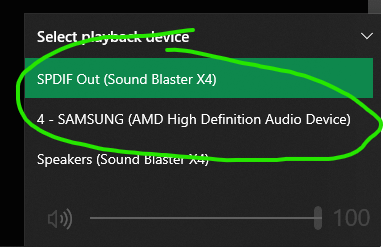
Windows 11 has a built in sound mixer that will do this. Only recently found it
A lot of people are saying you need a non-native solution, and that’s not entirely true.
If you have windows 10, the following is a valid solution:
https://answers.microsoft.com/en-us/windows/forum/all/can-i-play-sound-from-my-speakers-and-the-hdmi-at/25891633-8f00-4b49-9ff2-8aeaf3a36344
Dude, just take your wife to bed, it’s easier than this rubbish…
Could have sworn this was built into 10? Comments make me think otherwise, but I swear I did it once.
Use the listen option in Windows
Try out virtual audio cable
Have you tried a discord call and screen shared your game?
Why not stream on twitch or something like that?
Dunno if this is an option, but my TV has multiple output options, so if I were in your scenario, I could do headphones + TV/optical out/etc. Instead of figuring out or buying stuff for the PC, a long headphone jack from the TV could work