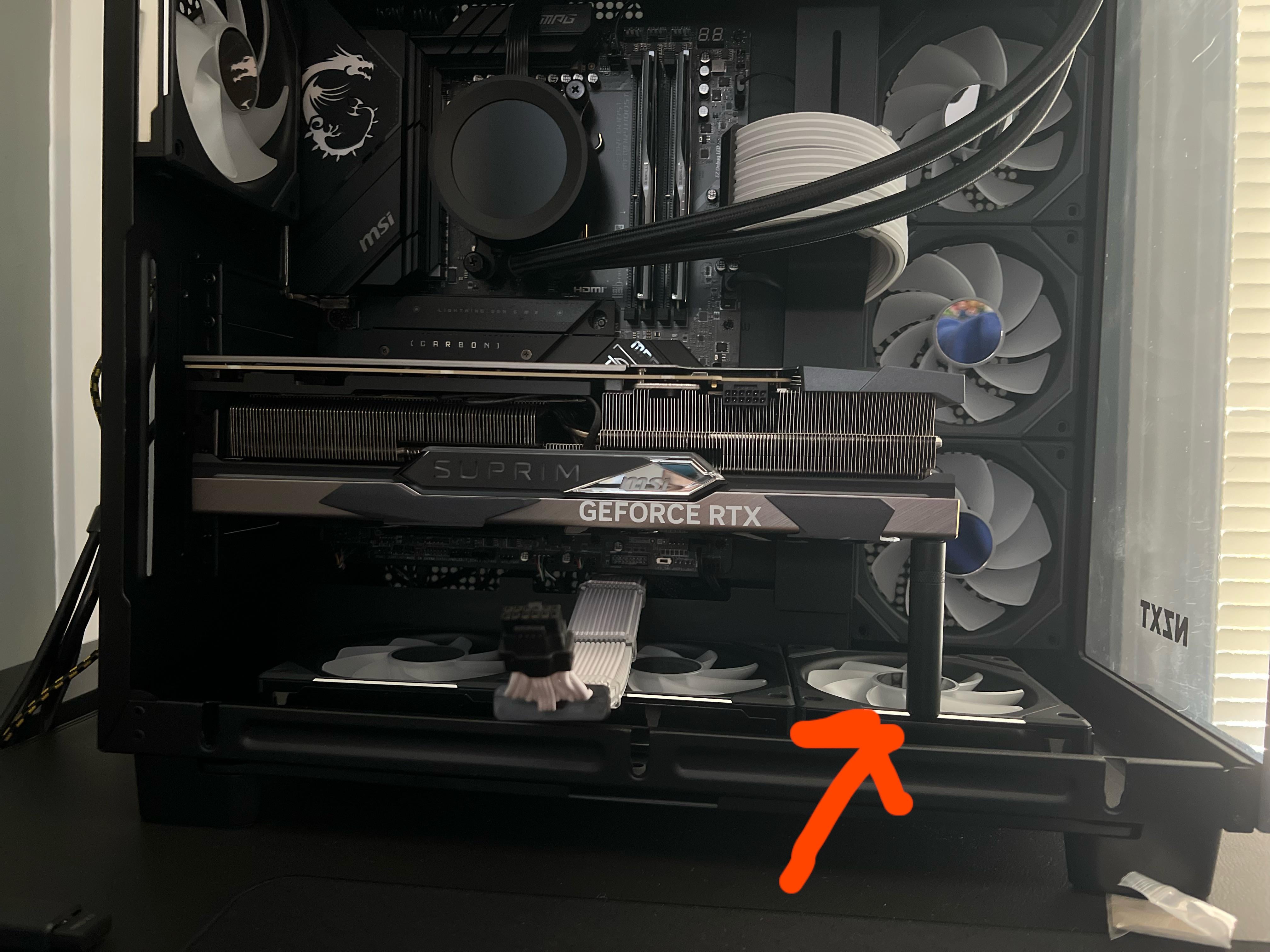
Wondering if it’s possible to over-correct GPU sag. I just got a GPU support stand and it fits pretty tight, doesn’t feel like I’m forcing it in too much but am still concerned.

Wondering if it’s possible to over-correct GPU sag. I just got a GPU support stand and it fits pretty tight, doesn’t feel like I’m forcing it in too much but am still concerned.
14 Comments
Of course you can. Too much upwards pressure can damage the PCIe slot and the GPU itself.
Hard to tell from the picture, but keep that in mind. You can remove the bottom fan there and extend the antisag post.
Yes. You should orient your case horizontally (so gpu positioned GPU vertically), adjust the screw to the appropriate height. Then put everything back in upright position.
Yes, it looks like you did here. You can turn sag into flex.
https://preview.redd.it/qx8vwn4m1zzb1.png?width=1268&format=png&auto=webp&s=087543a891163b7bfdd5f386170ff0e9051ff1c6
The yellow line is about as parallel with the M.2 cooler as I could make it. Your GPU should be parallel with that line.
IF you can adjust down a little bit I’d do it. Essentially the potential for damage is the same as sag. If you can use a grid on your camera it might help clarify it’s “lifted” as the gpu will want to sag some. So tight isn’t bad unless it’s causing tension at the pcie slot and gpu pcb.
Yes, and it can cause issues.
I tried to correct the sag on my previous card (a 2080 Ti) and did so poorly, and for whatever reason not only did the pressure cause the fans to always spin 100%, but I think it also reduced the bandwidth of the PCIe slot because it also ran terribly until I reduced said pressure.
My guess is that it messed with the way the pins were contacting or something.
Looks like a dildo.
You’re fine. The pins are springs inside the slot.
I have a pcie to pci adapter at 45 degree angle, because my GPU is too fat and covers half the slot I need. Its worked fine for 4-5 years, even helps “prop” the gpu up in the front.
Use a level?
Get a ruler and measure the height on both sides, that’s what I did when I was setting mine up
What do you mean? How can you be asking this?
Bottom fans are the wrong way
Put a small level on it if you are so worried.
Just raise it 1mm from its resting sag state…
Bottom fans should be intake! Will help gpu lots