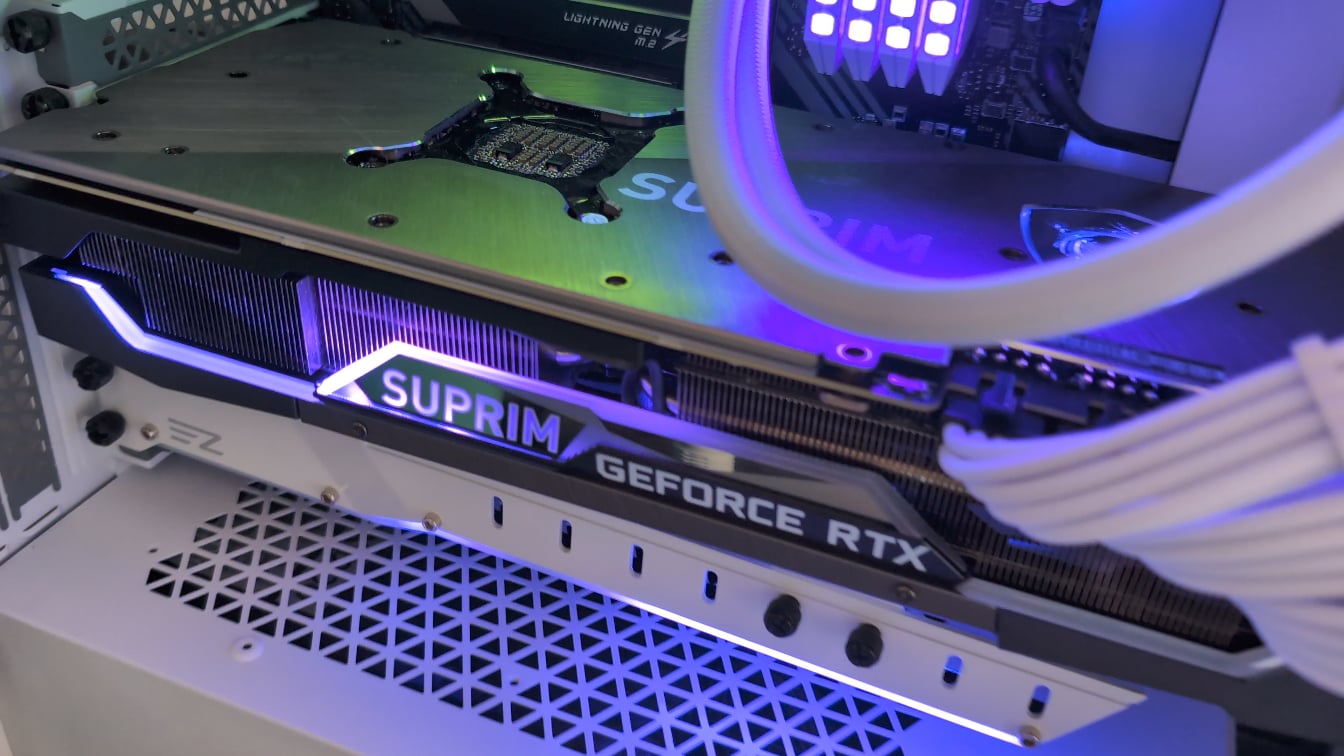
I’ve been noticing this sound for a few days now (maybe weeks can’t really hear it when I have my headset on)
I thought it might be my pump failing but it sounds like it’s coming from my GPU.
My PC seems to run fine and my thermals seem ok.

I’ve been noticing this sound for a few days now (maybe weeks can’t really hear it when I have my headset on)
I thought it might be my pump failing but it sounds like it’s coming from my GPU.
My PC seems to run fine and my thermals seem ok.
47 Comments
Will either be coil whine or the GPU bearings
Coil whine or the aliens from Independence Day have arrived.
Aliens, they’re sending you a message. You must tell us what we are all to do as the recognized leader of Earths PCMasterRace.
Coil whine, time to upgrade your GPU, donate this to me and get a 4090
your GPU is printing something
You hear your GPU calculating.
Nice glass 😎
Coil whine, my gpu do that too but it sounds more like a rat
Coil whine, you could try to mess with gpu voltage since these can be resonance too.
I have the exact same sound (coil whine) on my MSI 2080 Super.
Fortunately, my ASUS TUF 4090 doesn’t have any coil whine. I got really lucky.
You about to get attacked from behind
The heat death of the universe
Nothing just an oppresser taking aim at you
That’s coil whine and the GPU is telling you to return it ASAP!
Fan cooler not working right
Slenderman
Coil whine. nothing to worry about, if you want to get rid of it, limit the FPS to 60 or 90FPS, then it should stay quiet.
got coil whine myself on my ASUS RX7800XT, fortunately Radeon has the radeon chill function to limit FPS.
That’s the John Coltrane classic, “A Love Suprim”
Classic case of coil whining. Try undervolting slightly with msi afterburner.
SLENDERMAN
It’s communicating with its home planet for its rescue and destruction of the human race
I have an EVGA 3080. When I first got it it whined pretty loud but after a while the sound quieted a lot. Still whines but it’s barely perceptible.
Coil whine, depends on a lot of things, mainly the gpu itself or the PSU. Doesn’t change performance or degrade the gpu
It is either coil whine or fan bearings, but you said the fans were not spinning…so definitely coil whine.
It’s not a problem, nothing is broken or breaking. It’s just small vibrations from electrical currents making noise.
You can often greatly reduce the noise with a bit of glue, there’s videos on the Internet of people doing this that you can check out and decide if it’s something you wanna do…I’ve done it many times with good results.
my suprim X had this too while scrolling pages with lots of img/gifs and on some games
after few months I can’t hear it anymore, even with the glass panel removed.
and no, I didn’t get accustomed to it because I can still the humming from the ups behind my desk, so it just disappeared
sometimes it’s also the cable/psu combination
if you can still change the cpu, try that
if you can’t give it back wait few months and live with it…. if it doesn’t go away sell it and buy something else when you can.
Aliens.
Easy.
Take everything with a fan out, check to see if anything like a wire or any plastic is touching the fans. Maybe buy a new part or try move it
Logging into AOL, through dial up, ‘You have Email’
That’s the first GPU that uses tiny HDDs as VRAM
Never had that with any of my cards… if it stands under stress and performs well then like was said before it’s annoying… I’d start saving and keeping money on the side for another card juuuuust encase… 🤞
Its the integrated Geiger Counter to warn you for too high of a radiation levels. Please step away
As others have reported it’s coil whine from your GPU.
Limit your fps to your monitor refresh rate, use vsync or G-sync/free-sync if they are available.
The noise is directly tied to the fps, the higher the fps the more noticeable it becomes).
In extreme cases, you might convince the manufacturer to replace the GPU but usually it’s difficult to make them approve the RMA.
Most modern GPUs have a little bit of coil whine but usually it’s barely audible, especially if you keep your FPS at a reasonable level, avoid running games and apps at 1000 fps.
Sounds like a bad bearing on a fan. If checked the fans to be healthy it must be coilwhine
imminent boss battle in the next area
Try to hold each fan to see if the sound stops. If it’s not the fan, it could be something serious.
Your GPU is morse-coding our AI overlords as you look too much at anime tiddies.
Skynet is having children.
Well what you are hearing is not coil whine, coil whine is more of a high pitch sound, not a ticking sound like you have. You have some kind of fan obstruction. It could be anything from a clump of dust to a real bug getting trapped. But either way you need to pull the card and inspect it.
Yeah thats fan bearing.
sounds like resistance to me…till it blows up:)
Damn that coil whining is nasty…….

Incoming fax
Cool whine… most common problems… pig tailed/daisy chained PCIe lanes (use one adapter per power slot from PSU to GPU or underpowered/cheap PSU.
The new 6G dial up Internet
I had the same exact noise from the motherboard of my Lenovo T5 pre-built gaming PC. Tried to RMA it, but Lenovo claimed the noise level was within reason, and there wasn’t any guarantee that a replacement motherboard would behave differently. Says a lot about their QC, as I have NEVER had any similar noises from buying random motherboards for builds since the early 2000s. So not sure why they tried to downplay it and say it’s so common it’s unavoidable.
The noise came from the top left of the motherboard, probably from the power delivery area, not sure if you can pinpoint it exactly the same. GPUs can also make weird noises, though I have not yet experienced that myself.
The the sound of your virginity, its still intact and wont be violated in 3 more centuries
Coil Whine, very common on modern GPUs when in use. Nothing to do about it. Harmless.