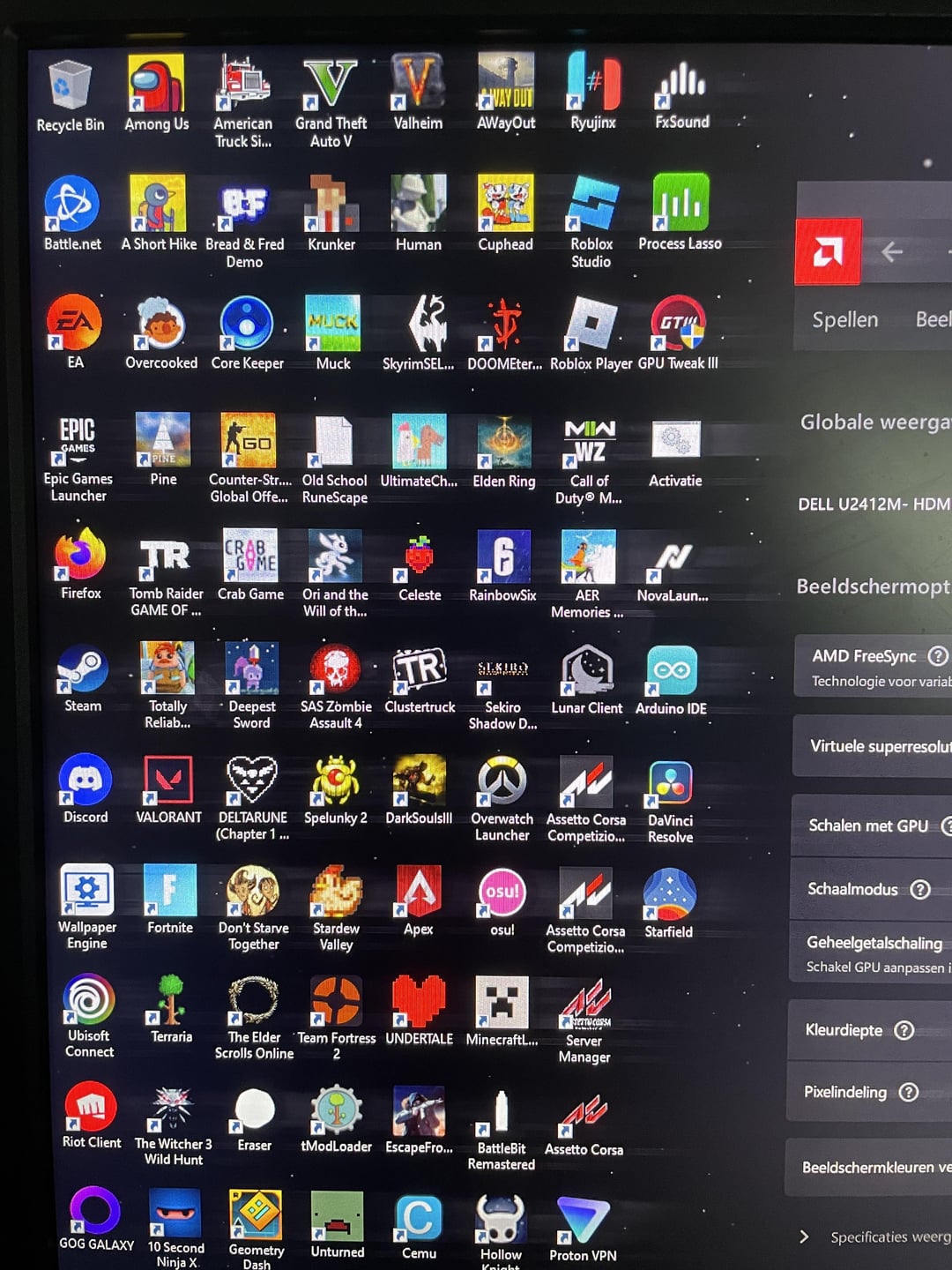
I see this all the time at work. It’s usually a bad cable or a cable improperly fitted. Semi-rarely, it’s a bad monitor. You almost never get this issue from the card, even fresh out of the box.
EDIT: Start by jiggling the cable at the monitor and pc end, see if it affects the blurring. If not, try replacing the cable entirely. If this is still not working, it could be an issue with the port, try a different one on the GPU. If it’s still happening, see if you can plug it into another display (a tv, a spare monitor, or take it to a friends place) to test.
If it’s still happening, then you might want to contact the manufacturer or retailer to begin an RMA.
Direct-Insect301
u know u can use orgin instead of ea app?
iNfANTcOMA
Your monitor must be really fast
PrA2107
Thats speed right there
Randomstuff-username
Check ff of je het ook tijdens het opstarten ziet.
Als je het dan ook ziet is het geen driver issue maar hardware.
Check voor de zekerheid bekabeling , probeer evt op je gpu en monitor een andere aansluiting als je die hebt
Mocht dat ook allemaal niet helpen : test je beeldscherm met andere computer / laptop oid
lizzymonster
Your monitor has astigmatism
TTVMilfsAndCookies
It’s fast as fuck boiiiii
PissFool
most probably a loose cable
HassanyThePerson
Is that dark souls 3? I love that game
ninjakivi2
Are you using VGA cable? This means that the cable is a bit lose. I’m not sure if this can happen to DVI as well as these are both analog connectors.
As other person mentioned, jiggle it a bit on both ends and tighten the screws in the right position for now, but the advice is to switch to HDMI/DVI port.
If that means switching monitors… well… you either do it or live with the fact you have to jiggle the cable every now and then, I’ve been there myself.
Accomplished_Tip3597
check your cable, this usually happens when you’re using a VGA cable and it gets loose, what kind of cable are you currently using?

14 Comments
Try different cable, different display.
Oh God. Why so many shortcuts?
I see this all the time at work. It’s usually a bad cable or a cable improperly fitted. Semi-rarely, it’s a bad monitor. You almost never get this issue from the card, even fresh out of the box.
EDIT: Start by jiggling the cable at the monitor and pc end, see if it affects the blurring. If not, try replacing the cable entirely. If this is still not working, it could be an issue with the port, try a different one on the GPU. If it’s still happening, see if you can plug it into another display (a tv, a spare monitor, or take it to a friends place) to test.
If it’s still happening, then you might want to contact the manufacturer or retailer to begin an RMA.
u know u can use orgin instead of ea app?
Your monitor must be really fast
Thats speed right there
Check ff of je het ook tijdens het opstarten ziet.
Als je het dan ook ziet is het geen driver issue maar hardware.
Check voor de zekerheid bekabeling , probeer evt op je gpu en monitor een andere aansluiting als je die hebt
Mocht dat ook allemaal niet helpen : test je beeldscherm met andere computer / laptop oid
Your monitor has astigmatism
It’s fast as fuck boiiiii
most probably a loose cable
Is that dark souls 3? I love that game
Are you using VGA cable? This means that the cable is a bit lose. I’m not sure if this can happen to DVI as well as these are both analog connectors.
As other person mentioned, jiggle it a bit on both ends and tighten the screws in the right position for now, but the advice is to switch to HDMI/DVI port.
If that means switching monitors… well… you either do it or live with the fact you have to jiggle the cable every now and then, I’ve been there myself.
check your cable, this usually happens when you’re using a VGA cable and it gets loose, what kind of cable are you currently using?
A fellow Spelunky 2 enjoyer, good to see you