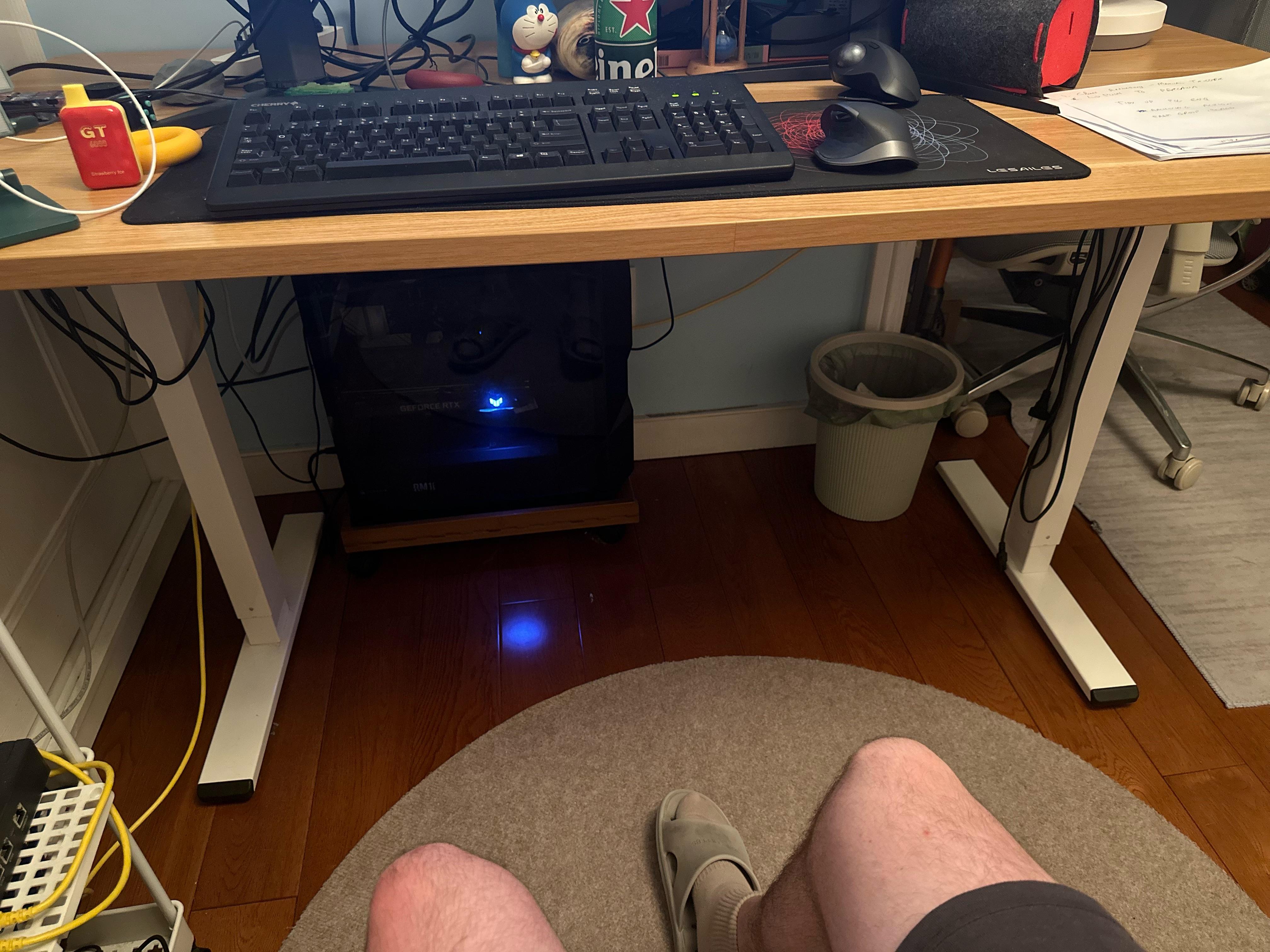
I feel the heat right at my legs all the time and it runs pretty hot when I’m playing something like Cyberpunk on Ultra on my 3080.

I feel the heat right at my legs all the time and it runs pretty hot when I’m playing something like Cyberpunk on Ultra on my 3080.
36 Comments
Put the PC on the desk and open a window.
A small desk fan will do a huge amount. Just moving air will help a lot.
https://preview.redd.it/rcwq20b1ttsb1.jpeg?width=400&format=pjpg&auto=webp&s=ff5ca393a545a9f9a9dc4dc1ba2b7fc8788eb1ef
Put one of these near the pc blowing out the side of your desk. Should help move the air around enough to help. Ideally you could move the pc on the desk or even a little side table beside your desk
Flip your pc the other way so the exhaust fans aren’t pointing into the corner. The other option is to shave your legs or lather them in thermal paste
Dont put your pc under your desk. It causes heat
What is above the monitor ? Maybe make a very strong shelf where it can sit ?
Put it on the right side of the desk so the heat has somewhere to go rather than being trapped under
if the pc isnt gonna move, get one of those dyson bladeless fans and strap some rgb to it lmao
My cats love my pc when I turn on a game, the 3080ti is a nice heater, especially when I see the UPC spike to around 850 watts being pulled, can legit feel that heat
Deez
https://preview.redd.it/sd4oncfi4usb1.png?width=1080&format=pjpg&auto=webp&s=4afd1a051744852d1463f0a3a62cd5fddab376f5
A cat
A small fan would do the trick
You could possibly try and make ducting for the exhaust and strap a fan to the end of the duct to suck out heat. My main thoughts are you could 3d print a duct that can maybe exhaust from the top of the desk or go with the silver air ducting
A fan..
A fan
A small fan
The ball fan™
Put your PC on top of your desk not under it
Have your top fans exhausting up, then cut a hole out of your desk behind your monitor and mount a rail of 14mm (quiet) fans there to blow the air up and pump the heat into the rest of the room, or configure them to blow downward so they’re blowing cool air on your legs immediately, but the heat that’s being pushed down will come along the floor to your feet.
Or
Use that big empty space on the left there and put your pc on the desk, glass facing you, so you get to marvel at your rig with heat pumping upwards into the air and not your legs.
Amputation of both your legs is the only ewl option, plus you’ll still get to see your RGB
Strap a jet engine fan onto it.. idk
Whys your computer in the wrong place?
Clear off some room on your desk and move it up or install a sturdy shelf on the wall by your desk, either way move the tower from under your desk.
Mount those monitors on some monitor arms and put the PC on the desk.
A fan
Step one, don’t put your PC under your desk. You would have plenty of room if you just cleaned up your clutter
Nice mice btw. I have the same two.
A fan?
Put it around the corner and clean your cable mess.
4″ Inline duct fan with 4″ vent hose (both cheap on Amazon) running to the window (with a window vent kit). Inexpensive and effective at moving the heat straight outside.
Fan
Box fan…
https://preview.redd.it/64mm36p6eusb1.png?width=1267&format=png&auto=webp&s=00216d64b4e357b1927471565adf1d0015986c04
Move it there, try not to kick it
I have a similar setup and I use a small air purifier. Kinda like a fan and still moves the heat but less dust and being a bit quieter are some bonuses.
I’ve got a plan, hear me out. Go get 100’ of aluminum tubing, a large water tight metal barrel, an industrial pump, buy all the antifreeze available at your local big box store. Then come back and we can work through the next steps as a group.
A funko pop