
hey all,
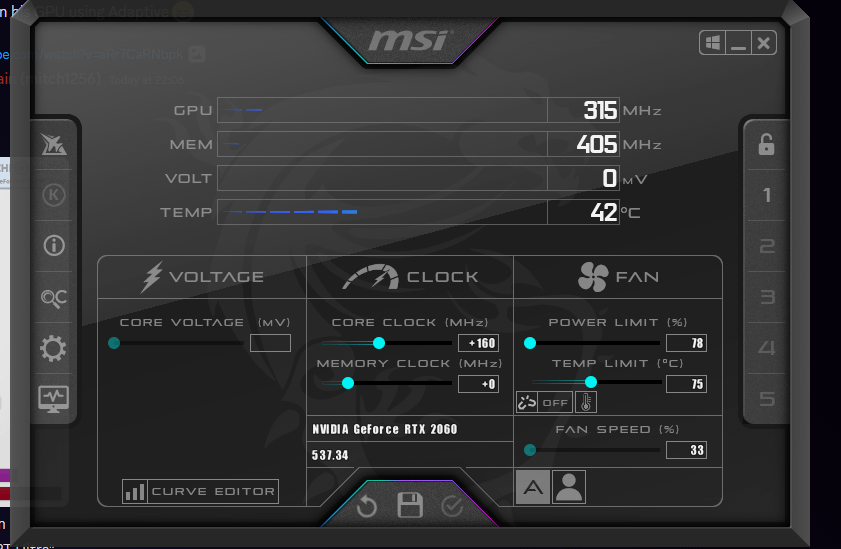
i need some help underclocking/undervolting a RTX 2060. my current shit psu is a 310W one, and until I get the money to upgrade to a 500W one, I want to underclock/undervolt my graphics card to prevent disasters from happening. It’s a EVGA RTX 2060 SC, the 1 fan model. It consumes 120/125W and I want it to consume 80W or 90W maximum.
Image of MSI AFTERBURNER settings: [https://media.discordapp.net/attachments/305981966292090881/1154151078561067108/image.png](https://media.discordapp.net/attachments/305981966292090881/1154151078561067108/image.png)
Thanks in advance.
1 Comment
It’s doubtful that you’ll get it down to 90W and even if you could, you’d take a significant performance hit. The 2060 can use up to 160W at stock settings, so by setting the 78% power limit it is only able to use a max of 125W.
What you really want to do is set everything back to default and adjust the V/F curve to target your desired power limit. Open the VF curve and grab one of the dots (probably start at about 850mV) and level everything to the right of it by selecting it and hitting Shaft+Enter. Apply the setting, then test that config with a benchmark (I use Superposition) while monitoring power draw with Rivatuner. If you want lower power draw do it again with a lower voltage. Once you’ve found a voltage that offers low enough power draw for you, start increasing the frequency of that dot while keeping everything to the right of it level. Test after each frequency jump. Increase frequency until you get instability then drop it back down about 50MHz.
This will give you the most performance you can get at a power level of your choosing; determined by the voltage you select. If you end up wanting more performance (more frequency) you’ll need more voltage.