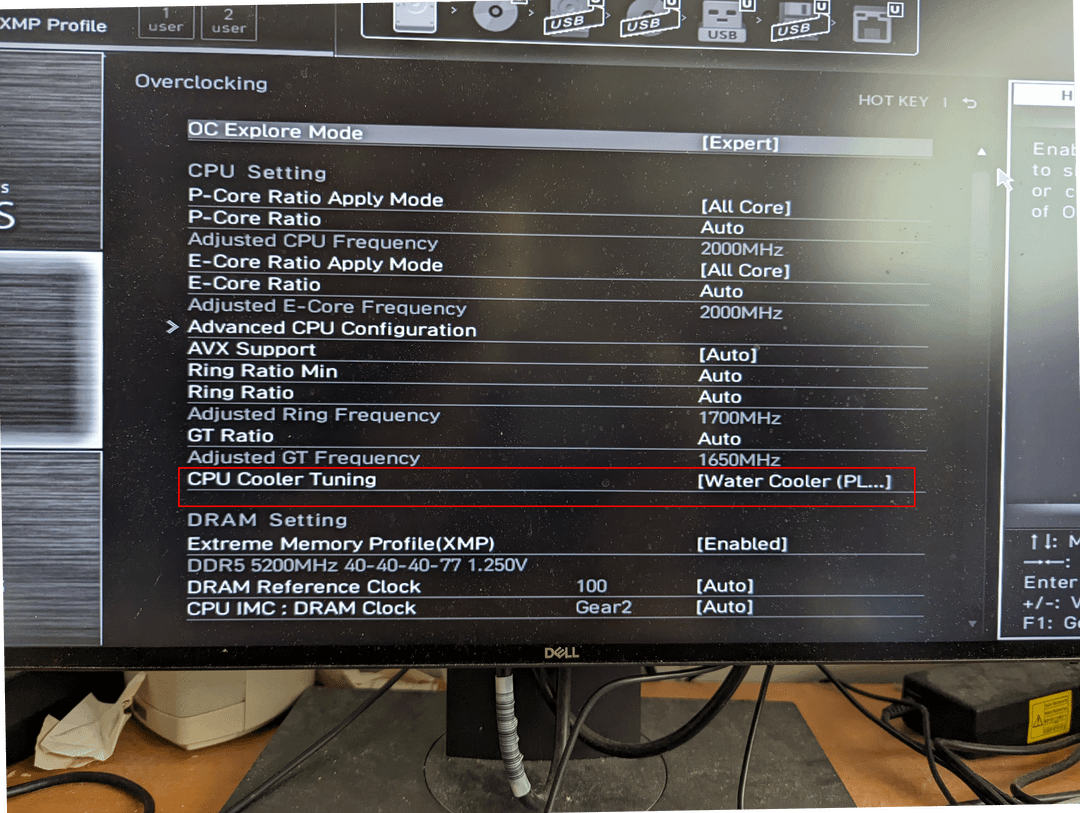
MSI Z790 board – what settings does the CPU Cooler Tuning profile change in addition to Long/Short Power Limits?

MSI Z790 board – what settings does the CPU Cooler Tuning profile change in addition to Long/Short Power Limits?
2 Comments
My setup:
* i9-13900 (non-k)
* MSI Pro Z790-A WIFI
* DeepCool LT720 AIO
When I did the initial BIOS update and rebooted, the BIOS prompted me to pick a cooling profile and I picked the “water/liquid” one since the graphic on the option resembled an AIO cooler. I thought it was to configure the fan profile. Nope – it’s an overlocking profile for other settings that have a default setting set to “auto” including the Long/Short duration power limits and times.
* “Water” runs way too hot. Power limits on the advanced page state 4096W (which is effectively unlimited). HWMonitor reports temps hitting max temp within seconds of any significant multi-core load from benchmarks like Prime95, Cinebench, and Cpu-Z.
* “Box Cooler” which sets the power limits on the Advanced page to 65W keeps the processor running relatively cold under max stress. Also, benchmarks numbers go way down.
* “Air Tower Cooler” mode is the sweet spot. It sets the limit to ~250W and temps don’t really get above 90 degrees on heavy load and benchmarks are near the same as the liquid/water profile. I’m technically running hot with my non-k processor, but it seems stable.
I want to tweak Air Tower Cooler this just a little further to lower the max power closer to spec for the non-k processor and/or experiment with other settings. In other words, what other settings does the “Cooler Tuning” profile influence beyond Long/Short Power?
Any other suggestions for keeping temperatures and stability in check? There’s a lot of discussion online that the new MSI boards overdo it with it default settings. I’m trying to find the balance between stability, performance, and temperature. I realize that having the non-K processor might make some options not available. Ironically, I wasn’t really that excited about tweaking the overclock settings. That’s why I got the non-K. But here we are.
It also changes ICC_Max, which is the amount of current, in Amps, your CPU is allowed to draw. I know on the 13900K ICC_Max default is 307A. Selecting Tower Cooling on the Z790 Carbon sets it to 400A iirc, and Water Cooling maxes it out at 512A, I think.
In practice my 13900K seems to draw almost exactly half of whatever ICC_Max is set to under stress testing. I keep it at 350A, and draw 177A in Cinebench R23.