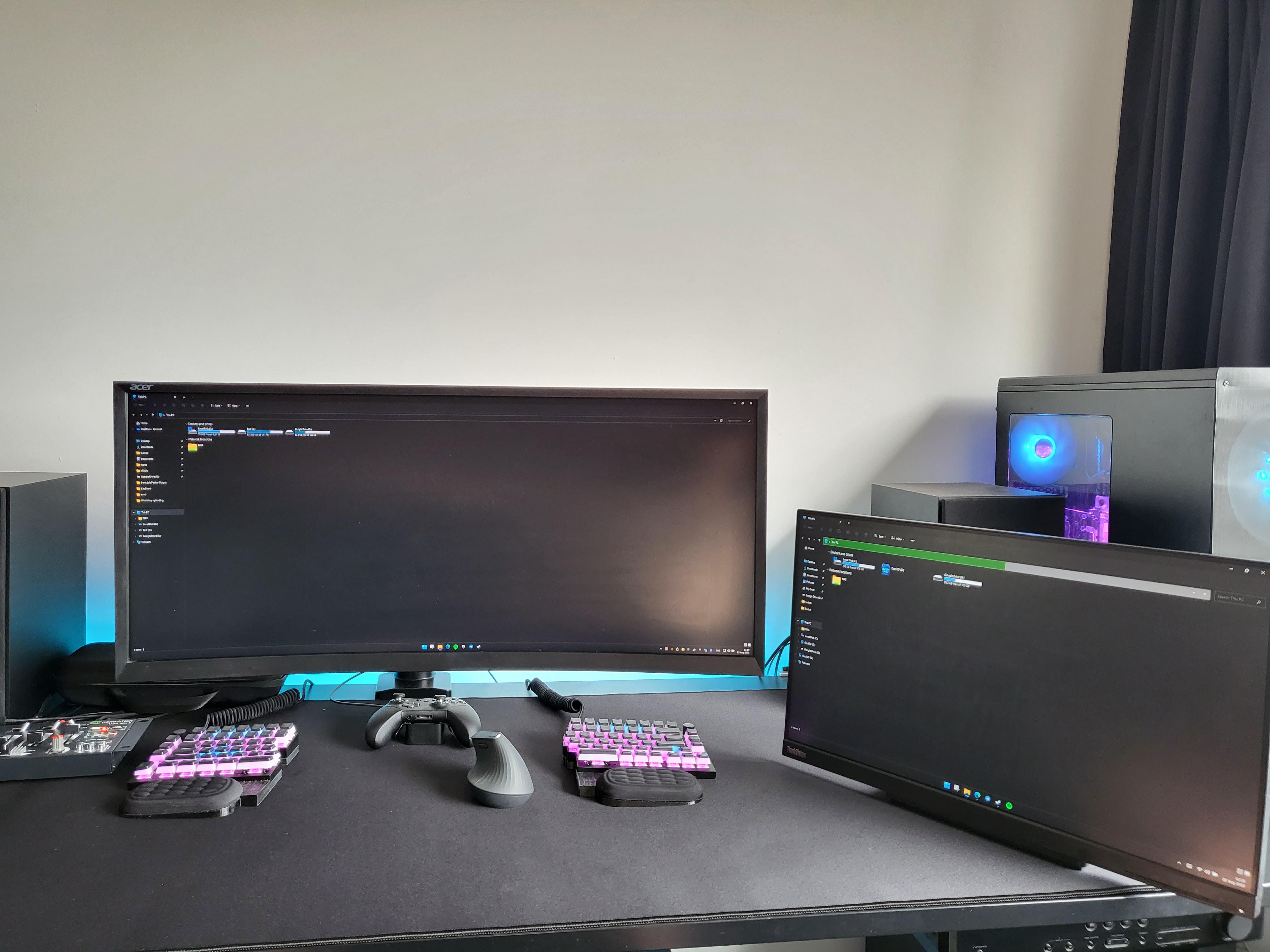
Main display is connected to my desktop for gaming. Second display is a touch screen connected to my Steam Deck for youtube. More details in comments.

Main display is connected to my desktop for gaming. Second display is a touch screen connected to my Steam Deck for youtube. More details in comments.
1 Comment
My desktop runs the main display for gaming. And my steam deck runs the second display for YouTube and such. I fully navigate my second display using touch. So the mouse and keyboard only control the main desktop. The panel on the left mixes audio from the PC and the Steam Deck and sends it to the receiver.
I really like this setup and have ran similar setups for about a decade now. The biggest upside is that my game doesn’t loose focus when I navigate video or music apps. Another upside is easy mixing of game audio and video or music audio. Biggest downside is no dragging windows and no drag and drop between displays (I know there are apps that enable that, but they all suck trust me).
The PC is fully custom watercooled with Alphacool parts. It uses soft tubing and the biggest rad they sell.
The keyboard is a Keychron Q11 with a custom 3D printed base and wrist rests. More pics of the keyboard [here](https://www.reddit.com/r/CustomKeyboards/comments/15y0l71/3d_printed_a_custom_base_for_the_keychron_q11_to/?utm_source=share&utm_medium=web2x&context=3).
The mouse is a Logitech MX Vertical. It’s not great. I have yet to find a better alternative. I do most of my gaming with the controller though.
I just got the deskpad from LTT store, so I had to take some pics of the setup.
If you have any more questions let me know.