do you have any other TVs or monitor that uses a HDMi cable?
try it out first
LadBooboo
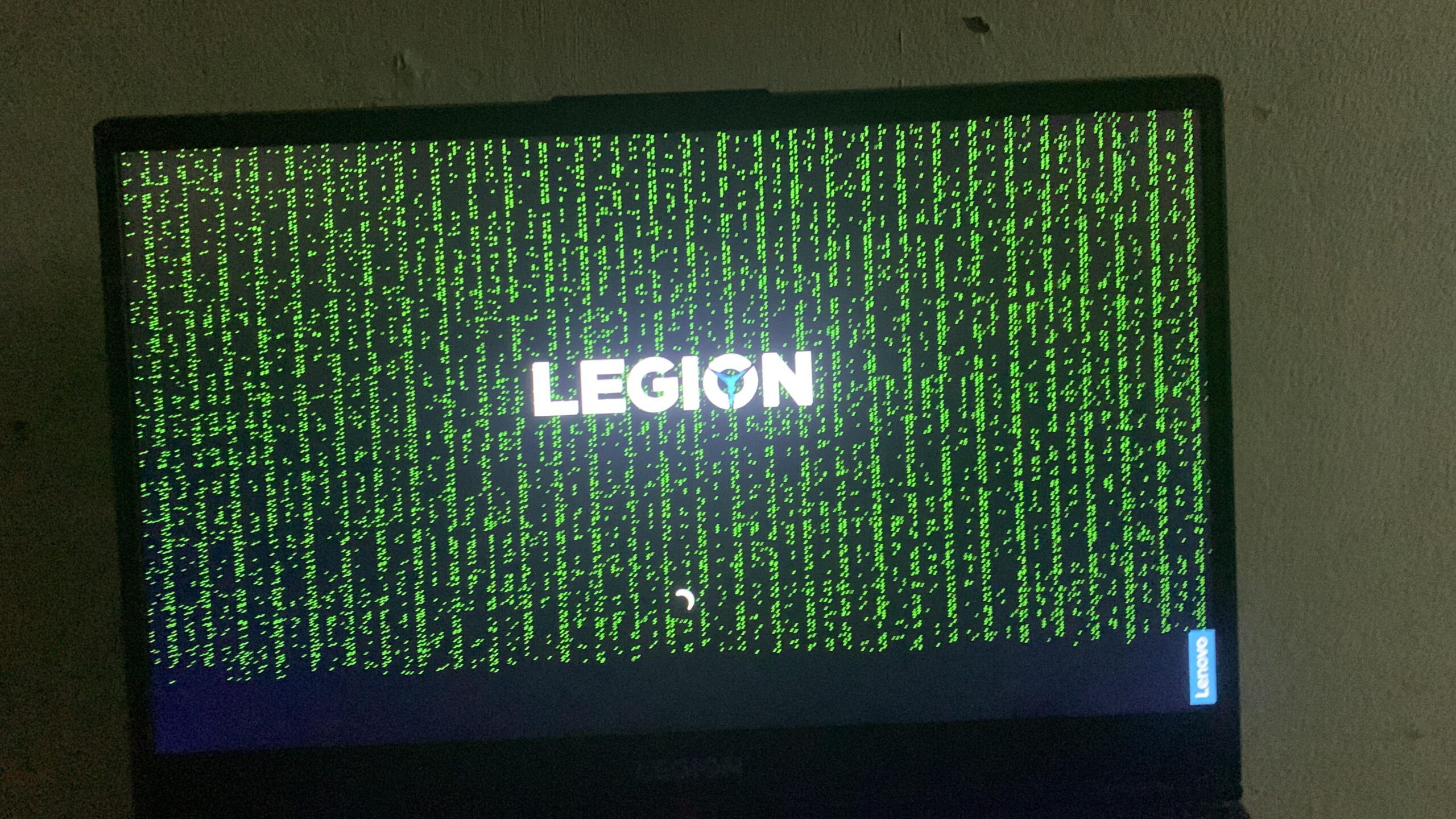
Try it on an external monitor, if it also artefacts like that then RIP GPU
HydratedVegetableOil
Just say ”I’m in” and go with it.
Dutchmaster66
You took the red pill. Welcome to the real world.
Shimmyrock
This is what people image when someone says they know how to hack
_-_--__--__--__--_-_
The Matrix has you
techno_puppet
You are clearly the chosen one
LazeyM
Does this appear only when booting into OS? If so, high chance its the RAM or GPU/iGPU causing issues. You can try booting into the bios (spam F2 during boot) If the glitchy display is in the BIOS menu as well probably an odd display could be the issue too. If you are still covered by warranty just contact tech support for hardware RMA
azcsd
You are beginning to believe.
SFOD-D124
What green dots?
All I see is blonde, brunette, redhead.
Retrosader
Follow the white rabbit
CaptainBloodstone
You have entered the matrix
JustGoogleItHeSaid
Follow the White Rabbit
BirdsBreadqk
Me and my sister have a legion and the screens are terrible and get defects overtime, if it’s in warranty send it to lenovo if not buy new warranty get it fixed and sell that piece of shit.

25 Comments
do you have any other TVs or monitor that uses a HDMi cable?
try it out first
Try it on an external monitor, if it also artefacts like that then RIP GPU
Just say ”I’m in” and go with it.
You took the red pill. Welcome to the real world.
This is what people image when someone says they know how to hack
The Matrix has you
You are clearly the chosen one
Does this appear only when booting into OS? If so, high chance its the RAM or GPU/iGPU causing issues. You can try booting into the bios (spam F2 during boot) If the glitchy display is in the BIOS menu as well probably an odd display could be the issue too. If you are still covered by warranty just contact tech support for hardware RMA
You are beginning to believe.
What green dots?
All I see is blonde, brunette, redhead.
Follow the white rabbit
You have entered the matrix
Follow the White Rabbit
Me and my sister have a legion and the screens are terrible and get defects overtime, if it’s in warranty send it to lenovo if not buy new warranty get it fixed and sell that piece of shit.
you entered the matrix
Follow the white rabbit.
Yes it’s the video card.
r/suddenlymatrix
Wake up Neo
faulty vram
Matrix puns coming in 3…2….1
Blonde, blonde, brunette…
Wake up bro, you’re in the matrix
Neo is that you?
Op it’s currently hacking the mainframe
Neo, just follow the damn white rabbit already.