
Aoc.com
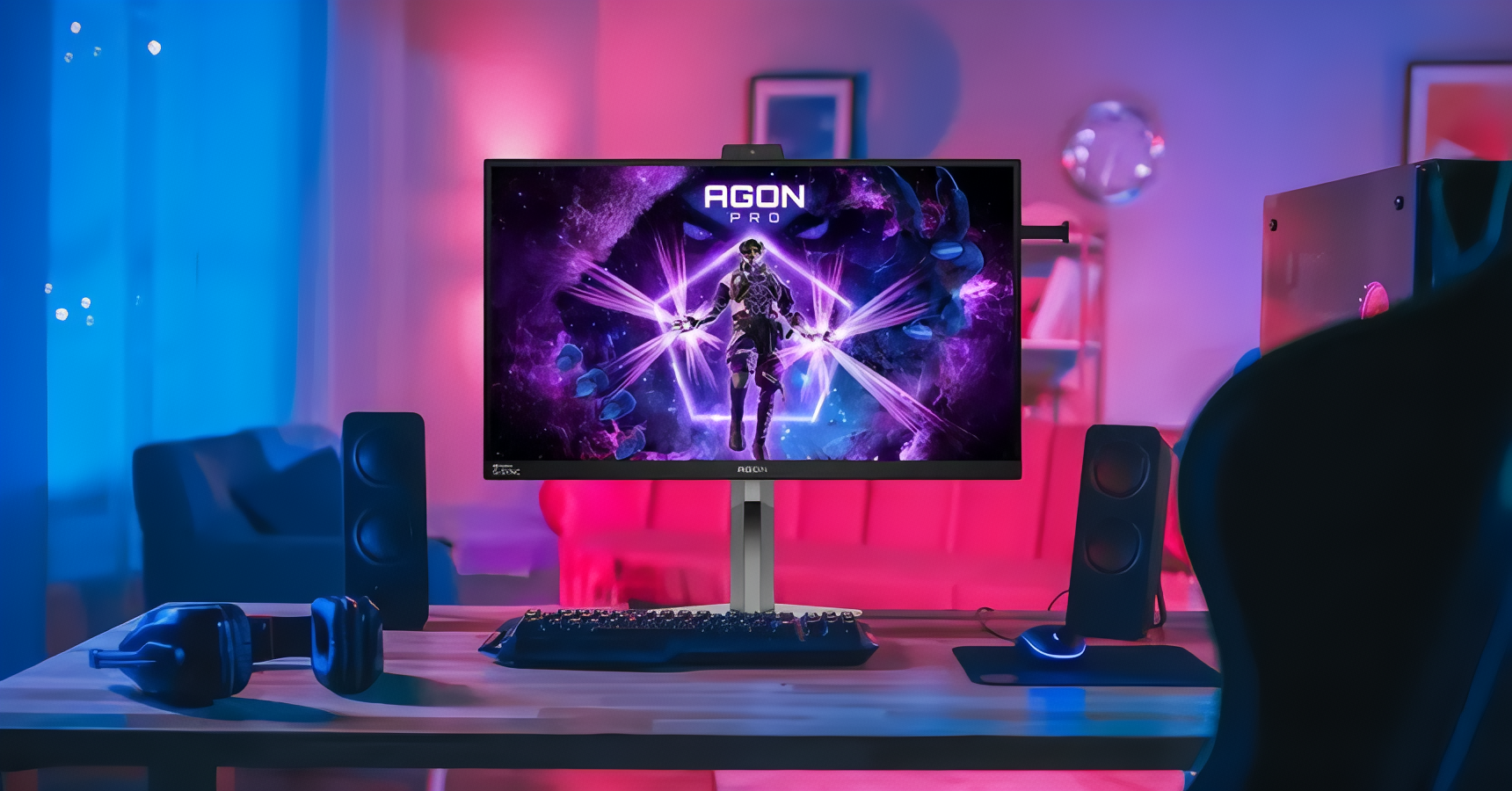
AOC announced the GAMING CQ32G4ZA on August 6, 2026, bringing triple-mode technology to a price point that OLED rivals cannot match: £239.99 (~$321 USD) for a 31.5-inch curved monitor that can switch between 1440p at 260Hz, 1080p at 360Hz, and 720p at 500Hz from the on-screen display. The monitor is built on a Fast VA panel rather than the QD-OLED used by MSI’s MPG OLED 322URDX36 or the Fast IPS used by Philips’ Evnia M4 series — a panel choice that enables competitive pricing but creates genuine tradeoffs that a buyer in this market needs to understand before committing.
The CQ32G4ZA will go on sale in December 2026 at that £239.99 UK price. No US MSRP has been confirmed by AOC.
For context on how unusual this pricing is: Club386 notes that even the cheapest single-mode 500Hz monitors currently start around £350 in the UK — using only a 1080p panel with no ability to step up to 1440p. The CQ32G4ZA undercuts those by roughly a third while adding two higher-resolution modes above the 500Hz tier.
Fast VA Is the Technical Reason This Costs Less Than OLED Triple-Mode
Triple-mode monitors achieve their three speed tiers through the same mechanism: fewer pixels per frame means the panel scans fewer rows per refresh cycle, completing each cycle faster. At 720p (1,280 × 720 pixels), the CQ32G4ZA scans roughly one-quarter the pixel count of its native 1440p mode, which is why the panel can sustain 500Hz in that configuration where 260Hz is its ceiling at full resolution.
What makes the CQ32G4ZA distinctive within the triple-mode field is not that mechanism — MSI, ASUS, Philips, and HKC all use it — but which panel technology implements it. AOC chose a Fast VA panel. Every other triple-mode announcement so far this year has used either QD-OLED (MSI, HKC) or Fast IPS (ASUS ROG, Philips Evnia). Fast VA panels retain the structural advantages of vertical-alignment liquid crystal technology — principally a 4,000:1 static contrast ratio — while addressing VA’s historically slow pixel response through a thinner liquid crystal layer and a higher driving voltage that accelerates pixel transitions to a rated 1ms gray-to-gray speed. MSI’s own technical documentation on Rapid VA panel technology confirms this mechanism: the thinner LC layer and elevated driving voltage bring response times to parity with Fast IPS at 1ms GtG.
That 4,000:1 contrast ratio is three to four times what most IPS panels produce (typically 1,000:1 to 1,300:1) and means meaningfully deeper blacks in dark gaming environments — dungeons, night maps, horror titles — without the organic light-emitting mechanism that makes OLED panels both faster and more expensive. A Tom’s Hardware IPS vs VA comparison places VA’s contrast advantage as the category’s defining strength over IPS alternatives. The absence of organic emitters also means no burn-in risk: VA panels can display static elements — health bars, minimaps, loading screens — without the image retention concern that accompanies long OLED sessions.
The bandwidth requirements for all three modes also work cleanly with DisplayPort 1.4, the interface on the monitor’s single DP port. A KTC Play DisplayPort 1.4 analysis confirms the standard’s effective ceiling at 25.92 Gbps. At 720p and 500Hz, the uncompressed signal requires roughly 13–15 Gbps — well within that ceiling. No Display Stream Compression is required for any of the three modes. The panel can sustain 500Hz with current-generation GPU outputs without the interface constraints that make higher-frequency monitors like HKC’s 1300Hz concept dependent on DisplayPort 2.1.
What the 1ms Response Spec Does and Does Not Tell a Buyer
The CQ32G4ZA’s 1ms GtG and 0.3ms MPRT ratings are accurate for what they measure, but understanding the distinction between them matters for deciding whether this monitor suits a specific gaming environment.
GtG (gray-to-gray) measures the time a pixel takes to transition between two gray levels. MPRT (Moving Picture Response Time) measures perceived motion blur under specific test conditions using backlight strobing. The 0.3ms MPRT figure reflects the monitor’s flicker-free DC backlight behavior rather than raw pixel transition speed, and it is the more favorable of the two specifications for marketing purposes. The relevant purchase-decision number is GtG.
The critical detail about Fast VA GtG specifications is that the rated figure typically describes the best-case transition — a pixel moving between two mid-tone gray shades — rather than the worst-case transition. A KTC Play VA response time analysis explains the issue directly: dark-to-gray and near-black transitions on VA panels take longer than the rated 1ms, producing a trailing artifact called black smearing that is most visible in dark game environments — a shadowed doorway during a fast mouse swipe, or dark foliage moving across a night-lit map. Fast VA addresses this with aggressive overdrive voltage, which reduces the worst-case dark transitions but can introduce inverse ghosting — a bright halo around moving edges — if the overdrive setting is pushed too high.
Buyers with heavy usage of dark gaming environments, atmospheric horror titles, or strategy games with predominantly dark color palettes should treat the 1ms GtG as a best-case specification and note that VA’s dark-transition performance, even on Fast VA panels, remains a step behind current Fast IPS implementations. A KTC Play Fast IPS vs VA comparison states this directly: Fast IPS is the more reliable choice for high-refresh competitive gaming where dark-scene motion clarity is a priority.
There is, however, a counterintuitive piece of good news at the 500Hz mode: at 500Hz, the CQ32G4ZA generates one new frame every 2 milliseconds. The panel’s rated 1ms GtG leaves a full millisecond of headroom within each frame budget, meaning the response time specification is adequate for the panel’s fastest operating mode. The more significant practical tradeoff at 500Hz is not pixel response — it is pixel density.
What Playing at 720p on a 31.5-Inch Screen Actually Looks Like
At 720p (1,280 × 720 pixels) spread across a 31.5-inch panel, the pixel density is approximately 46 pixels per inch. Club386 noted this directly in its announcement coverage of the CQ32G4ZA: “the latter will be quite blurry, but that’s the price to pay for such speed.”
For context: 1440p on the same panel yields 93 PPI, a comfortable density for general gaming and readable text. At 1080p, the density drops to 70 PPI — acceptable for gaming, slightly soft for small on-screen text. At 720p, 46 PPI is in the territory where individual pixels become visible at typical desk viewing distances, and fine game textures — weapon detail, character faces, distant foliage — lose the sharpness that players accustomed to 1080p or higher will notice immediately.
The 720p/500Hz mode makes sense for a specific player profile: someone running esports titles at frame rates their GPU can sustain above 300fps, for whom motion clarity and input lag reduction matter more than image fidelity. In that scenario, the 500Hz mode provides less display-side persistence blur per the Blur Busters Law — motion blur roughly halves for each doubling of refresh rate — and the blurry rendering is somewhat less noticeable when the player’s attention is on fast-moving target acquisition rather than environmental detail. But it is not a mode for players who chose a 31.5-inch monitor for its visual presence.
Where the CQ32G4ZA Sits in a Growing Triple-Mode Field
Triple-mode monitors entered the market in May 2026 when MSI launched the MPG OLED 322URDX36 at Computex — a 31.5-inch QD-OLED with modes at 4K/360Hz, 1440p/520Hz, and 1080p/680Hz. ASUS followed in July with the ROG Strix XG27UCMG, a 27-inch Fast IPS triple-mode panel offering 4K/240Hz, 1440p/400Hz, and 1080p/488Hz, with pricing not yet confirmed for Western markets. Philips announced the Evnia 27M4N3500PT — a 27-inch Fast IPS triple-mode panel at a remarkable 1,099 yuan (approximately $162 USD) — but that product launched only in the Asia-Pacific region through JD.com and carries no confirmed pricing or release date for North America or Europe. A Club386 Philips Evnia M4 report confirms the APAC-only launch scope.
HKC’s 1300Hz triple-mode concept, announced at ChinaJoy 2026 in late July, remains a specification without confirmed pricing, panel size, or retail availability.
Within this field, the CQ32G4ZA occupies a specific niche: a triple-mode monitor with a confirmed Western market release, a confirmed retail price below £250, and a panel technology that tolerates static content without burn-in risk. At £239.99, it undercuts even single-mode 500Hz monitors — which currently start around £350 in the UK market — while adding the 1440p/260Hz and 1080p/360Hz modes above it.
What the 4,000:1 Contrast Actually Delivers — and What DisplayHDR 400 Does Not
The 4,000:1 static contrast ratio is the CQ32G4ZA’s strongest image-quality specification. Notebookcheck’s coverage of the monitor’s launch highlights the panel’s contrast performance in the context of its affordable price. In practical terms, a 4,000:1 contrast ratio means black levels measurably deeper than IPS and approaching the perceived-black performance that made curved VA monitors popular for cinematic single-player gaming. This is a genuine advantage over IPS-based triple-mode alternatives like the ASUS ROG Strix XG27UCMG (which uses Fast IPS with its characteristic lower contrast ceiling) and the Philips Evnia M4 panels (which are also Fast IPS).
The DisplayHDR 400 certification is a weaker claim. VESA’s HDR 400 standard requires a minimum 400 cd/m² peak brightness and no mandatory local dimming — meaning the monitor can pass the standard with a single-zone (full-screen) dimming approach rather than the zone-based local dimming that produces the visible black-level separation HDR content is designed to show. At £239.99, a full local-dimming zone array is not in the engineering budget, and buyers should understand that this monitor’s HDR mode will not produce the visible contrast separation that a dedicated HDR display achieves. The 4,000:1 static contrast is a meaningful specification; the HDR 400 certification primarily signals that the panel can sustain 400 nits of brightness, not that it delivers cinema-quality HDR.
Connectivity and Ergonomics for a Budget-Tier Triple-Mode Display
The CQ32G4ZA includes two HDMI 2.0 inputs, one DisplayPort 1.4 input, and a 3.5mm headphone jack. Two built-in 5W speakers are included for console or secondary audio use. There are no USB ports for peripheral pass-through. Club386’s full specifications for the CQ32G4ZA confirm the complete connectivity list.
The HDMI 2.0 ports are worth noting for anyone considering console connections. HDMI 2.0 supports approximately 14.4 Gbps of effective bandwidth, which is sufficient for the 1440p/260Hz and 1080p/360Hz modes but is technically constrained at 720p/500Hz for 8-bit full-range color. However, at 500Hz, no current gaming console can generate 500 frames per second in any title — the bandwidth limitation is academic for all console use cases. PC gamers connecting via DisplayPort 1.4 will encounter no bandwidth constraint across all three modes.
The stand provides 130mm (5.1 inches) of height adjustment alongside tilt and swivel. A 100×100mm VESA mount pattern supports aftermarket arms. The anti-glare coating and DC Flicker-Free backlight address extended session comfort. AOC’s G-Menu desktop software enables on-screen display adjustments from the PC.
Physically, the 1500R curvature pulls the 31.5-inch panel’s edges slightly closer to the viewer’s periphery without the aggressive wrap of dedicated gaming ultrawides. At typical desk distances, the curvature reduces eyestrain when tracking horizontal action at the screen’s edges.
Is What This Monitor Asks You to Give Up Worth What It Gives?
AOC’s own Senior Gaming Product Manager César Acosta described the CQ32G4ZA as marking the beginning of a broader Triple Refresh Rate portfolio, per the official press release, signaling the company intends further models at different price points and sizes. The CQ32G4ZA itself answers a specific question: can a mainstream player, spending mainstream-monitor money, access triple-mode technology before December 2026? The answer, for UK buyers, is yes at £239.99.
The tradeoffs are concrete and real. The 720p/500Hz mode is genuinely blurry at 31.5 inches, the dark-transition VA caveat applies, DisplayHDR 400 is a brightness certification more than an HDR experience, and the absence of HDMI 2.1 limits next-generation console throughput at higher modes. Buyers who want burn-in-free triple-mode at a mainstream price — and whose gaming includes enough variety across competitive and narrative titles to benefit from mode-switching — will find the value proposition genuine. Buyers who prioritize maximum visual fidelity or who game primarily in dark environments on fast-paced titles should weigh those VA caveats carefully against Fast IPS alternatives or, for those with the budget, QD-OLED.
Note on AOC’s parent: TPV Technology Co., Ltd., which owns AOC International, is a Shenzhen-listed company majority-controlled by Nanjing CEC Panda Information Industry Group (24.51% stake), a subsidiary of China Electronics Corporation — a Chinese state-owned enterprise. The CQ32G4ZA is a passive display device with no network connectivity or data collection capability, so the state-ownership structure does not create the same data-access risk associated with connected devices. Readers who prefer to avoid products with Chinese state-linked ownership at any level have this information.
Frequently Asked QuestionsIs the Fast VA panel’s 1ms GtG fast enough to keep up with 500Hz gaming?
At 500Hz, the monitor generates one new frame every 2 milliseconds. The panel’s rated 1ms GtG response time leaves 1 full millisecond of headroom within each frame, meaning the response spec is adequate for the panel’s fastest mode. The more significant constraint at 720p/500Hz is pixel density — 46 pixels per inch on a 31.5-inch screen produces visibly soft images — rather than pixel response speed. If dark-to-gray VA transitions concern you (they can exceed the rated 1ms in worst-case dark scenarios), note that at 500Hz, even that worst-case is typically shorter than the frame interval.
How does the AOC CQ32G4ZA compare to the MSI and ASUS triple-mode monitors?
The MSI MPG OLED 322URDX36 and ASUS ROG Strix XG27UCMG both use premium panel technologies — QD-OLED and Fast IPS respectively — with higher native resolutions, faster maximum speeds, and substantially higher prices. The MSI starts at 4K/360Hz (the CQ32G4ZA tops out at 1440p/260Hz) and uses QD-OLED with near-zero response time and near-infinite contrast, at a price estimated well above £500. The ASUS uses Fast IPS with better dark-transition performance than VA, though at lower contrast ratios. The CQ32G4ZA’s 4,000:1 static contrast and no burn-in risk are its comparative advantages over both; its lower maximum resolution, VA dark-transition caveat, and HDMI 2.0 connectivity are its comparative limitations.
Does triple-mode require any software changes when switching modes?
No — mode switching on the CQ32G4ZA happens directly from the on-screen display menu. The monitor handles the resolution and refresh rate reconfiguration internally; no Windows display settings adjustment or application restart is required. Some games may need to be in windowed or borderless-windowed mode to seamlessly accept the new resolution without interruption, but the monitor itself does not require additional software.
What GPU do I need to actually use 500Hz on this monitor?
To benefit from 500Hz at 720p, your graphics card needs to render at or above 500 frames per second in the game you’re playing. That is achievable in lightweight esports titles — Counter-Strike 2, Valorant, Apex Legends — on current mid-to-high-end graphics cards, particularly at the relatively undemanding 1280×720 render resolution. In graphically intensive titles that typically run at 100–200fps even on high-end hardware, the 500Hz mode provides no benefit; use the 1440p/260Hz or 1080p/360Hz mode instead. The connection must also go through the DisplayPort 1.4 port (not HDMI) to ensure the full bandwidth path to 500Hz is available.