
CO, Curve Shaper, DDR5 Tuning, GPU Undervolting and Custom Thermal Modifications
Overview and Benchmark Results
This report documents the optimization and comparison of two Ryzen systems:
· AMD Ryzen 9 7950X
· AMD Ryzen 9 9950X3D
The goal was to achieve high sustained performance with air cooling through:
· Per-core Curve Optimizer tuning at default power settings
· Curve Shaper adjustment
· DDR5-6000 memory optimization at default voltage
· GPU undervolting and frequency tuning
· Custom airflow improvements
· Thermal modifications
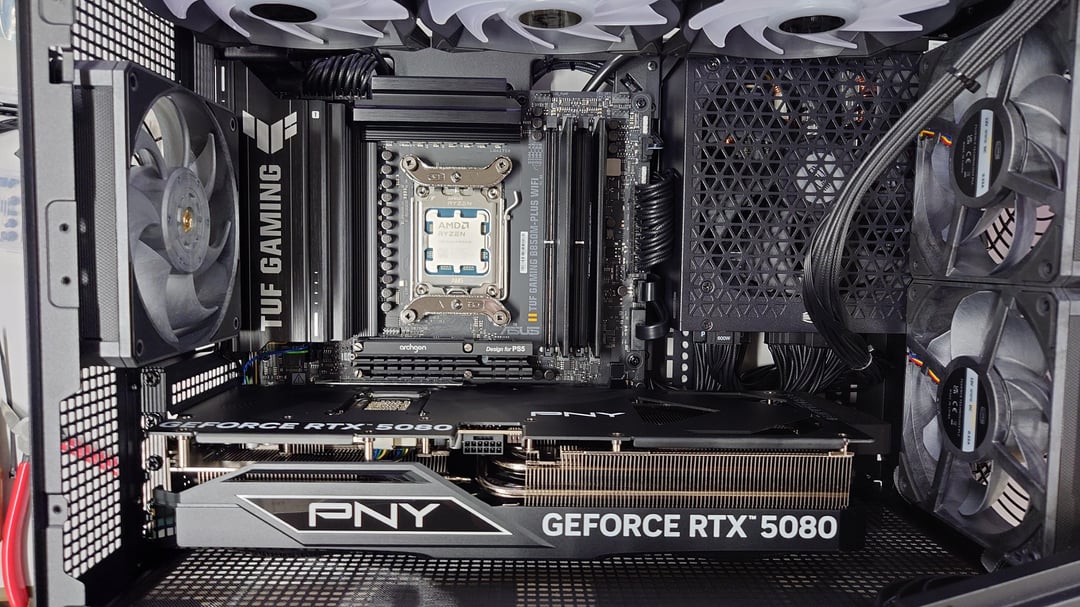
Both systems use the same CPU cooler:
· CPS RZ820 air cooler
Additional thermal modifications:
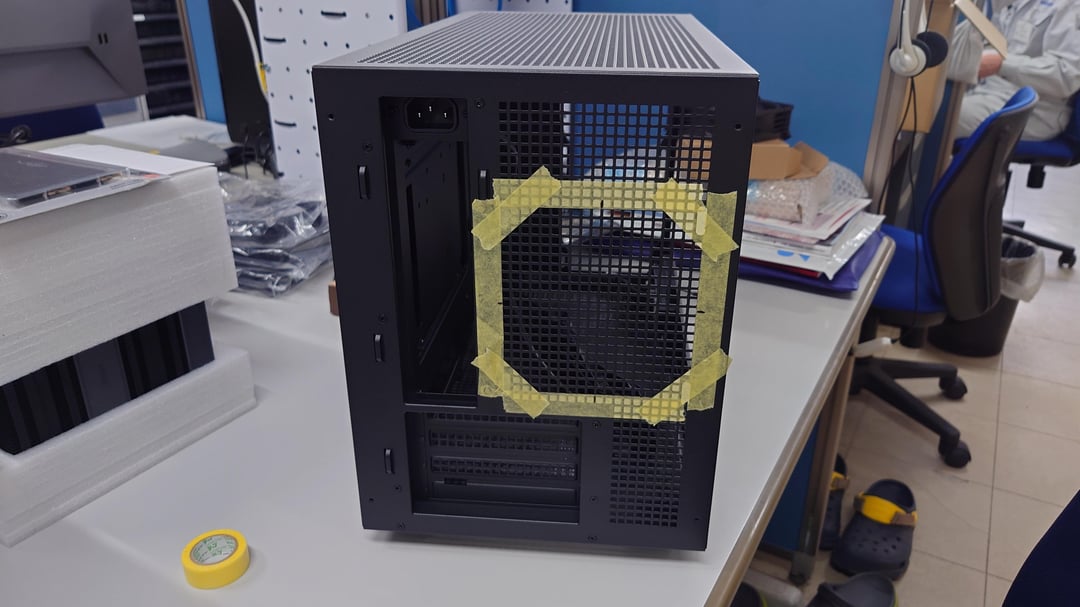
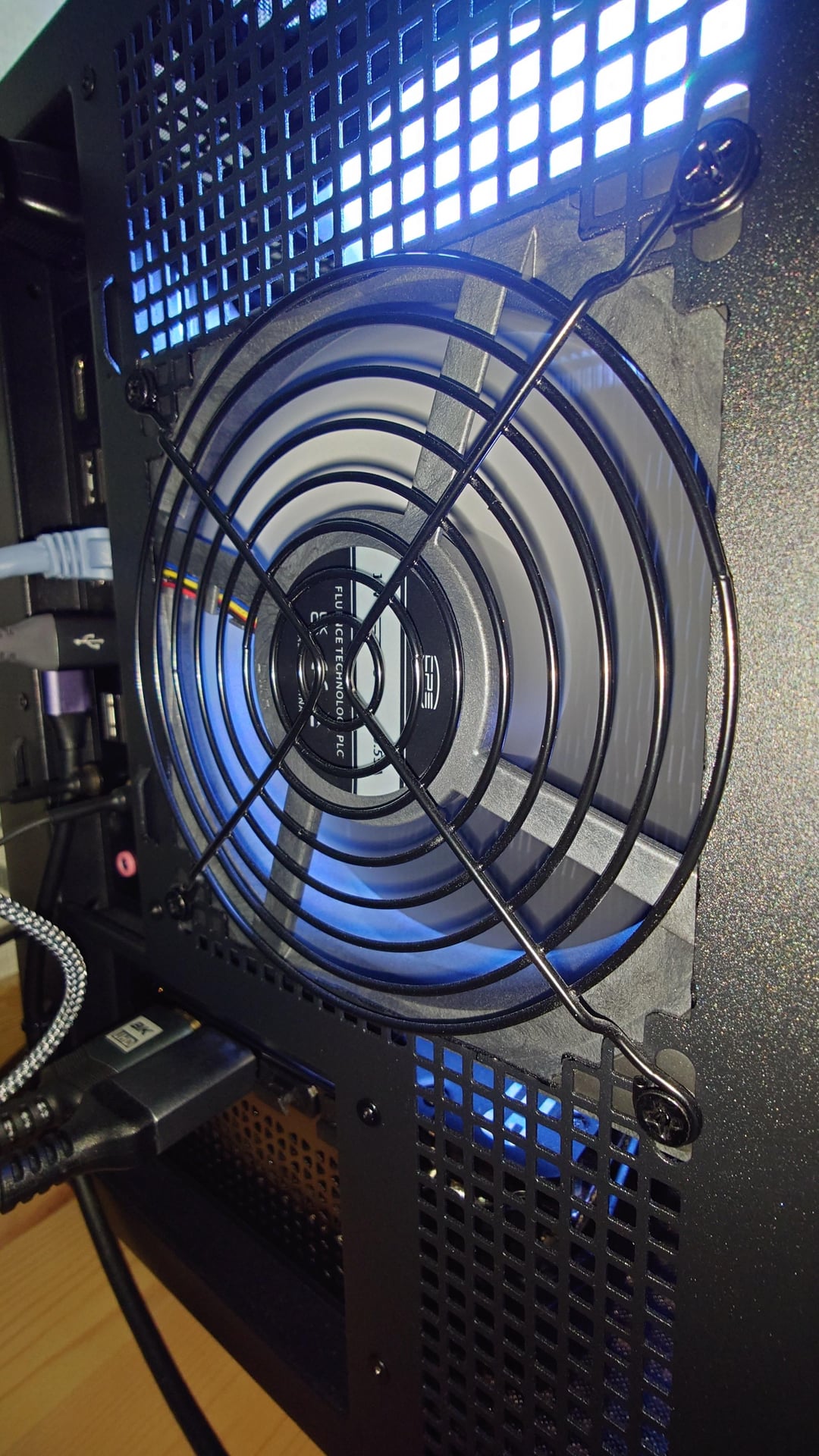
· The original metal mesh was removed and attached to the wire fan guard
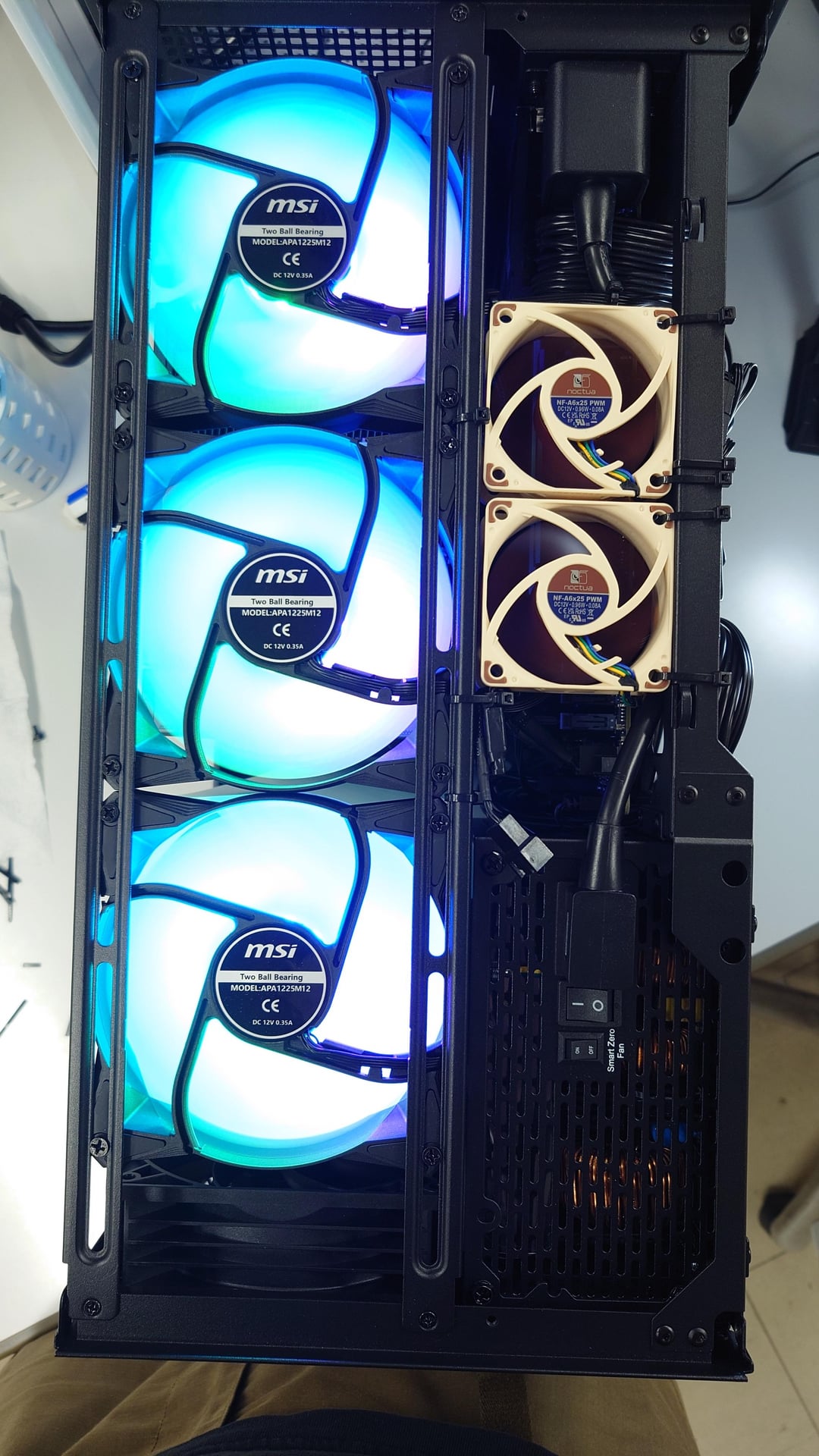
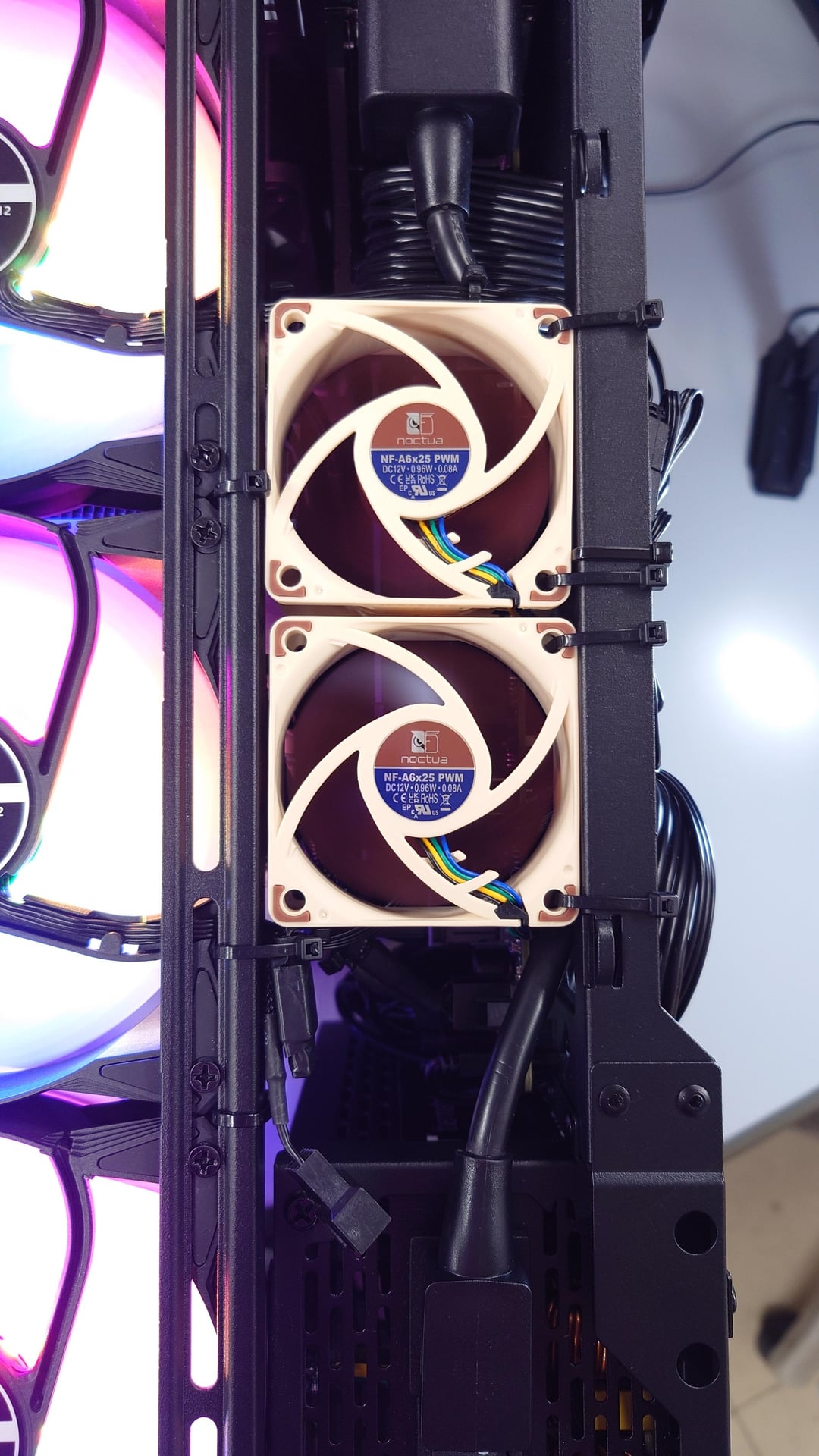
· Additional exhaust fans: Noctua NF-A6x25 ×2
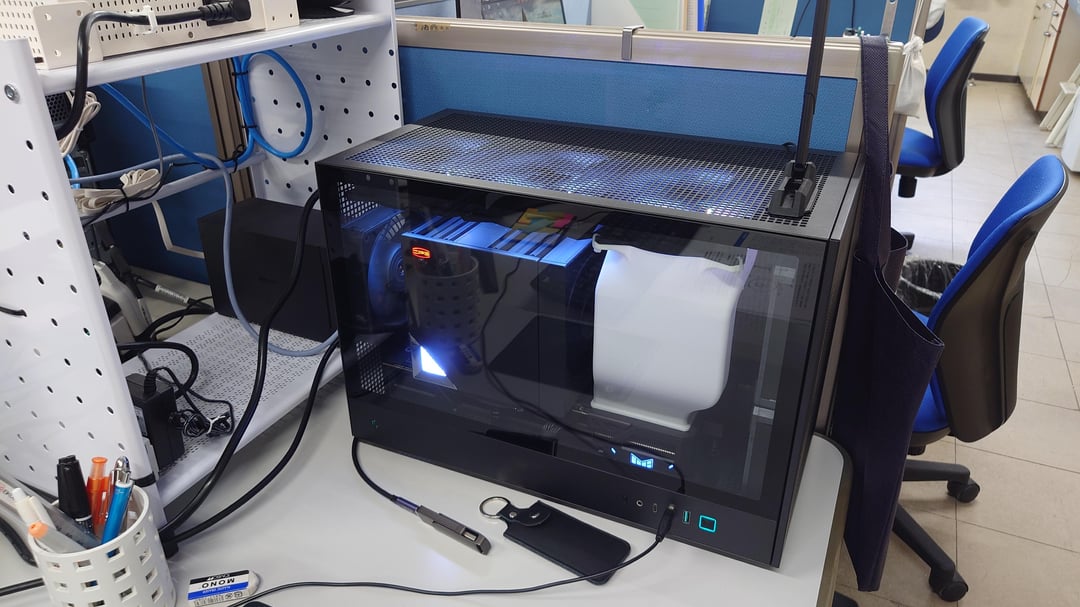
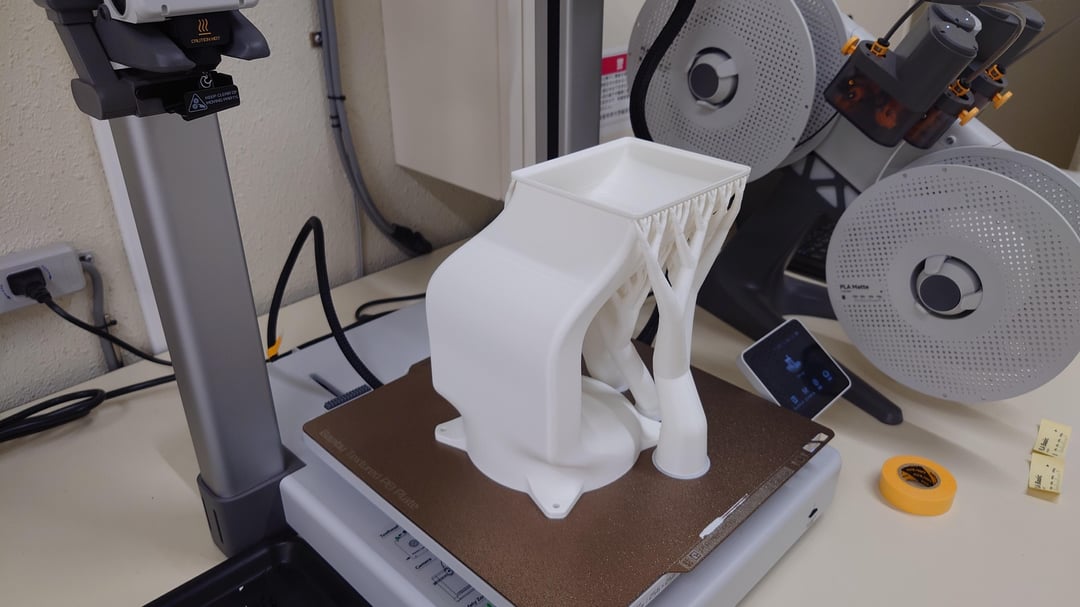
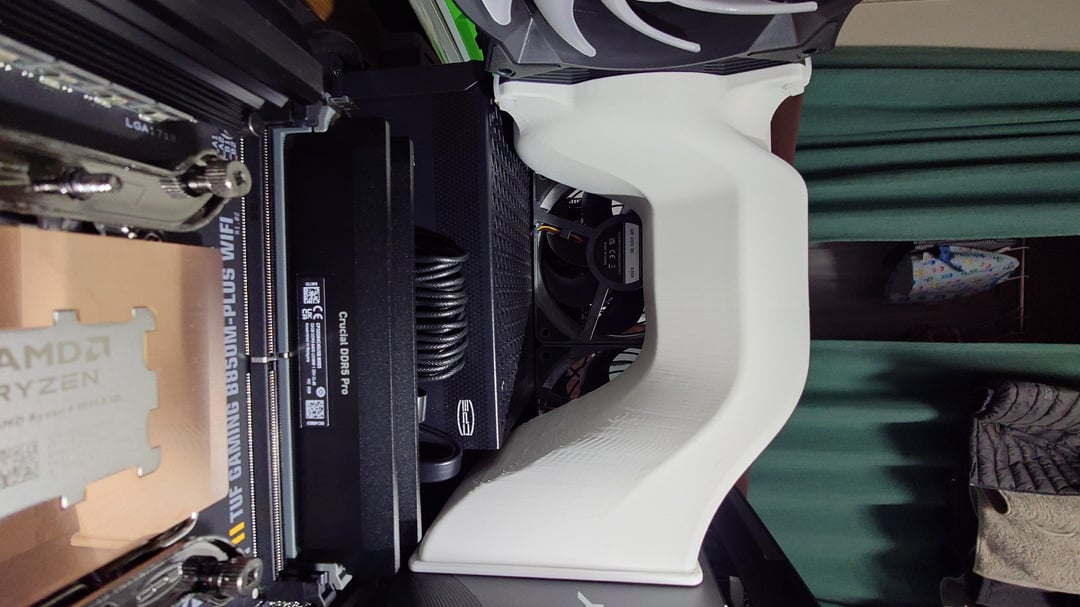
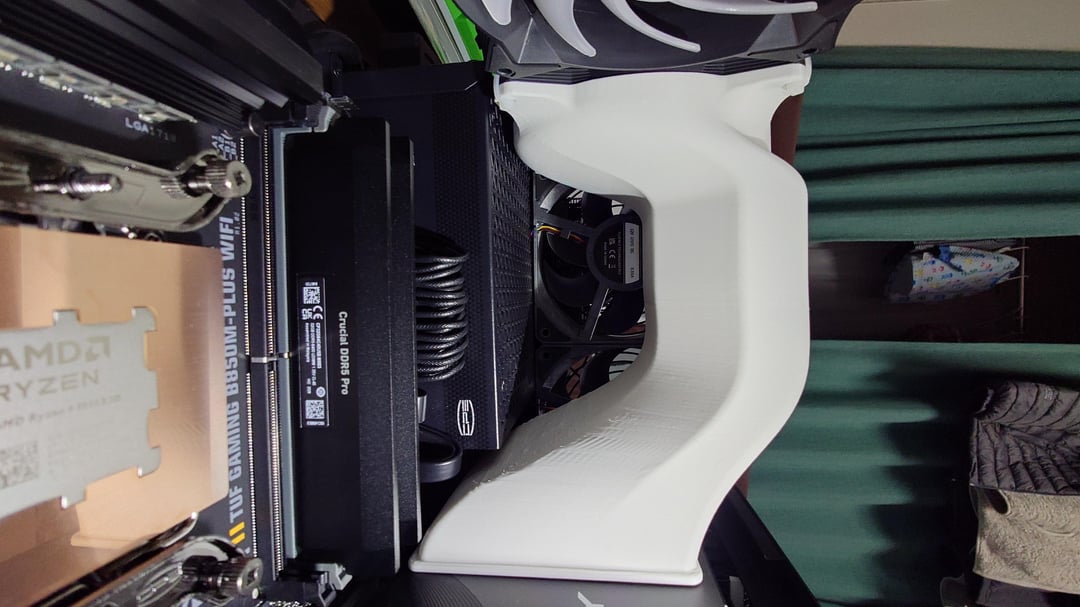
· A custom 3D-printed GPU exhaust duct directs GPU heat to the top exhaust fans
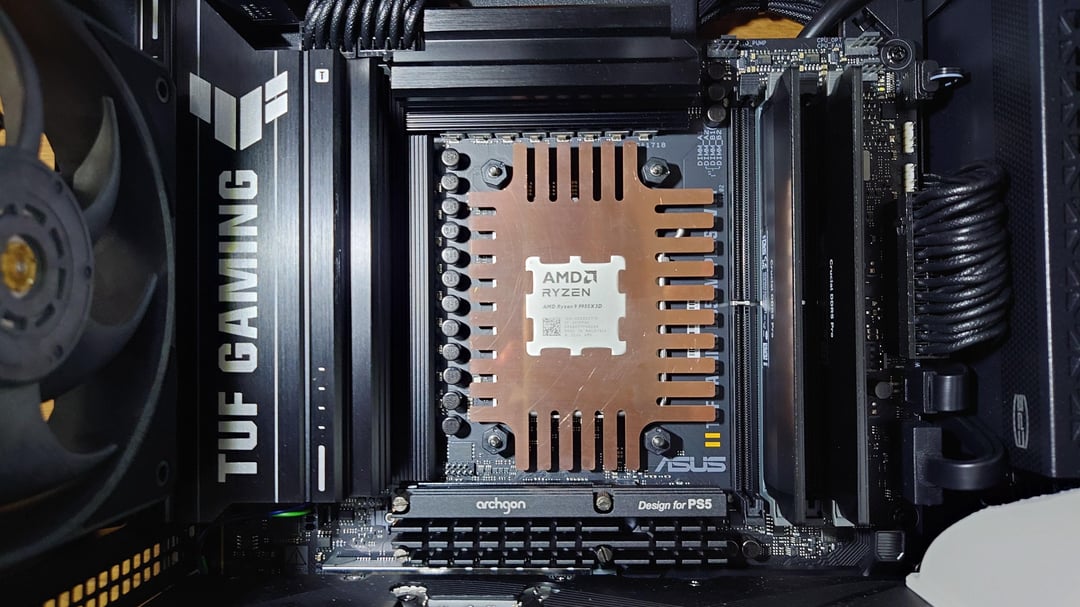
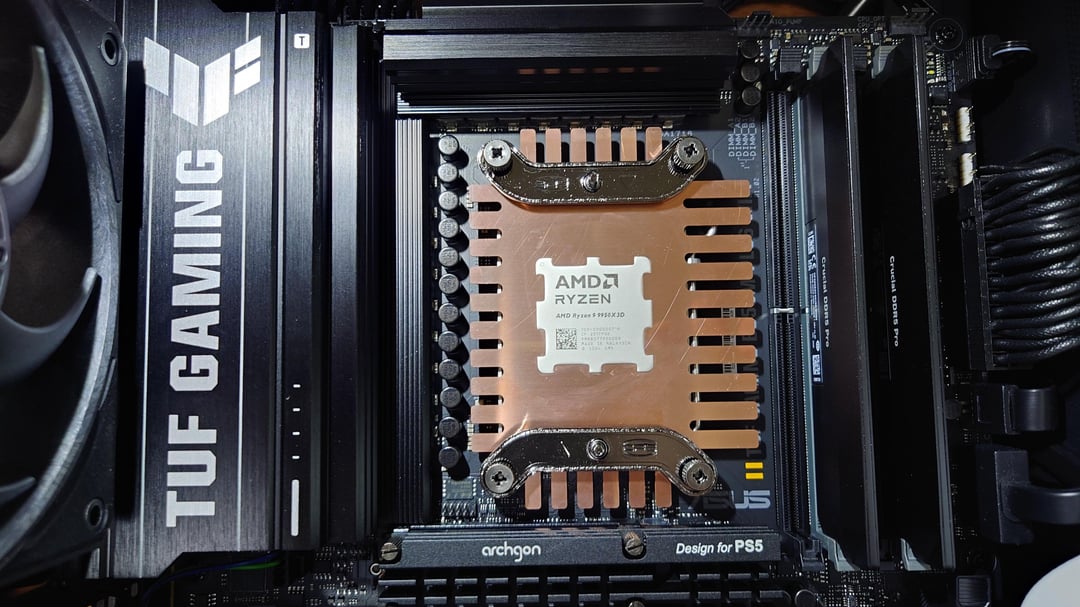
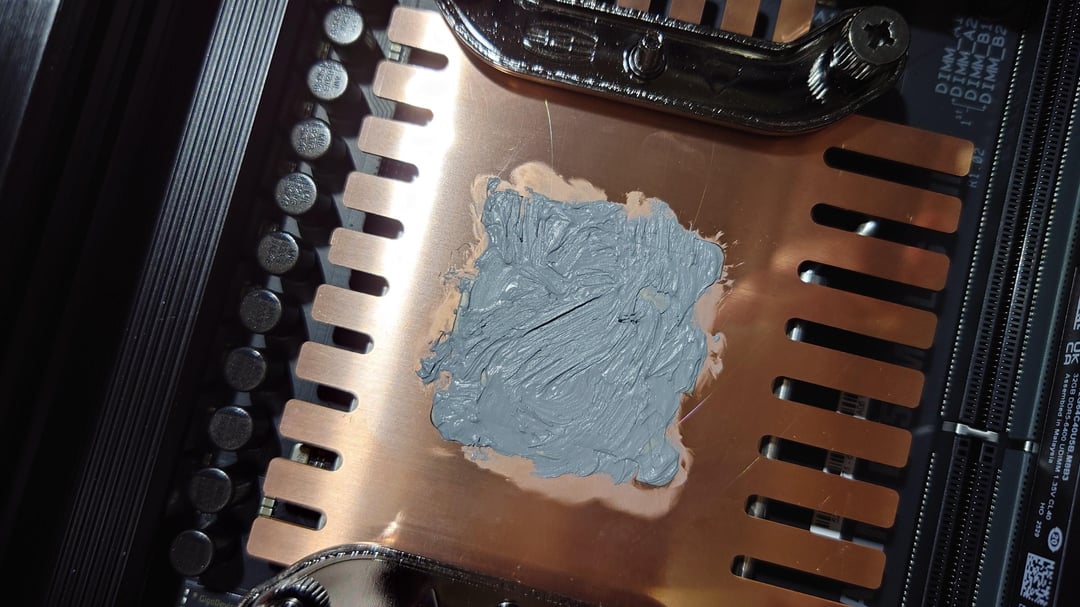
· Custom copper thermal paste guard
1. Benchmark Results
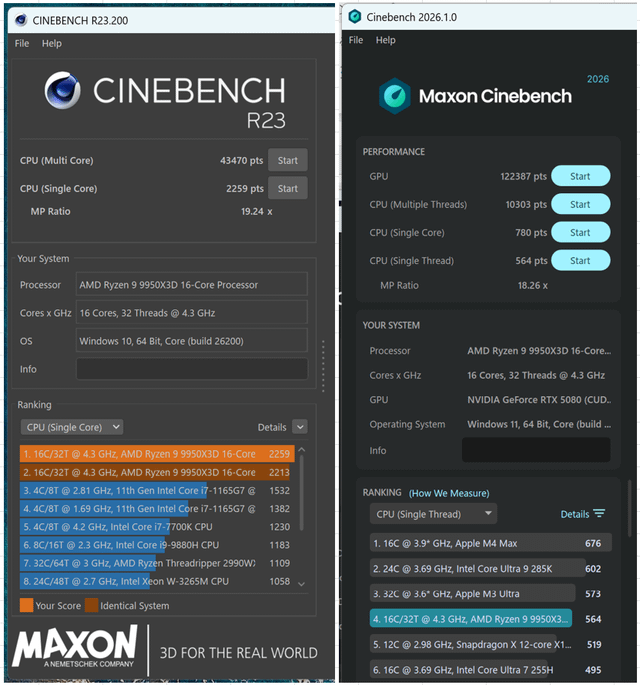
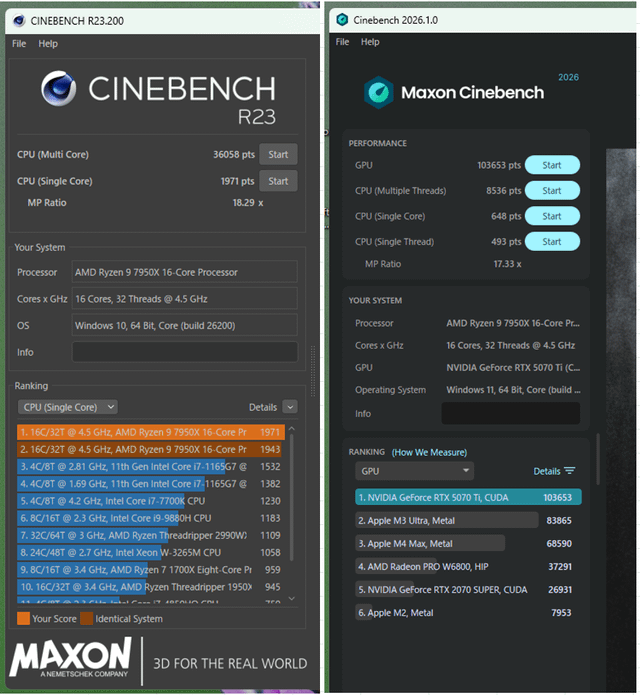
Cinebench R23
| Ryzen 9 7950X | Ryzen 9 9950X3D | |
|---|---|---|
| Multi Core | 36,058 | 43,470 |
| Single Core | 1,971 | 2,259 |
Cinebench 2026
| Ryzen 9 7950X | Ryzen 9 9950X3D | |
|---|---|---|
| GPU | 103,653 | 122,387 |
| CPU Multi Thread | 8,536 | 10,303 |
| CPU Single Core | 648 | 780 |
| CPU Single Thread | 493 | 564 |
Thermal and Power Results
| Ryzen 9 7950X | Ryzen 9 9950X3D | |
|---|---|---|
| CPU Temperature (Multi Load) | ~80°C | ~70°C |
| CPU Power | 189W | ~200W |
| CPU Cooler | CPS RZ820 | CPS RZ820 |
Ambient conditions:
· Ryzen 9 7950X system:
o Approximately 25°C room temperature
· Ryzen 9 9950X3D system:
o Air-conditioned environment
2. CPU Power Settings, CO / Curve Shaper and Voltage Configuration
Ryzen 9 7950X
Manual PBO limits:
· TDP: 140W
· PPT: 189W
· TDC: 138A
· EDC: 196A
· Temperature limit: 85°C
Curve Optimizer:
| CCD0 | Core0 | Core1 | Core2 | Core3 | Core4 | Core5 | Core6 | Core7 |
|---|---|---|---|---|---|---|---|---|
| -13 | -5 | -11 | -15 | -15 | -4 | -15 | -17 | |
| CCD1 | Core8 | Core9 | Core10 | Core11 | Core12 | Core13 | Core14 | Core15 |
| -20 | -20 | -20 | -20 | -20 | -20 | -20 | -18 |
Curve Shaper:
High clock “It can be set in the BIOS, but I wonder if it will actually work”
· Medium temperature: -1
· High temperature: -2
Ryzen 9 9950X3D
Default PBO limits:
· PPT: 200W
· TDC: 160A
· EDC: 225A
· Temperature limit: 85°C
Curve Optimizer:
| CCD0 | Core0 | Core1 | Core2 | Core3 | Core4 | Core5 | Core6 | Core7 |
|---|---|---|---|---|---|---|---|---|
| -27 | -27 | -27 | -27 | -27 | -27 | -26 | -26 | |
| CCD1 | Core8 | Core9 | Core10 | Core11 | Core12 | Core13 | Core14 | Core15 |
| -5 | -19 | -24 | -11 | -21 | -23 | -25 | -24 |
Curve Shaper:
High clock
· Medium temperature: -1
· High temperature: -2
Common CPU Settings
Both systems:
· Integrated GPU disabled
· CPU SOC Voltage: 1.10V fixed
· CPU MISC Voltage: 1.10V fixed
- Memory Configuration “Same in both systems”
Memory:
· DDR5-6000
Voltage:
· DRAM VDD/VDDQ: 1.10V (default)
Primary timings:
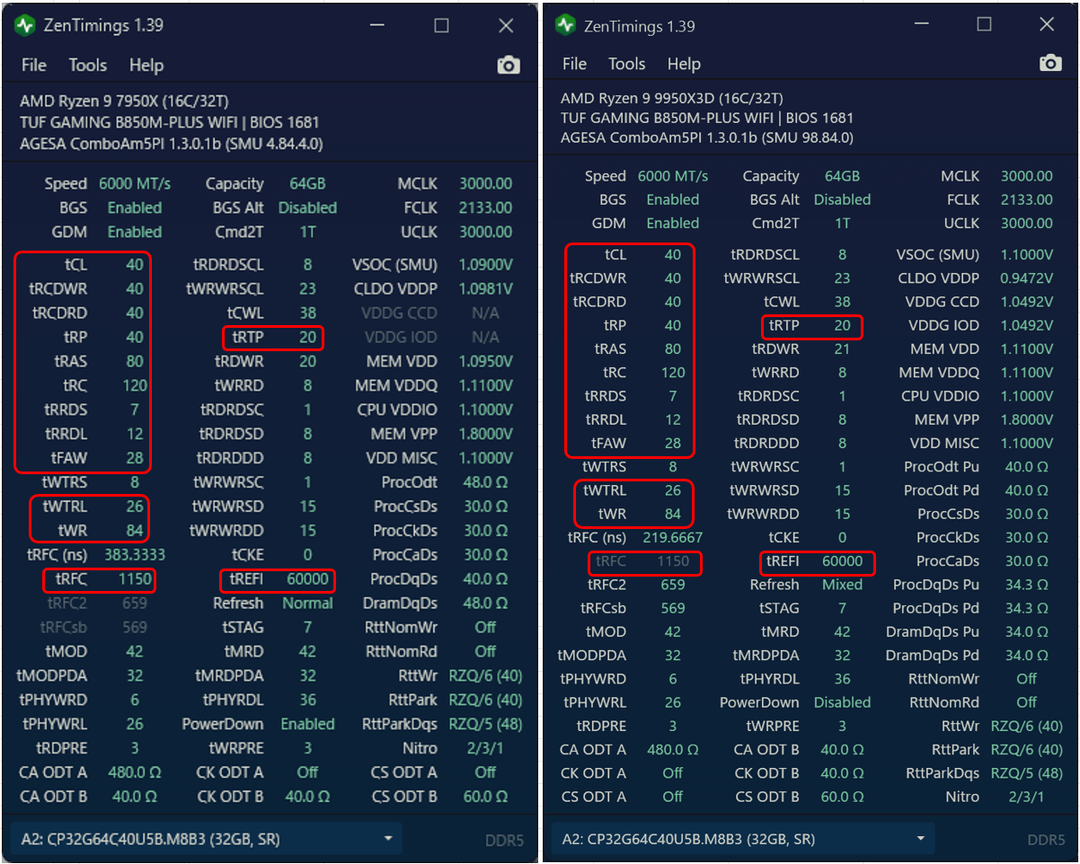
| Parameter | Value |
|---|---|
| tCL | 40 |
| tRCD WR | 40 |
| tRCD RD | 40 |
| tRP | 40 |
| tRAS | 80 |
Secondary timings:
| Parameter | Value |
|---|---|
| tRC | 120 |
| tWR | 84 |
| Refresh Interval | 60000 |
| tRFC1 | 1150 |
| tRFC2 | 659 |
| tRFCsb | 569 |
| tRTP | 20 |
| tRRDL | 12 |
| tRRDS | 7 |
| tFAW | 28 |
| tWTRL | 26 |
| tWTRS | 8 |
4. GPU Undervolting and Frequency Tuning
Both GPUs were tuned to improve performance while controlling thermal output.
RTX 5080
(Ryzen 9 9950X3D system)
Settings:
· GPU Core Clock Offset: +400 MHz
· Memory Clock Offset: +1900 MHz
· Maximum GPU Voltage: 1.0V
During gameplay, the temperature is 70°C.
RTX 5070 Ti
(Ryzen 9 7950X system)
Settings:
· GPU Core Clock Offset: +300 MHz
· Memory Clock Offset: +1500 MHz
· Maximum GPU Voltage: 1.0V
5. Case Airflow Optimization and Custom Modifications
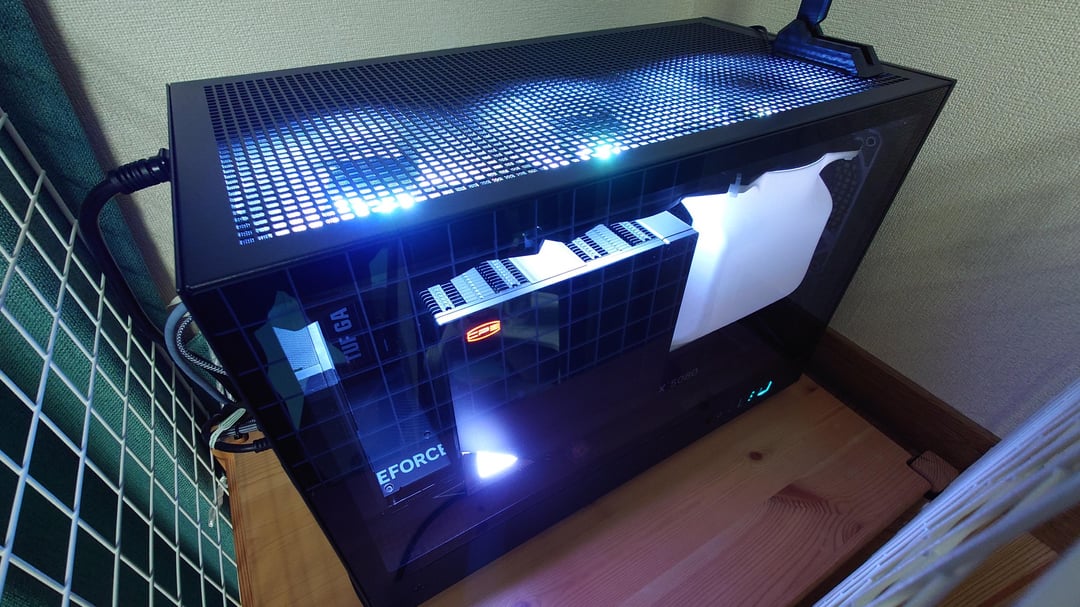
Case:
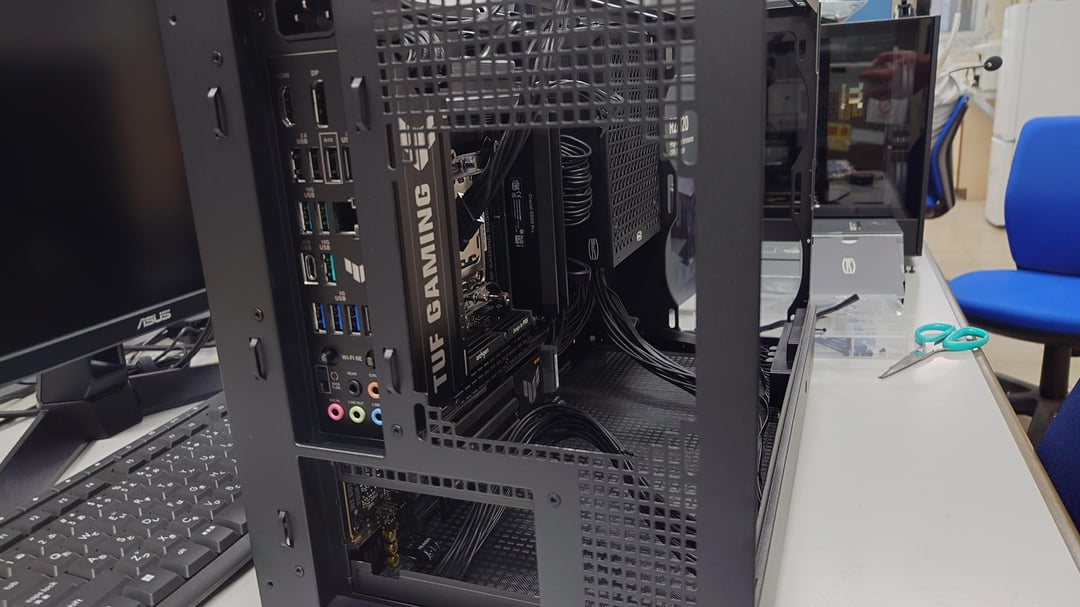
· DeepCool CH260
The CH260 does not support bottom GPU cooling fans, so several modifications were made to address the GPU cooling limitation.
Fan configuration
Front intake:
· CPS R9F120 ×2
Rear exhaust:
· CPS R9F120 ×1
Modification:
The original metal mesh was removed and replaced with a wire fan guard to reduce exhaust restriction and improve airflow efficiency.
Top exhaust:
· MSI APA1225M12 RGB ×3
Configuration:
The front top fan is dedicated to the GPU exhaust duct, while the remaining two fans are used for CPU and overall case heat exhaust.
Additional exhaust:
· Noctua NF-A6x25 ×2
· Operated continuously above 2000 RPM
Modification:
The purpose is to reduce heat buildup around the CPU VRM area and improve the removal of rising hot air from the case.
Custom GPU Exhaust Duct
A custom 3D-printed GPU exhaust duct was created because the CH260 cannot install bottom GPU intake fans. The purpose of the GPU exhaust duct is to assist GPU heat exhaust while preventing hot GPU exhaust air from being drawn into the CPU cooler intake.
Custom Copper Thermal Paste Guard
Specification:
· Thickness: 1.0 mm
· Approximately 0.01 mm clearance from CPU IHS
The custom copper thermal paste guard was designed to prevent thermal paste from flowing underneath the CPU IHS area while improving heat dissipation around the CPU.