
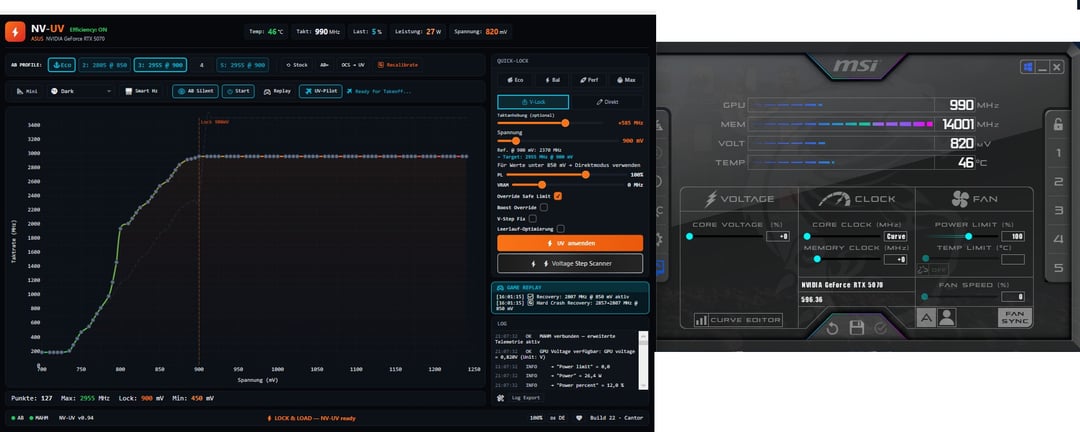
I just tested out NV-UV undervolting and I found a method in the german guide for this, you
-
Reset Afterburner to stock
-
I put power limit slider to 120% instead of 100%(not necessary)
-
Let Afterburner OC Scanner run and save it to 1 of the profiles inside of Afterburner
-
Click on AB← so NV-UV reads profiles again from Afterburner
-
Click on OCS→UV
-
Choose the right profile where you saved the OC Scanner results in
-
I chose V-Lock instead of multi-curve when loading in the OC Scanner results
-
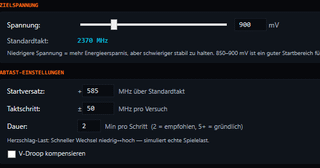
Click on Voltage step scanner inside NV-UV, choose the same mv and + on the core as in the Afterburner results Vlock suggested, let NV-UV do its own benchmarks(I set it to 2 minutes for each test instead of 1). When asked if you want to optimize or push until driver crash/sth happens I chose push until driver crash.
-
Verify for 5 Minutes afterwards when prompted with NV-UV benchmarks again.
-
Use the Replay option so if any of your game crashes you have the option so NV-UV will set the clock down or you can set it to increase voltage.
-
Enjoy smooth frametimes and a cool/quiet GPU.
Probably not the best/right way but I'm amazed by this tool, I also am testing 1 eco profile now for desktop/idle.