
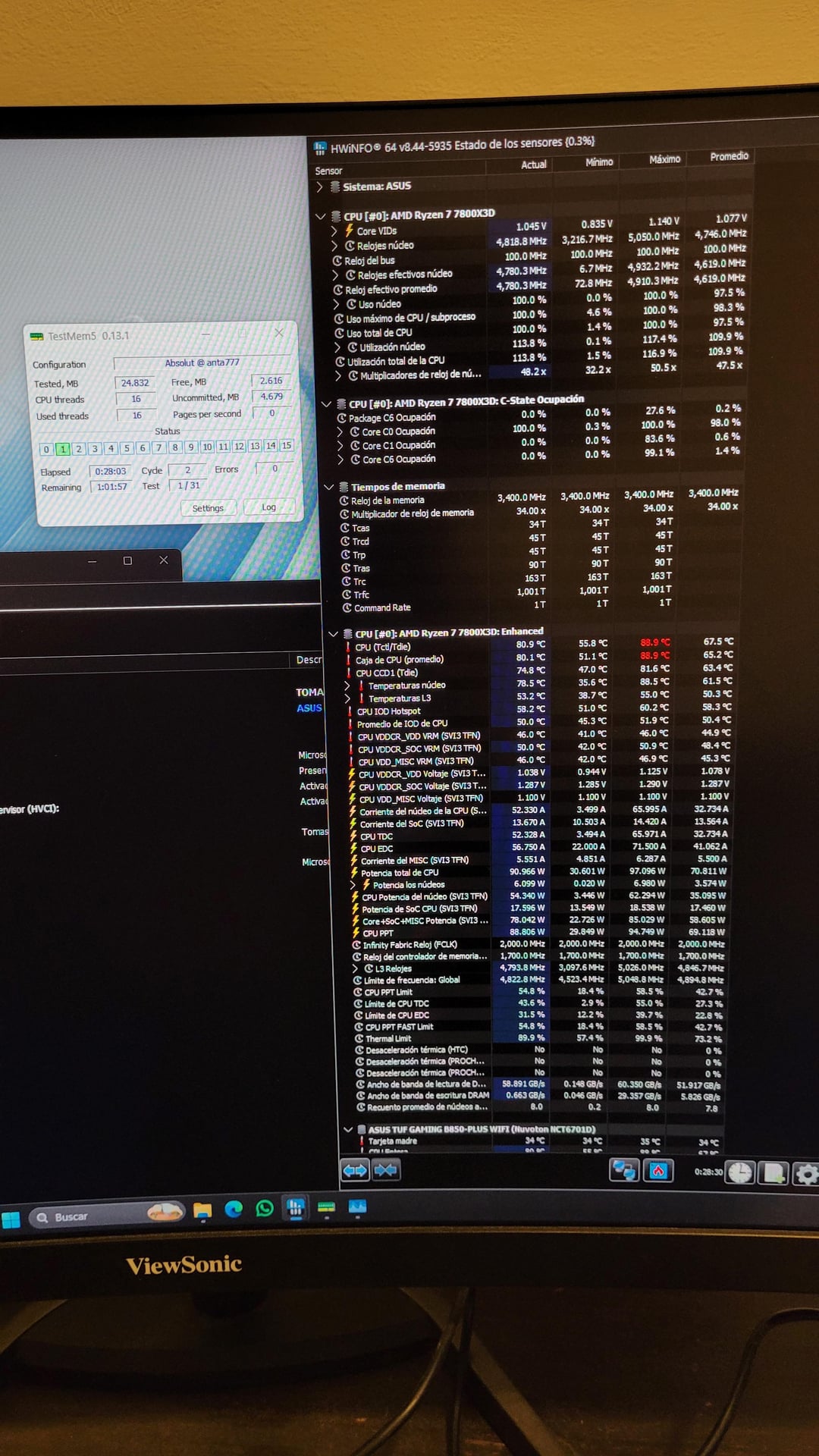
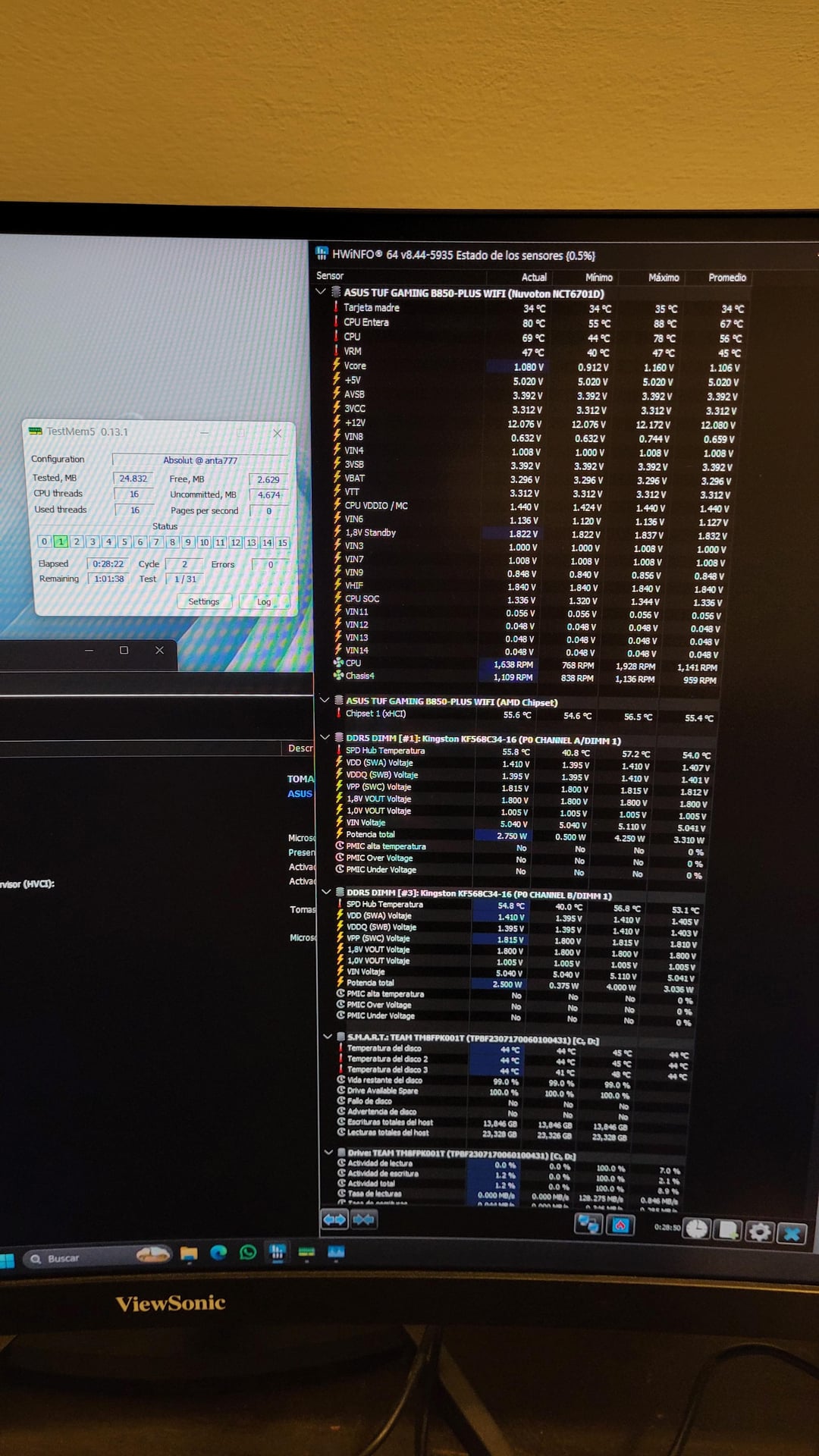
Hello. I recently upgraded to AM5: a Ryzen 7 7800X3D processor, an ASUS TUF B850 Gaming Plus WiFi motherboard, and Kingston Fury Beast RAM (2x16GB DDR5 6800MHz CL34).
When I first powered on the system, Windows wouldn’t boot with the RAM installed in slots A2 and B2. The only way I could get it to work was by using a single stick in B2. I installed Windows, enabled the EXPO profile in the BIOS, and then installed the second stick in A2. After that, it booted correctly.
The thing is, from what I understand, the optimal RAM frequency for the 7800X3D is around 6000MHz, so I’d like to know if it’s actually worth changing it and what steps I should follow.
I’m attaching screenshots of my TestMem5 results using the anta777 absolut profile. It seems to be stable—I ran 3 cycles with no errors.
Honestly, I don’t know much about this topic, so I’ve been using ChatGPT to guide me a bit. It gave me a BIOS configuration guide—do you think it’s correct? Is there anything else I should know or adjust?
CHATGPT GUIDE:
## OBJECTIVE
* 6000 MHz
* CL30–32
* UCLK = MCLK (1:1)
—
## STEP 1 — Enter BIOS
-
Restart your PC
-
Press **DEL** repeatedly
-
You will enter the BIOS
—
## STEP 2 — Go to Advanced Mode
Go to:
**AI Tweaker**
—
## STEP 4 — Set Memory Frequency
* **Memory Frequency**
Set it to: **DDR5-6000**
—
## STEP 5 — EXPO (Base)
* **AI Overclock Tuner** → set to:
**EXPO I**
—
## STEP 6 — Force 1:1 (CRITICAL)
Look for:
* **UCLK DIV1 MODE** or something similar
Set it to:
* **UCLK = MEMCLK** or **DIV1**
—
## STEP 7 — Adjust Timings
Go to:
**DRAM Timing Control**
Set:
* **CAS Latency (tCL):** 30 (or 32 if you want to be safe)
* **tRCD:** 36
* **tRP:** 36
* **tRAS:** 76
Recommended starting point:
**30-36-36-76**
If it doesn’t boot → try:
**32-38-38**
—
## STEP 8 — RAM Voltage
Go back and find:
* **DRAM VDD Voltage** → 1.35V
* **DRAM VDDQ Voltage** → 1.35V
For extra stability:
* You can increase to **1.37–1.40V** (safe)
—
## STEP 9 — CPU SoC (VERY IMPORTANT)
Find:
* **CPU SOC Voltage**
Set it manually:
* **1.20V – 1.25V**
Do NOT leave it on Auto if you are tuning RAM.
Thank you very much, and sorry for my English.