
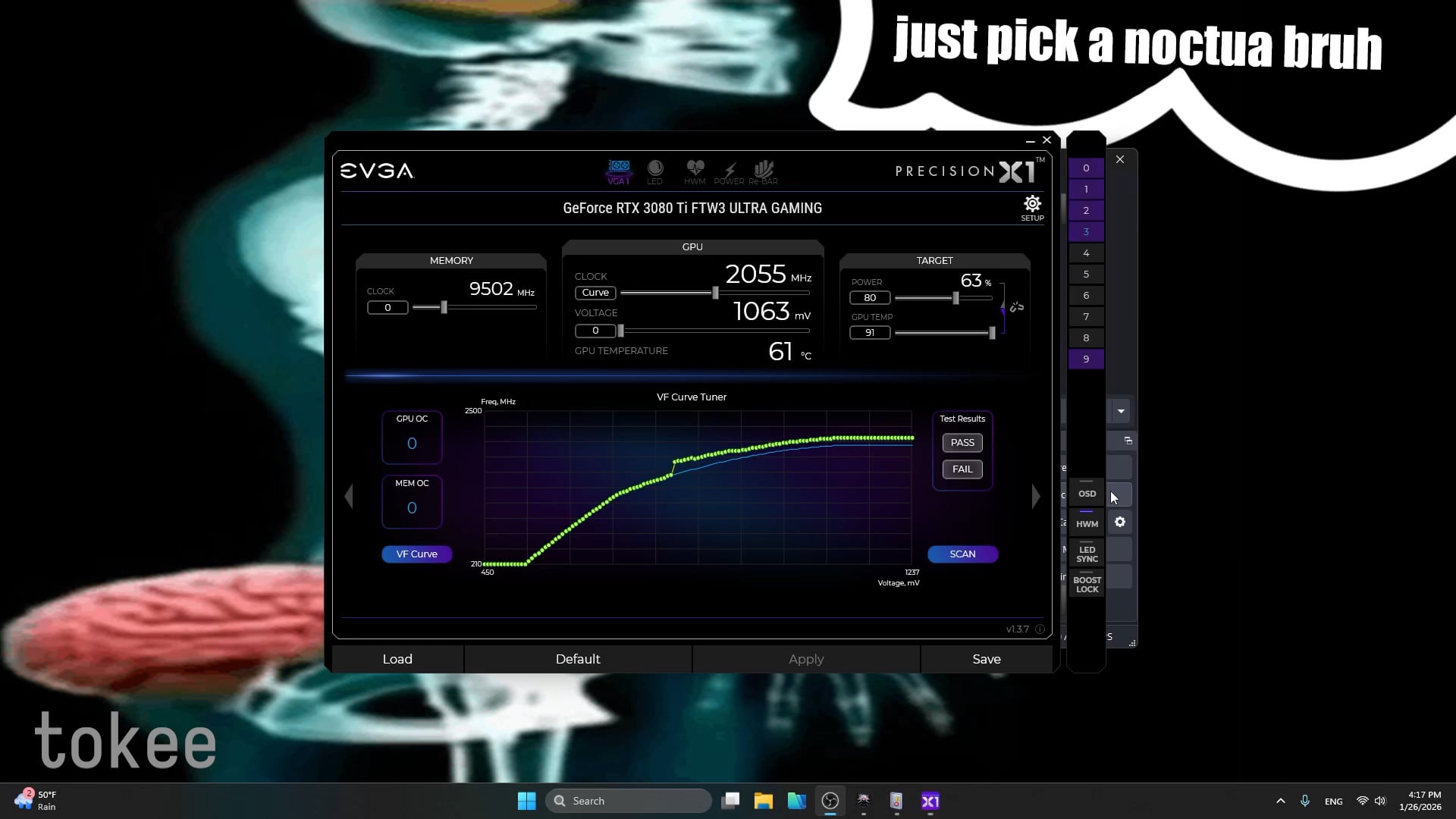
I want to talk about a more advanced approach to GPU "undervolting" for people whose goal is to reduce temperatures and power consumption without sacrificing performance or breaking GPU behavior.
Let the GPU do its Job – Stop limiting the maximum voltage
You can stay within your desired power limit regardless of the workload.
The GPU will choose the required voltage by itself, your task is to work with the range on the curve, not to boost only a single point. This gives you additional boost under lighter loads and in less demanding games, and prevents a massive fallback to the stock curve during power throttling, since we are applying an offset across the range.
Main goals of this approach:
- Do not hard limit maximum voltage
- Loss of control over specific power consumption and loss of performance when you could shift, within the same power limit, to higher/lower V/F point.
- Improve efficiency
- The GPU will request different voltage depending on whether it can fit within the power limit or not, by limiting the maximum voltage, you lose performance because you are not using the full range of the curve.
- Ensure that the GPU will not exceed a defined power limit when the workload changes.
More advanced tuning focuses not on forcing maximum voltage, which actually works against you, because you lose full control over temperatures and power limit.
If you have a specific goal to reduce GPU power consumption to a certain level, like in the video where power is reduced from 450 W to 320 W, this can be done simply by adjusting the range on the curve and by setting a power limit.
It is not necessary to tune every voltage point with a different offset – that approach takes a lot of time. This is the method I call "aggressive" curve tuning.
Instead, you can take one of the upper points as a base – for example 1.0 V – and apply the same offset, for example +105 MHz, down to 800 mV. If 1.0 V is stable in every scenario, then you do not need to test every lower point, because on every lower voltage point the offset effectively increases.
Of course, you are giving up additional offset at lower voltages when the GPU drops to lower points on the curve, but that is your choice – it is your time.
Related resources:
Spreadsheet showing how I tuned the curve on my 3080 Ti FTW3:
https://docs.google.com/spreadsheets/d/1NHVrTxq_tn7bz_JXirDHlD6s2pQT92ybWpf5NstNk-4/
Methods of “undervolting” and why single point undervolting is a bad idea:
Discussion on consumer NVIDIA GPUs not having full ECC: